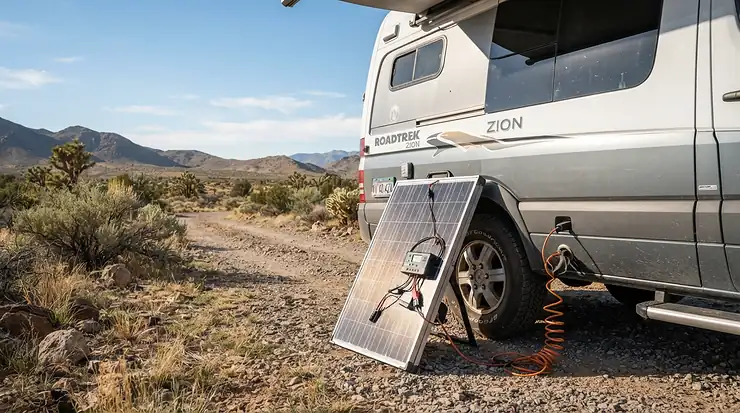
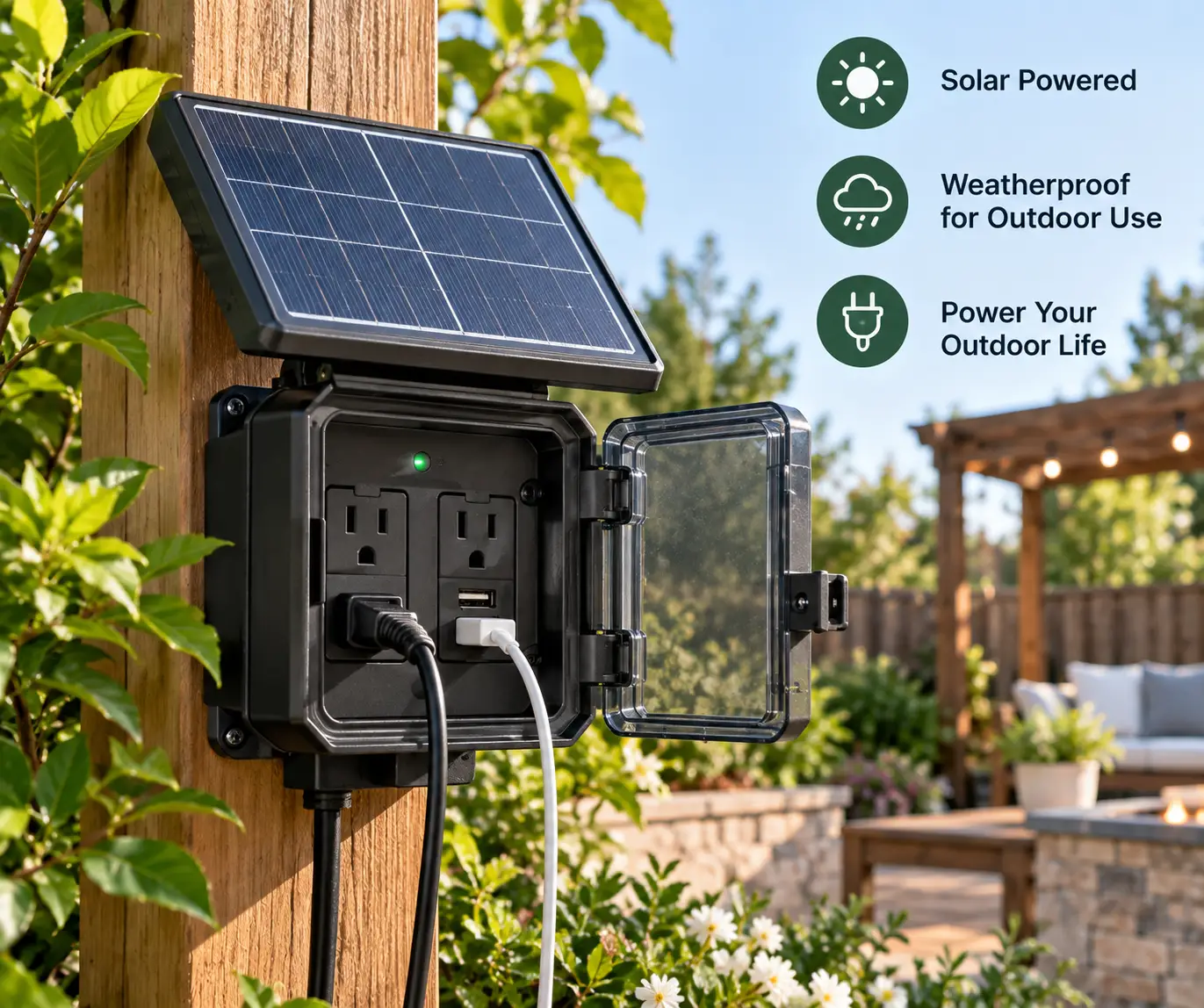
As an Amazon Associate I earn from qualifying purchases. Links in this article may be affiliate links. How we choose gear
Introduction: Why Getting Solar Power to AC Outlet Plugs Is Easier Than You Think
Here’s the frustrating truth about solar panels: they don’t make the kind of electricity your coffee maker, laptop charger, or fridge actually wants. Panels produce direct current (DC). Every standard wall plug in your house delivers alternating current (AC) at 120 volts. So if you want solar power to AC outlet form, something has to sit in the middle and translate.
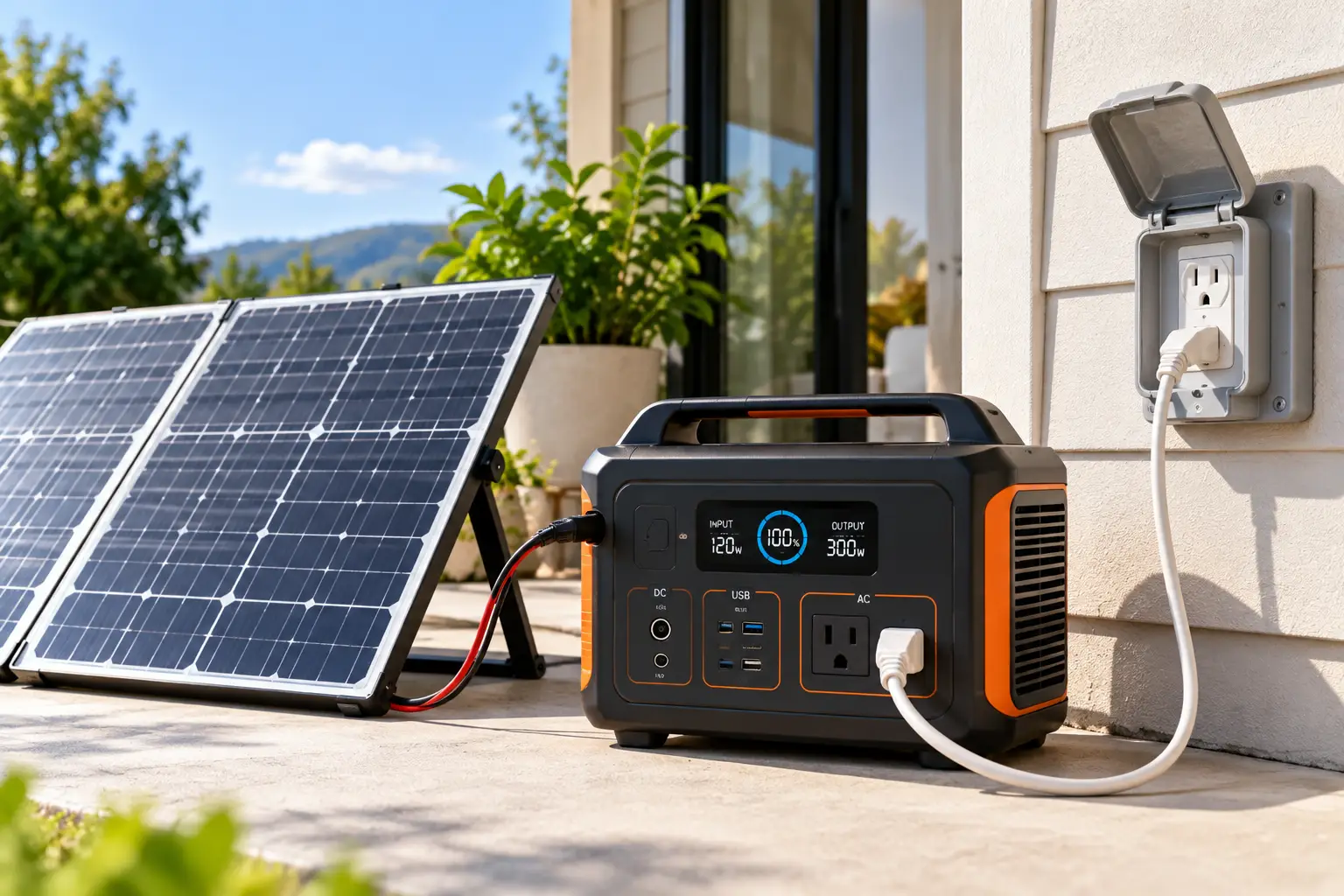
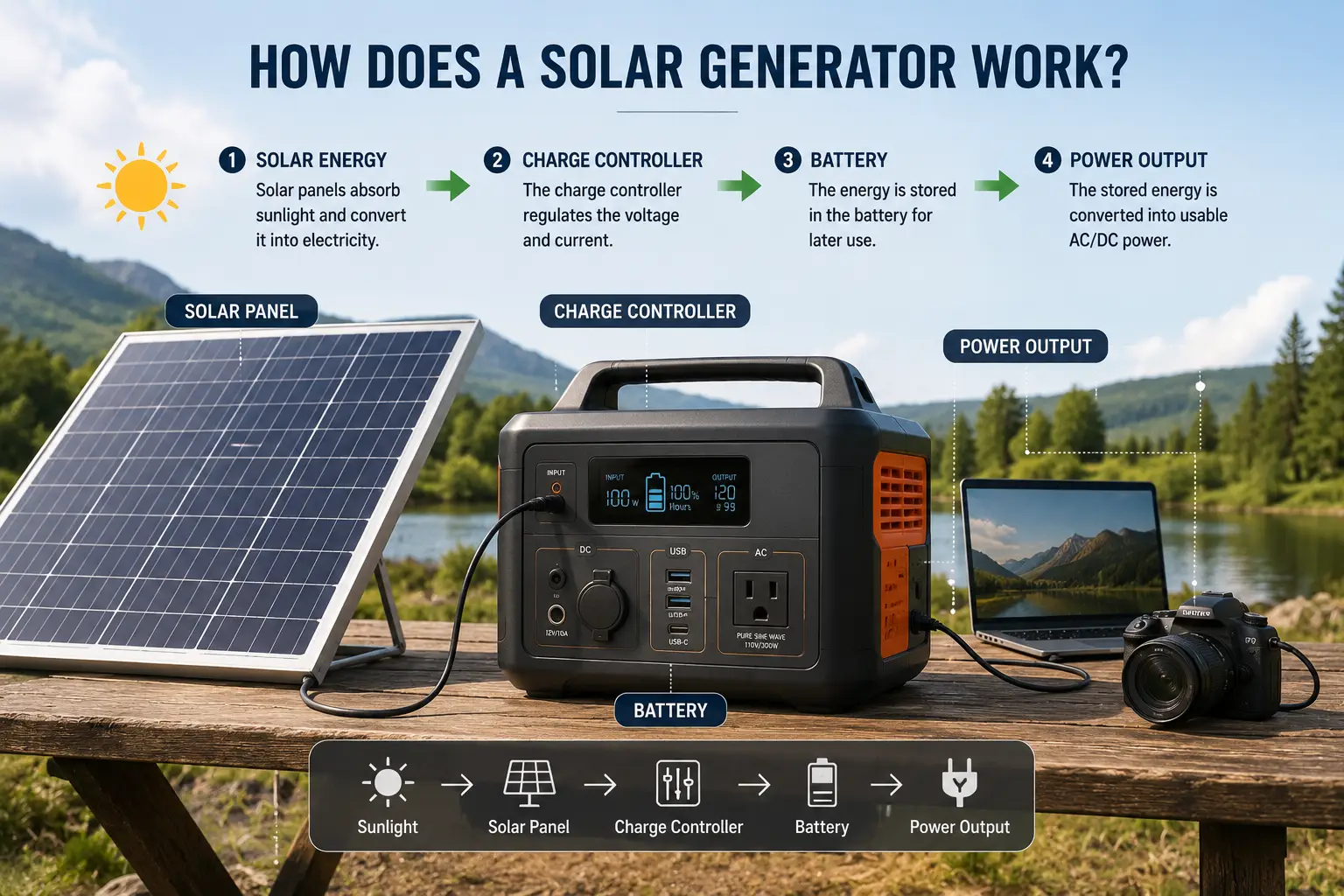
A decade ago, that “something” meant a pile of parts: a charge controller, a deep-cycle battery, a standalone inverter, fuses, and a weekend of wiring. In 2026, most people skip the DIY project entirely. A portable solar power station packs the controller, the battery, and a pure sine wave inverter into one box with real three-prong outlets on the front. Plug panels into one side, plug your appliances into the other. Done.
That said, not every box is created equal. Some can barely run a mini-fridge; others can run a well pump at 240 volts. Some soak up 100 watts of sun, others swallow 2,600. And the gap between “looks great on the listing” and “actually keeps your freezer cold during a three-day outage” is wider than most buyers realize.
This guide cuts through that gap. We compared spec sheets, published lab and editorial reviews, and manufacturer documentation for seven real models available to US shoppers, then translated the numbers into plain-English answers: what it’ll power, for how long, how fast the sun refills it, and what you’ll really pay per kilowatt-hour over its life. You’ll also get a setup walkthrough, troubleshooting fixes, and the safety rules that keep you on the right side of your utility and the electrical code.
What Is Solar Power to AC Outlet?
Solar power to AC outlet means converting the DC electricity that solar panels produce into standard 120V (or 240V) AC power you can use from a normal wall-style plug. It requires three steps: a charge controller harvests the panel output, a battery stores it, and an inverter turns it into household AC.
The inverter is the critical piece. If you want the deeper electrical theory, Wikipedia’s overview of the power inverter explains how switching circuits build an AC waveform from a DC source. For buyers, though, only three inverter facts really matter:
Continuous watts — the load it can hold all day (your appliances must add up to less than this).
Surge watts — the brief burst it can deliver when a compressor or motor kicks on.
〰️ Waveform — “pure sine wave” output matches grid power and is safe for sensitive electronics, CPAP machines, and variable-speed motors. Every model in this guide uses a pure sine wave inverter.
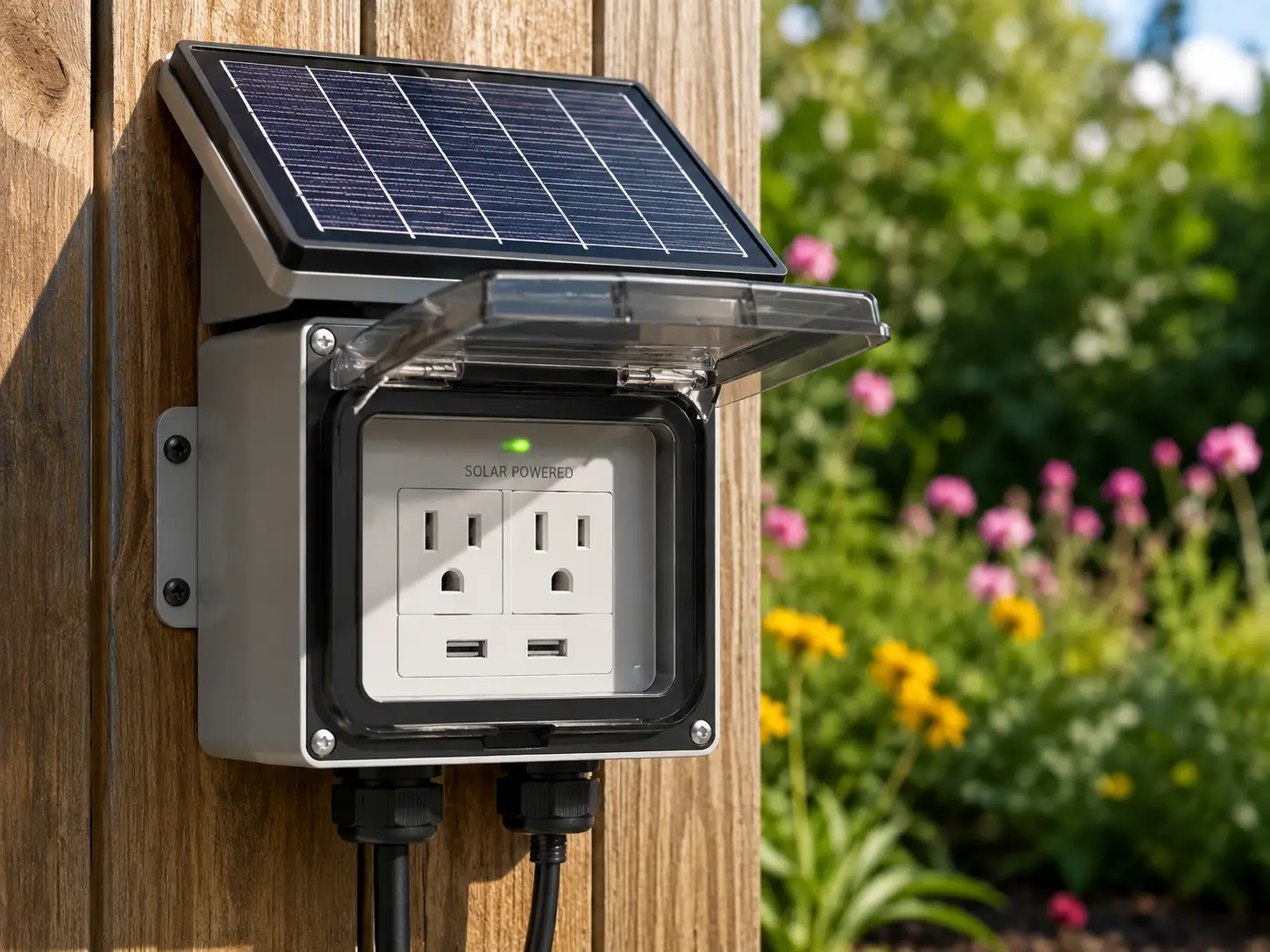
In practice, there are two ways to get solar power to an AC outlet: an all-in-one portable power station (what this guide focuses on), or a permanently installed system with an inverter tied into your home’s wiring. The first is plug-and-play; the second requires a licensed electrician, permits, and usually utility approval.
Quick Comparison: 7 Ways to Turn Solar Power Into AC Outlet Power
Product
Capacity
Continuous AC Output
Max Solar Input
Typical Price Range*
Best for
Jackery Explorer 300 Plus
288Wh
300W
100W
Under $300
Jackery Explorer 300 Plus: day trips, laptops, CPAP for one night
EcoFlow RIVER 3 Plus
286Wh (expandable to 858Wh)
600W
220W
$200–$350
EcoFlow RIVER 3 Plus: router/modem backup, small campsites
Jackery Explorer 1000 v2
1,070Wh
1,500W
400W
$400–$700
Jackery Explorer 1000 v2: budget-minded first big unit
Anker SOLIX C1000 Gen 2
1,024Wh
2,000W
600W
$450–$800
Anker SOLIX C1000 Gen 2: best all-around 1kWh unit
EcoFlow DELTA Pro 3: whole-home essentials, 240V loads
*Price ranges at the time of writing; prices change often, so check the current price on Amazon.
Looking at the table, the sweet spot for most households sits in the 1kWh class, where the Anker SOLIX C1000 Gen 2 and EcoFlow DELTA 3 Plus trade blows: the Anker pushes more output (2,000W), while the EcoFlow accepts nearly twice the solar (1,000W vs. 600W) and can grow with extra batteries. If your real goal is turning sunshine into outlet power day after day, solar input matters as much as battery size, which is exactly where the Jackery Explorer 1000 v2 (400W) falls behind its peers. At the extremes, the Jackery Explorer 300 Plus is a grab-and-go backpack unit, while the EcoFlow DELTA Pro 3 is closer to a home battery on wheels.
Tap any highlighted product to check today’s price and availability.
Top 7 Solar Generators With AC Outlets
Each pick below is a real model sold to US buyers. Specs come from manufacturer documentation and published reviews; where we summarize reviewer sentiment, we say so. We have not personally bench-tested these units, so the commentary is analysis of the data, not a hands-on diary.
The Anker SOLIX C1000 Gen 2 is built around one idea: get back to full as quickly as possible, whether from the wall or the sun.
Its 1,024Wh LiFePO4 battery feeds a 2,000W inverter (3,000W peak), which in practice means it can start a full-size fridge, a microwave, or a circular saw without the overload alarm drama common on 1,500W units. Anker rates UltraFast AC recharging at 49 minutes with 1,600W input, and solar input tops out at 600W (60V max), enough for a full solar refill in under two hours of strong sun with three 200W panels. A 10ms UPS switchover keeps a desktop PC or router running through a blackout blip.
On paper, this is the unit to beat for someone who wants one box for both camping and outage duty. The big trade-off: Gen 2 dropped the expansion port, so 1,024Wh is the ceiling forever. Outdoor Life’s 2026 roundup specifically recommends the C1000 line for buyers planning to pair it with panels, and forum discussion of Gen 2 repeatedly flags the missing expansion port and removed light bar as the main complaints.
Pros:
2,000W output handles most kitchen appliances
Industry-leading AC recharge speed for emergencies
600W solar input is generous for its size
Cons:
No expansion battery support at all
Around 25 lbs, not a one-hand carry
Typically in the $450–$800 range; at the low end of that range, it’s arguably the best value per watt of output in this guide.
Anker SOLIX C1000 Gen 2See current price, sizes and reviews on Amazon.
The EcoFlow DELTA 3 Plus is the 1kWh unit for people who suspect they’ll want more later.
You get 1,024Wh of LiFePO4 storage, 1,800W continuous output (3,600W surge), and, unlike its stablemate the standard DELTA 3, two solar inputs that combine for 1,000W. That doubled solar intake matters more than it sounds: on a short winter day with only three or four peak sun hours, a 500W array simply can’t refill a 1kWh battery, while 800–1,000W of panels can. Capacity expands up to 5kWh with EcoFlow’s extra batteries, and the 10ms UPS mode supports networked devices.
Based on comparing the specs, this is the smarter long-term buy than the Anker SOLIX C1000 Gen 2 if you plan to add batteries or panels, and the weaker one if raw output is your priority. One UK reviewer of the DELTA 3 line made the honest point that doubled solar input only pays off if you actually buy enough panels, which aren’t cheap. StorageReview’s lab review praised its app control and UPS behavior.
Pros:
1,000W combined solar input is class-leading
Expands to 5kWh with extra batteries
56-minute AC recharge for storm prep
Cons:
Lower continuous output than the Anker
Heaviest 1kWh pick at roughly 27.6 lbs
Usually $500–$800; worth the premium only if you’ll use that extra solar headroom.
EcoFlow DELTA 3 PlusSee current price, sizes and reviews on Amazon.
The Jackery Explorer 1000 v2 is the friendliest on-ramp to a real 1kWh system, especially when it’s on one of its frequent deals.
It stores 1,070Wh in LiFePO4 cells rated for 4,000 cycles to 70% capacity, outputs 1,500W (3,000W surge) through three AC outlets, and weighs about 23.8 lbs, which Jackery bills as the smallest and lightest 1kWh LFP station. An app-enabled emergency mode refills it from the wall in about an hour. What the spec sheet doesn’t trumpet: solar input caps at 400W through two DC8020 ports, and Jackery says both ports must use matching Jackery panels when doubled up.
That 400W ceiling is the whole story. For weekend camping or occasional outages, it’s plenty. For daily solar cycling, it means a full refill needs a long, clear day. A Slickdeals commenter summed up the most common criticism: the solar input feels dated next to rivals at the same price.
Pros:
Easiest-to-carry 1kWh station here
Simple, beginner-friendly controls and app
Frequently discounted, strong value when on sale
Cons:
Only 400W solar input limits daily recharging
Not expandable with extra batteries
Generally $400–$700; a great buy near the bottom of that range, less compelling at the top.
Jackery Explorer 1000 v2See current price, sizes and reviews on Amazon.
The BLUETTI Elite 200 V2 doubles the capacity of the 1kWh class and backs it with an unusually long cycle rating.
You’re looking at 2,073.6Wh of LiFePO4 storage, 2,600W continuous output (3,900W peak), four full 20A AC outlets, and a 1,000W solar input (12–60V, 20A). BLUETTI claims 6,000+ cycles to 80% capacity, roughly 50% more than most rivals, and supports combined AC + solar charging up to 2,400W. A UPS mode switches over in 15ms or less.
In practice, 2kWh is the threshold where a typical refrigerator, lights, phones, and a modem can ride out a full day without the sun. The catch is weight: at 53.4 lbs, TechRadar and AppleInsider both called it cumbersome, and it can’t be expanded. Reviewers consistently praise its port layout, build quality, and quiet operation.
Pros:
2kWh capacity covers a full day of essentials
Highest rated cycle life in this guide
Four 20A outlets for multiple big loads
Cons:
53.4 lbs, a genuine two-hand lift
No expansion option later
Typically $900–$1,400; TechRadar noted it often sells well below its MSRP, which makes it strong value per watt-hour.
BLUETTI Elite 200 V2See current price, sizes and reviews on Amazon.
The EcoFlow DELTA Pro 3 isn’t really portable in the backpack sense; it’s a rolling home-backup system.
It holds 4,096Wh and outputs 4,000W (6,000W with X-Boost, 8,000W surge) at either 120V or 240V, with an L14-30 and a NEMA 6-20R outlet for 240V loads such as a well pump. Solar input reaches 2,600W across two ports: a high-voltage port (30–150V, 1,600W) and a low-voltage port (11–60V, 1,000W). It’s IP65 rated, expandable with extra batteries, and integrates with EcoFlow’s Smart Home Panel 2 for circuit-level backup.
That high-voltage port is the overlooked advantage: you can string panels in series, which means thinner wire and less power lost over long cable runs from the roof or yard. One Slickdeals thread offered a useful warning, though: you must calculate your panels’ open-circuit voltage in cold weather before wiring in series, or you risk exceeding the 150V limit.
Pros:
True 240V output for well pumps and dryers
2,600W solar input fills it in one sunny day
Pairs with a smart home panel
Cons:
Premium price puts it out of casual reach
Very heavy, wheels are a necessity
Usually $1,900–$3,700 depending on promotions; the right buy only if you need 240V or 4kWh+.
EcoFlow DELTA Pro 3See current price, sizes and reviews on Amazon.
The EcoFlow RIVER 3 Plus is a compact, expandable unit that punches above its 286Wh capacity.
It delivers 600W continuous (1,200W with X-Boost) across three AC outlets, accepts up to 220W of solar (11–55V), and weighs about 10.4 lbs. LiFePO4 cells are rated for 3,000 cycles to 80%, and EcoFlow lists a sub-10ms UPS switchover, a feature usually reserved for bigger units. Snap-on extra batteries can stretch capacity to 858Wh.
Here’s what to weigh: a 3W Wi-Fi router can run for roughly 35 hours on a single charge per EcoFlow’s own estimate, which makes this an excellent “keep the internet alive” device during outages. X-Boost lets resistive loads like a small kettle run at reduced power, but don’t expect it to start a refrigerator compressor reliably. Published reviews describe it as a meaningful step up from the older RIVER 2.
Pros:
Under-10ms UPS protects routers and PCs
Expandable to 858Wh without replacing it
Light enough to carry one-handed
Cons:
220W solar input limits bigger panel setups
Too small for refrigerators or space heaters
Typically $200–$350; excellent value as a dedicated outage-ready UPS.
EcoFlow RIVER 3 PlusSee current price, sizes and reviews on Amazon.
The Jackery Explorer 300 Plus is for people who want solar-charged AC power in a backpack, not a garage.
It pairs a 288Wh LiFePO4 battery (3,000 cycles to 80%+) with a single 300W pure sine wave AC outlet (600W surge peak), plus a 100W USB-C port. It weighs just 8.27 lbs and supports up to 100W of solar input. App control works over Wi-Fi or Bluetooth.
What most buyers overlook with this model is the solar connector. Jackery panels plug straight in, but other brands need an extra adapter cable with a DC8020 end. Solar input tops out at 100W, so a full refill takes most of a sunny day. For a laptop-and-camera photographer, a drone pilot, or a one-night CPAP user, that’s fine. For anything with a heating element, it isn’t.
Pros:
Lightest unit here at about 8 lbs
LiFePO4 cells built for years of use
100W USB-C fast-charges laptops directly
Cons:
Only one AC outlet, 300W limit
Third-party panels need an adapter cable
Usually under $300; solid value if you genuinely need small and light.
Jackery Explorer 300 PlusSee current price, sizes and reviews on Amazon.
Spec Showdown: Solar Recharge, Lifespan, and Portability
Product
Est. full solar refill*
Rated cycles
Weight
Expandable
UPS switchover
Best for
Jackery Explorer 300 Plus
~4 hrs at 100W
3,000 (80%)
8.3 lbs
No
Not advertised
Jackery Explorer 300 Plus: hikers, photographers
EcoFlow RIVER 3 Plus
~1.5 hrs at 220W
3,000 (80%)
10.4 lbs
Yes, 858Wh
<10ms
EcoFlow RIVER 3 Plus: internet backup
Jackery Explorer 1000 v2
~3+ hrs at 400W
4,000 (70%)
23.8 lbs
No
Not advertised
Jackery Explorer 1000 v2: casual campers
Anker SOLIX C1000 Gen 2
~1.8 hrs at 600W
4,000
~25 lbs
No
10ms
Anker SOLIX C1000 Gen 2: all-rounders
EcoFlow DELTA 3 Plus
~70 min at 1,000W
4,000
~27.6 lbs
Yes, 5kWh
10ms
EcoFlow DELTA 3 Plus: future expanders
BLUETTI Elite 200 V2
~2.4 hrs at 1,000W
6,000+ (80%)
53.4 lbs
No
≤15ms
BLUETTI Elite 200 V2: long outages
EcoFlow DELTA Pro 3
~2 hrs at 2,600W
4,000
Wheeled
Yes
10ms
EcoFlow DELTA Pro 3: whole-home backup
*Manufacturer estimates under ideal sun with the maximum rated array. Real-world times typically run 25–50% longer.
The refill column is where marketing and reality diverge most. Those times assume you own enough panels to hit the maximum input, which for the EcoFlow DELTA Pro 3 means a large, costly panel array on its own. For most buyers, the practical question is “what will my 200–400W of panels do?” and at that level, the BLUETTI Elite 200 V2 and EcoFlow DELTA 3 Plus fill at the same speed as the Anker SOLIX C1000 Gen 2; their higher ceilings only matter once you grow the array.
Ready to put the sun to work? Click any highlighted model above to check current pricing and availability on Amazon, and pick the one that matches the loads you actually need to run!
How to Convert Solar Power to AC: A First-Week Setup Guide
Unboxing is easy. Getting the most out of your panels in the first week is where most new owners leave power on the table. Follow these steps in order.
Step 1: Charge to 100% from the wall first
Top it off from a household outlet before the first solar session. This calibrates the battery gauge, so the percentage you see later is accurate, and it confirms the unit works before you start troubleshooting panels.
Step 2: Match panels to the input window
Every station lists a voltage range (for example, 12–60V on the BLUETTI Elite 200 V2) and a wattage cap. Panels wired in series add voltage; panels wired in parallel add current. Check the panel’s open-circuit voltage (Voc) on its label, add it up for series wiring, and stay safely under the station’s maximum, because Voc rises on cold, bright mornings.
Step 3: Aim, then re-aim
Point panels toward true south (in the continental US) and tilt them roughly to your latitude. Portable panels left flat in the yard lose a noticeable share of output. Re-angling two or three times a day to follow the sun is the cheapest efficiency upgrade you’ll ever make.
Step 4: Watch the live input number
Every pick in this guide shows real-time solar watts on a screen or in an app. If a 200W panel shows 140–160W at midday, that’s normal. If it shows 40W, something is shaded, dirty, or wired wrong.
Step 5: Run a dress rehearsal
Unplug your fridge from the wall, plug it into the station for an evening, and note how many percentage points it uses per hour. Now you know your real runtime, instead of guessing during an actual outage.
Step 6: Set a storage routine
LiFePO4 batteries prefer partial charge for long storage. If the unit sits unused between hurricane seasons, park it around 60–80% and top it up every few months. Many apps let you set charge limits so you don’t have to babysit it.
Real-World Scenarios: Which Solar Generator With AC Outlet Fits Your Life?
Specs mean little until you map them to a real situation. Here are three common buyer profiles, with the math shown so you can adapt it to your own.
Profile 1: The suburban storm-prepper (Gulf Coast, budget around $700)
Goal: Keep a refrigerator, a Wi-Fi router, phones, and a few LED lamps running through a 1–3 day outage.
The math: A modern full-size fridge typically uses somewhere between 1 and 2 kWh per day. Add about 0.1 kWh for the router and lights. After roughly 10–15% inverter losses, a 1kWh unit covers most of one day; solar has to cover the rest.
Best match: The EcoFlow DELTA 3 Plus. Its 1,000W solar input means that, with 400–600W of panels, you can realistically replace much of a day’s use in sunny Gulf weather. If the budget stretches later, an extra battery doubles the buffer without replacing the unit. The Anker SOLIX C1000 Gen 2 is the runner-up if you’d rather have the fastest pre-storm wall charge.
Profile 2: The weekend RV and van camper (budget around $1,200)
Goal: Run a 12V fridge, a laptop, a coffee maker in the morning, and fans at night for 2–3 days off-grid, several weekends a year.
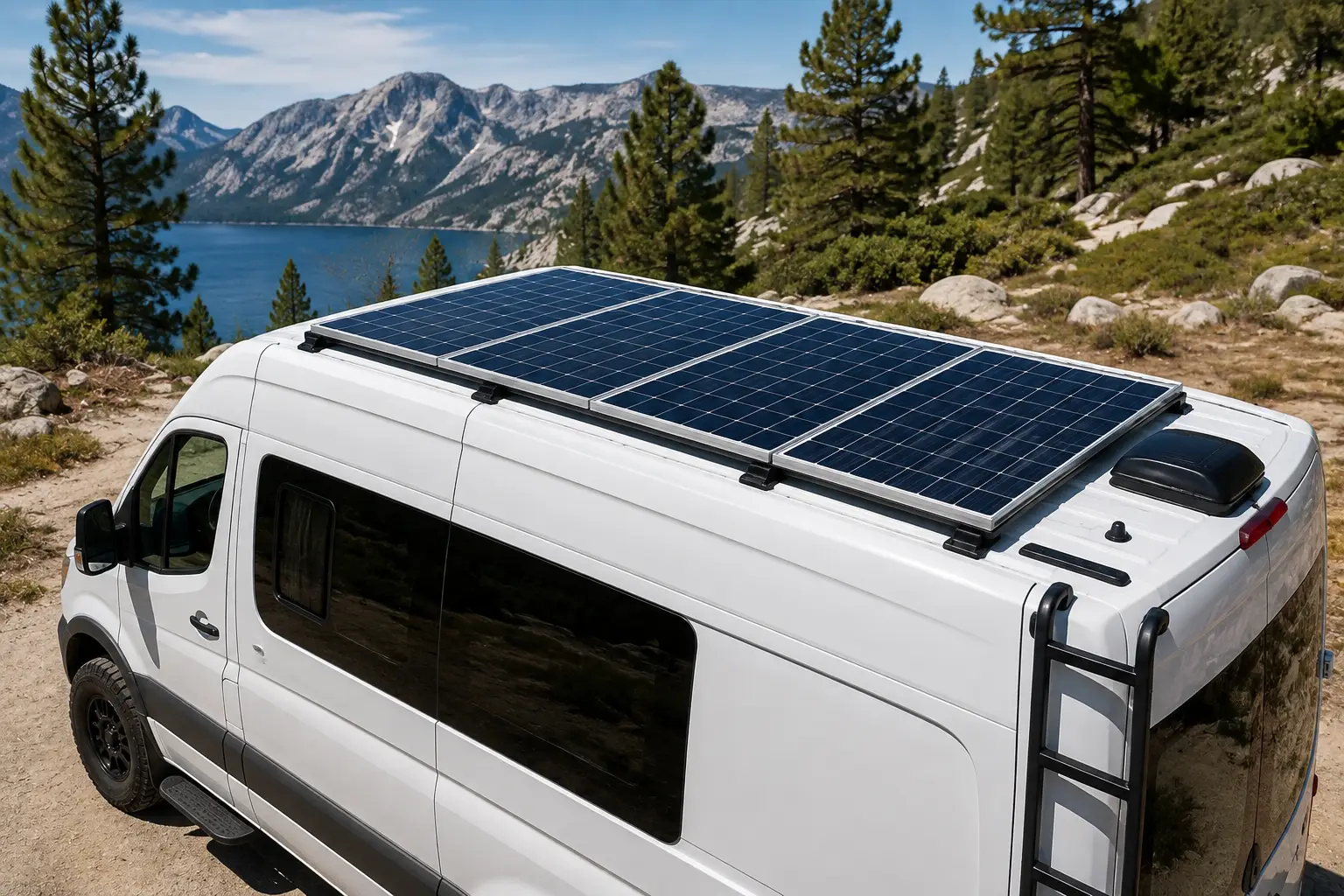
Best match: The BLUETTI Elite 200 V2. Two kilowatt-hours means the morning coffee maker (roughly 800W for a few minutes) barely dents the day’s budget, and 1,000W of solar input works well with roof-mounted RV panels. Its 53-lb weight is less of an issue when it rides in a vehicle and rarely moves.
Profile 3: The remote worker in an apartment (budget under $350)
Goal: Keep the modem, router, and laptop alive during short outages, with a balcony panel for occasional top-ups.
Best match: The EcoFlow RIVER 3 Plus. The sub-10ms UPS means video calls don’t drop when the power blinks, and a single 100–200W balcony panel suits its 220W solar input. If you also want something to carry on hikes, the Jackery Explorer 300 Plus is lighter, but its lack of an advertised UPS mode makes it the weaker desk-backup choice.
The common thread: size your battery to the outage you fear, and size your solar input to how fast you need to recover from it.
Problem → Solution: Fixing the 5 Most Common Solar-to-AC Headaches
Most “my solar generator doesn’t work” complaints trace back to a handful of fixable causes. Here’s how to diagnose them before you blame the hardware.
Problem 1: “My 400W of panels only shows 150W.”
Solution: Panel ratings are measured in lab conditions. In real sun, 60–75% of rated output is normal, and heat, haze, and flat placement push it lower. Tilt the panels, cool them with airflow (don’t lay them on hot asphalt), and check for partial shade. Even a branch shadow across one cell can drag down an entire series string.
Problem 2: “The overload alarm trips when my fridge starts.”
Solution: Compressors pull a startup surge several times their running wattage. Plug the fridge in alone first, then add other loads once it’s running. If it still trips, you need a unit with more surge headroom, such as the Anker SOLIX C1000 Gen 2 (3,000W peak) instead of a 300–600W model.
Problem 3: “Solar input shows zero.”
Solution: Check three things in order: voltage (is the array below the station’s minimum, typically 11–12V, or above its maximum?), connectors (is the MC4-to-XT60 or DC8020 adapter fully seated?), and polarity. On the Jackery Explorer 300 Plus, third-party panels need a DC8020 adapter; without it, nothing flows.
Problem 4: “The battery percentage drops faster than expected.”
Solution: Idle inverter draw is real. Leaving AC output switched on with nothing plugged in can burn a meaningful slice of capacity overnight. Turn AC off when you only need USB, and run 12V devices from the car port, which skips the inverter’s conversion losses entirely.
Problem 5: “It won’t charge in the cold.”
Solution: LiFePO4 chemistry restricts charging near or below freezing to protect the cells, and Jackery’s own documentation warns that operating outside the rated temperature range can limit charging and discharging. Keep the unit inside a garage or vehicle cabin and run only the panel cables outdoors. Some newer models include self-heating; check the manual before winter.
How to Choose a Solar Power to AC Outlet System
Choosing a solar power to AC outlet setup comes down to seven decisions, made in this order:
List your must-run loads in watts. Add up everything that might run at the same time; your station’s continuous output must exceed that total by about 20% for headroom.
Find the biggest startup surge. Fridges, pumps, and power tools surge two to three times their running watts at startup. Your station’s surge rating must cover the largest one.
Size capacity in watt-hours. Multiply each device’s watts by the hours you need it, add them up, then divide by about 0.85 to account for inverter losses. That’s your minimum Wh.
Match solar input to your recovery time. A useful rule of thumb: solar input (W) × local peak sun hours × 0.7 ≈ daily harvest in Wh. If that number is far below your daily use, you need more input capacity or more panels.
Insist on LiFePO4 chemistry. Every pick in this guide uses lithium iron phosphate cells, which tolerate thousands of cycles and are more thermally stable than older NMC packs.
Decide whether you’ll ever expand. If there’s any chance you’ll want more storage, buy a unit with an expansion port now; the Anker SOLIX C1000 Gen 2 and Jackery Explorer 1000 v2 can’t add batteries later.
Check outlets and voltage. Count the AC outlets you’ll use at once, and confirm whether you need a 240V or RV-style TT-30 outlet. Only the EcoFlow DELTA Pro 3 here offers true 240V.
A quick worked example
Say you want to run a 60W CPAP for 8 hours, a 10W router for 24 hours, and charge two phones (about 30Wh total). That’s 480 + 240 + 30 = 750Wh, divided by 0.85 ≈ 880Wh. A 1kWh station covers it with a little margin; a 288Wh unit would not.
Features That Actually Matter (and Ones That Don’t)
Power station listings are packed with features. Some genuinely change your experience; others are window dressing.
Features worth paying for
Pure sine wave output. Non-negotiable for medical devices and electronics. All seven picks have it.
UPS / fast switchover (≤20ms). If you work from home, this is what keeps your PC from rebooting during a flicker. The EcoFlow RIVER 3 Plus brings it to the budget tier.
High solar input relative to capacity. A unit that can refill in one sunny day is far more useful during a multi-day outage than a bigger battery with a tiny solar port.
App-based charge limits. Setting 80% as the daily max can meaningfully extend cell life on any chemistry.
Features that matter less than marketing suggests
Headline wall-charging speed. A 49-minute versus a 70-minute AC recharge matters before a storm, but rarely in daily solar use.
“X-Boost” style surge modes. These lower voltage to run resistive loads (kettles, hair dryers) at reduced power. Handy, but not a substitute for real continuous watts.
Wireless charging pads and ambient lights. Nice extras, but they shouldn’t decide a purchase worth hundreds of dollars.
The bottom line: pay for output, capacity, solar input, and lifespan. Treat everything else as a tiebreaker.
Portable Solar Power Station vs. Gas Generator vs. DIY Inverter Kit
There are three realistic ways to get AC outlet power when the grid isn’t available. Each wins in a different situation.
Factor
Portable solar power station
Gas generator
DIY panel + battery + inverter
Indoor use
Yes, no exhaust
Never
Yes, if properly installed
Noise
Near-silent
Loud
Near-silent
Fuel during long outages
Sunlight
Gasoline that must be stored and resupplied
Sunlight
Max output
300W–4,000W
Often several thousand watts
Whatever you build
Setup skill
Plug and play
Moderate
High; wiring and fusing required
Best for
EcoFlow DELTA 3 Plus-style home backup, camping
Heavy, extended loads like central AC
Permanent cabins, tinkerers
The table makes the trade-off plain: gas still wins on raw, sustained output, which is why the EcoFlow DELTA Pro 3 can even pair with an EcoFlow dual-fuel generator. But the safety gap is decisive for most households. The CPSC reports that about 100 people in the US die each year from carbon monoxide poisoning linked to portable generators, while a battery station produces no exhaust and can sit safely beside your bed. A DIY kit can beat both on cost per watt, but only if you have the skills to wire and fuse it correctly.
Long-Term Cost: What You Really Pay Per Kilowatt-Hour
Sticker price tells you very little. A better yardstick is cost per kilowatt-hour across the battery’s rated life: price ÷ (capacity in kWh × rated cycles). It’s an optimistic ceiling (real cells fade gradually, and few people cycle daily), but it’s a fair way to compare units.
Product
Midpoint of price range
Lifetime throughput (rated)
Approx. cost per kWh
Best for
BLUETTI Elite 200 V2
~$1,150
~12,400 kWh
~$0.09
BLUETTI Elite 200 V2: heavy daily cycling
Jackery Explorer 1000 v2
~$550
~4,300 kWh
~$0.13
Jackery Explorer 1000 v2: value seekers
Anker SOLIX C1000 Gen 2
~$625
~4,100 kWh
~$0.15
Anker SOLIX C1000 Gen 2: balanced use
EcoFlow DELTA 3 Plus
~$650
~4,100 kWh
~$0.16
EcoFlow DELTA 3 Plus: expanders
EcoFlow DELTA Pro 3
~$2,800
~16,400 kWh
~$0.17
EcoFlow DELTA Pro 3: 240V homes
Jackery Explorer 300 Plus
~$225
~860 kWh
~$0.26
Jackery Explorer 300 Plus: portability first
EcoFlow RIVER 3 Plus
~$275
~860 kWh
~$0.32
EcoFlow RIVER 3 Plus: UPS duty
Our own calculation from price-range midpoints and manufacturer cycle ratings; your price and usage will differ.
Two lessons jump out. First, the BLUETTI Elite 200 V2 is the cheapest energy over its life by a wide margin, thanks to its 6,000-cycle rating. Second, small units cost two to three times more per kWh, so buy a Jackery Explorer 300 Plus or EcoFlow RIVER 3 Plus for portability or UPS duty, not as a money-saving energy source. Remember to add panels: a 200W portable panel is a significant extra cost that most listings leave out of the headline price.
Common Mistakes to Avoid When Buying a Solar Generator
These are the pitfalls we see most often in buyer questions and reviews:
Buying capacity, forgetting solar input. A 2kWh battery with a 200W solar port takes days to refill. Check the input number first.
Trusting “runs a fridge for X hours” claims blindly. Those figures assume a specific fridge in ideal conditions. Measure your own with a dress rehearsal.
Ignoring connector compatibility. XT60, DC8020, Anderson, and MC4 are all different. Budget for the right adapter cables.
Overestimating portable panels. A “200W” folding panel often delivers 120–160W in real sun.
Skipping the warranty check. Most picks here carry five-year coverage when registered, but terms differ by retailer, so confirm before you buy.
Buying oversized for occasional use. If you camp twice a year and see one outage annually, a 1kWh unit is almost always the smarter spend than a 4kWh system.
Safety, Regulations, and Standards for Solar Panel to Wall Outlet Setups
Searching “solar panel to wall outlet” often leads people toward a dangerous idea: plugging a power source into a household outlet to feed the home’s wiring. Here’s what you need to know.
Never backfeed through a wall outlet
A double-male “suicide cord” connecting a generator or power station to a wall outlet can energize your home’s wiring and the utility lines outside, putting line workers and your own family at risk of electrocution. If you want a power station to feed household circuits, have a licensed electrician install a transfer switch or a manufacturer-approved panel such as EcoFlow’s Smart Home Panel 2.
Grid-tied solar needs approval
Permanently connecting solar to your home’s wiring involves inverters designed to sync with, and safely disconnect from, the grid. The US Department of Energy’s guide to inverters and grid services explains why grid-connected inverters must meet strict standards. In most of the US, that means permits, a licensed installer, and an interconnection agreement with your utility; rules for small plug-in systems vary by state and are evolving, so check locally before buying one.
Certifications to look for
UL 2743 listing (the safety standard for portable power packs) or equivalent testing from an NRTL such as ETL.
FCC Part 15 compliance for electronic emissions.
UL 61730 or IEC 61730 certification on solar panels.
Everyday safety habits
Keep vents clear, never charge a damaged unit, and store it away from heat sources. A battery station doesn’t make carbon monoxide, but your home still needs working CO and smoke alarms, especially if a gas generator or fuel-burning heater is ever part of your outage plan.
FAQ: Solar Power to AC Outlet
Can I plug a solar panel directly into an AC outlet?
No. Panels produce DC, and a standard outlet expects 120V AC. You need an inverter in between, and feeding power back into a wall outlet is unsafe without approved equipment. A portable power station is the simplest legal way to get solar power to AC outlet use.
What size solar generator do I need to run a refrigerator?
Aim for at least 1,000Wh of capacity and 1,500W or more of continuous output with surge headroom for the compressor. For overnight runtime plus a buffer, 2,000Wh, like the BLUETTI Elite 200 V2 class, is more comfortable.
Is a solar generator worth it for home backup?
For short outages and essential loads, yes: it's silent, safe indoors, and refills from the sun. For whole-house power including central AC, you'll need a large expandable system or a standby generator.
How many solar panels do I need to charge a 1,000Wh power station?
With about 5 peak sun hours, 300–400W of panels can refill a 1,000Wh station in a day under good conditions. In cloudier regions or winter, plan for 600W or more to recover fully.
Can a portable solar power station run a space heater?
Technically yes on larger units, but a 1,500W heater drains a 1kWh battery in well under an hour. Heated blankets or small personal heaters are a far better use of stored solar energy.
Conclusion: The Smartest Way to Get Solar Power to AC Outlet Plugs in 2026
Turning sunlight into usable outlet power no longer requires a garage full of parts and a weekend with a wiring diagram. A modern portable solar power station handles the conversion, storage, and safety logic in one box, and the right one depends on just three numbers: the watts you need to run, the watt-hours you need to store, and the solar input you need to recover.
For most households, the 1kWh class is the sweet spot. Choose the Anker SOLIX C1000 Gen 2 if you want the most output and the fastest pre-storm recharge, or the EcoFlow DELTA 3 Plus if you expect to add panels and batteries over time. On a tighter budget, the Jackery Explorer 1000 v2 is a solid starter, especially on sale. If outages in your area last days rather than hours, step up to the BLUETTI Elite 200 V2, which also delivers the lowest lifetime cost per kWh in our analysis. Need 240V for a well pump? The EcoFlow DELTA Pro 3 is the only pick here that delivers it. And for small, light duty, the EcoFlow RIVER 3 Plus (UPS for your router) and Jackery Explorer 300 Plus (backpack-friendly) fill their niches well.
Whatever you choose, do a dress rehearsal before you need it, angle your panels, and never backfeed a wall outlet. Do those three things, and the sun becomes a reliable outlet you can count on.
Don’t miss these top picks for 2026! Take your solar power to the next level with this carefully curated lineup. Click a highlighted model to check current pricing and availability, and keep your lights, fridge, and Wi-Fi running the whole family can count on!
Disclaimer: This post contains affiliate links. As an Amazon Associate, I earn from qualifying purchases made through these links, at no additional cost to you.
Found this article helpful? Share it with someone who needs it!