
In This Article
Franklin Battery Price in 2026: What You’ll Actually Pay
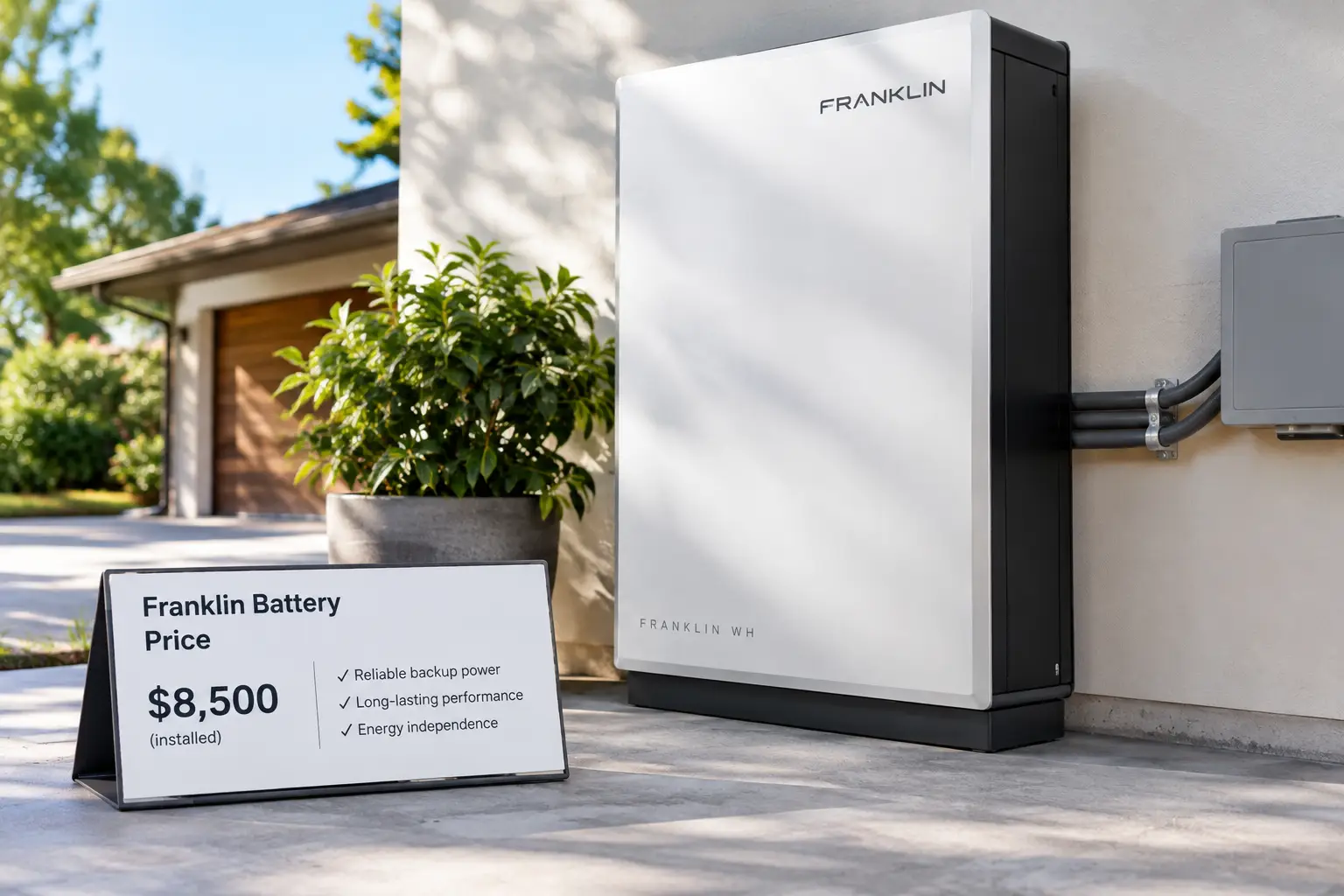
The Franklin battery price is the total cost of a FranklinWH home storage system — usually one FranklinWH aPower 2 (15 kWh) plus the mandatory aGate controller, wiring, permits, and labor. In 2026, most single-battery installs land between $15,000 and $20,000 before any state or utility incentive.
That number tends to surprise people. You see “15 kWh battery,” you mentally compare it to a $3,000 power station on Amazon, and suddenly the quote looks absurd. It isn’t — but it’s also not the only way to keep your lights, fridge, and AC running when the grid goes down.
Here’s the thing most buyers miss: you’re not just paying for a battery. A FranklinWH system is a permanently installed, whole-home energy manager. The aGate sits between your utility meter and your main panel, decides when to pull from solar, the battery, the grid, or a generator, and switches your entire house over during an outage. That’s a very different product from a plug-in power station you wheel into the garage.
2026 also changed the math. The 30% federal Residential Clean Energy Credit (Section 25D) covered battery storage only through December 31, 2025 — the ENERGY STAR federal tax credit overview lays out that end date — so a homeowner-owned battery installed this year carries its full sticker price unless a state or utility program steps in.
In this guide, you’ll get a realistic breakdown of the Franklin battery price, where the money goes, how it compares to the Tesla Powerwall, and six Amazon-available alternatives that can deliver serious backup for a fraction of the cost — with honest trade-offs for each.
Quick Comparison: FranklinWH vs. 6 Amazon Alternatives
| Product | Usable Capacity | Continuous Output | Typical Price Range | Best For |
|---|---|---|---|---|
| FranklinWH aPower 2 | 15 kWh | 10 kW | $15,000–$20,000 installed | Permanent whole-home backup |
| EcoFlow DELTA Pro Ultra | 6.1 kWh (expandable) | 7.2 kW | Around $4,000–$6,000 | Self-installed whole-home option |
| Jackery Explorer 5000 Plus | 5.04 kWh (expandable) | 7.2 kW | Around $3,000–$4,300 | Best capacity per dollar (portable) |
| Anker SOLIX F3800 Plus | 3.84 kWh (expandable) | 6 kW | Around $2,400–$4,000 | Easiest home-panel integration |
| EcoFlow DELTA Pro 3 | 4.1 kWh (expandable) | 4 kW | Around $2,000–$3,700 | Fast recharge, mid-size homes |
| BLUETTI Apex 300 | 2.76 kWh (expandable) | 3.84 kW | Around $1,400–$1,600 | Budget entry into home backup |
| EG4 WallMount Indoor 14.3kWh | 14.3 kWh | Depends on inverter | Around $2,700–$3,500 (battery only) | DIY solar builders |
Reading the table, the gap is obvious: the FranklinWH aPower 2 costs several times more than anything else here, but it’s also the only one that arrives with professional installation, a 15-year warranty, and true automatic whole-home switchover built in. The EG4 WallMount Indoor 14.3kWh matches Franklin’s capacity for a fraction of the hardware cost, yet it needs a separate inverter and an electrician. Everything in between trades permanence for flexibility and a much lower upfront bill.
💬 One click helps other shoppers make an informed choice too! 😊
Top 7 Home Battery Options: Expert Analysis
1. FranklinWH aPower 2 — the whole-home benchmark
The FranklinWH aPower 2 is the reason you’re reading this, and it sets the bar every alternative gets measured against. According to FranklinWH’s official datasheet, each unit stores 15 kWh and delivers 10 kW continuous, with up to 15 units per aGate (225 kWh).
What does 10 kW continuous mean in practice? Roughly double the continuous rating of a Tesla Powerwall 3’s 5 kW base output reported by installers — enough to run central air, a well pump, and the kitchen at once without load shedding. LFP chemistry plus a 15-year/60 MWh warranty (rated to keep at least 70% capacity) means this is a 15-year purchase, not a five-year gadget.
On paper, it’s the best fit for homeowners in hurricane, wildfire, or ice-storm zones who want the house to behave normally during multi-day outages. The aGate’s generator integration is a genuine differentiator. Installer reviews consistently praise the output and whole-home transfer, while the most common criticism is round-trip efficiency — the datasheet lists about 90%, below Tesla’s figure. Note: it’s sold through certified installers, not Amazon.
Pros:
- ✅ 10 kW continuous output handles central AC easily
- ✅ Industry-leading 15-year warranty with 60 MWh throughput
- ✅ Native generator and solar integration through the aGate
Cons:
- ❌ Highest upfront cost in this lineup by far
- ❌ Lower round-trip efficiency than the Powerwall 3
Expect roughly $15,000–$20,000 installed for one battery plus aGate — premium money, but defensible if you want true whole-home resilience for 15 years.
2. EcoFlow DELTA Pro Ultra — closest DIY rival to Franklin
The EcoFlow DELTA Pro Ultra is the closest thing to a FranklinWH system you can order online and partly install yourself. A single inverter plus battery offers 6,144 Wh, 7,200 W of output, and 5,600 W of solar input.
The 7.2 kW inverter is the key spec: it’s enough to start a 3-ton central AC, which most portable stations simply can’t do. Stack extra batteries and inverters, pair it with EcoFlow’s Smart Home Panel 2, and you get automatic switchover — not quite Franklin’s full-panel aGate, but surprisingly close for critical loads.
Who’s it for? Homeowners who want serious backup without a $17,000 quote and who are comfortable hiring an electrician just for the panel connection. It also stays useful if you move, since nothing is permanently built in. Customer reviews on retailer sites frequently mention easy setup and very quiet operation; reviewers also note that full value depends on buying the Smart Home Panel 2 separately, which adds meaningfully to the total.
Pros:
- ✅ 7.2 kW output can start a 3-ton AC
- ✅ Huge 5,600 W solar input for fast recharging
- ✅ Scales well beyond 30 kWh with add-on batteries
Cons:
- ❌ Smart Home Panel 2 required for seamless whole-home use
- ❌ Base unit is very heavy to move around
Typically around $4,000–$6,000 for the base kit (check the current price) — strong value per kWh for a near-whole-home system.
3. Jackery Explorer 5000 Plus — most capacity per dollar
The Jackery Explorer 5000 Plus packs 5,040 Wh and a 7,200 W inverter, often at a lower price than EcoFlow’s flagship. Jackery’s spec sheet lists LiFePO4 cells rated for 4,000 cycles to 70%+ and a weight of about 134.5 lbs.
The 14,400 W surge rating is what you notice in real use: motor-driven loads like a well pump or compressor kick on without tripping the inverter. With 4,000 W of solar input, a sunny afternoon can refill most of the battery — handy during a long outage when grid charging isn’t an option.
Based on comparing the specs, this is the value pick for families who want 240 V capability and room to grow (up to 60 kWh with packs and a second unit) without paying installation-level prices. Independent reviews consistently call the price fair for the capacity, while some reviewers point out that Jackery’s AC-charging speed claims are optimistic, and the 134-lb weight makes it a two-person move.
Pros:
- ✅ 7,200 W output with a 14,400 W surge
- ✅ Better capacity-to-price ratio than most rivals
- ✅ 4,000 W solar input for quick off-grid recovery
Cons:
- ❌ Proprietary expansion ecosystem locks you into Jackery
- ❌ Heavy enough to require two people
Usually in the $3,000–$4,300 range depending on promotions — excellent value if you need 5 kWh-plus without an installer.
4. Anker SOLIX F3800 Plus — easiest home panel setup
The Anker SOLIX F3800 Plus is the friendliest route to semi-whole-home backup. It offers 3,840 Wh, 6,000 W of dual-voltage output, and 3,200 W of solar input.
Dual 120 V/240 V output via the NEMA L14-30 port means it can feed a transfer switch or Anker’s Home Power Panel and run 240 V appliances like a well pump or dryer. A sub-20 ms UPS switchover keeps routers and computers online through a flicker — something a gas generator never manages.
It suits households that want the cleanest install experience and expect mostly short-to-medium outages. With six BP3800 expansion packs it grows into the 25 kWh-plus range. Reviewers frequently highlight how straightforward the Home Power Panel integration is; a common complaint is that the app requires an Anker account with no local-only control mode.
Pros:
- ✅ Straightforward Home Power Panel integration
- ✅ Built-in 240 V output for heavy appliances
- ✅ Generator input adds another backup layer
Cons:
- ❌ Lower base capacity than Jackery or EcoFlow Ultra
- ❌ App control requires a cloud account
Typically around $2,400–$4,000 — a smart buy if ease of setup matters more than raw capacity.
5. EcoFlow DELTA Pro 3 — fastest recharge in its class
The EcoFlow DELTA Pro 3 fills the space between portable stations and whole-home systems. It holds 4,096 Wh, outputs 4,000 W (8,000 W surge), and accepts 2,600 W of solar.
Charging speed is the headline. OutdoorGearLab measured a full charge in about 3 hours on a standard 15-amp outlet, and EcoFlow advertises 0-80% in about 50 minutes on faster inputs. In outage terms, that means you can top it up during a brief grid restoration or a generator run and be ready again.
It’s a strong fit for mid-size homes protecting a fridge, freezer, furnace blower, lights, and a home office through 24-72 hour outages. Retail reviews are largely positive about performance and UPS behavior with sump pumps; a recurring theme is that buyers often feel they need an extra battery for longer outages, and at least one review describes shipping damage to the packaging.
Pros:
- ✅ Very fast AC recharge for quick turnaround
- ✅ 120 V/240 V output supports heavier loads
- ✅ Expandable to 48 kWh with extra batteries
Cons:
- ❌ 4,000 W continuous falls short of central AC for many homes
- ❌ Extra batteries are often needed for longer outages
Usually around $2,000–$3,700 depending on bundle — very good value for fast-charging, mid-size backup.
6. BLUETTI Apex 300 — budget path to serious backup
The BLUETTI Apex 300 is the lowest-cost way here to build toward home backup. It offers 2,764.8 Wh and 3,840 W of output, with cells rated for 6,000 cycles to 80%.
That 6,000-cycle rating is quietly impressive: cycling once a day, you’d still be above 80% capacity after more than 16 years on paper. Two 1,200 W solar inputs total 2,400 W, and an optional SolarX 4K module pushes combined solar higher for serious off-grid builds.
It’s the pick for renters, smaller homes, or anyone who wants to start modestly and add B300K expansion batteries over time. Reviewers repeatedly describe it as simple and well priced; the main complaint is that the main unit has no USB or DC ports at all — it’s AC-only unless you add BLUETTI’s hub accessories.
Pros:
- ✅ 6,000-cycle LFP rating for long lifespan
- ✅ Lowest entry price in this lineup
- ✅ Modular expansion with B300K battery packs
Cons:
- ❌ No built-in USB or DC outputs
- ❌ Base capacity too small for whole-home backup alone
Generally in the $1,400–$1,600 range — the best value starting point if your budget is tight.
7. EG4 WallMount Indoor 14.3kWh — Franklin capacity, DIY price
The EG4 WallMount Indoor 14.3kWh matches the FranklinWH aPower 2 on capacity — 14.3 kWh at 51.2 V and 280 Ah — for a fraction of the hardware cost. Retailers list over 8,000 cycles at 80% depth of discharge and a 10-year warranty.
Here’s the catch: it’s only a battery. You need a hybrid inverter (EG4, Sol-Ark, Victron, and others are compatible), a licensed electrician, and permits. The UL 1973 and UL 9540A certifications help with inspection, but the full system cost climbs well above the battery’s sticker price.
It’s the right choice for DIY-minded solar owners or installers building a custom system who want maximum kWh per dollar. Buyer reviews on solar retail sites often praise pairing it with EG4 inverters; complaints focus on the roughly 282-lb weight and flimsy leveling feet. Availability fluctuates — at least one retailer currently lists the model as discontinued — so verify stock before planning around it.
Pros:
- ✅ Lowest cost per kWh of any option here
- ✅ 8,000-cycle rating with 10-year warranty
- ✅ Works with many popular hybrid inverters
Cons:
- ❌ Requires a separate inverter and professional install
- ❌ Stock availability is inconsistent in 2026
Around $2,700–$3,500 for the battery alone — outstanding value per kWh, but only if you budget for the rest of the system.
✨ Don’t miss these smart backup picks!
🔍 Take your home energy plan to the next level with this carefully curated lineup. Click a highlighted product to check current pricing and availability. These picks will help you keep the lights, fridge, and Wi-Fi running when the whole street goes dark!
Feature Comparison: What You Get for the Money
| Product | Warranty | Cycle Rating | Max Solar Input | Max Expansion | Install Type |
|---|---|---|---|---|---|
| FranklinWH aPower 2 | 15 yrs / 60 MWh | 60 MWh throughput | Via any inverter (AC-coupled) | 225 kWh | Professional only |
| EcoFlow DELTA Pro Ultra | 5 yrs | ~3,500 to 80% | 5,600 W | 90 kWh | DIY + electrician for panel |
| Jackery Explorer 5000 Plus | 5 yrs | 4,000 to 70% | 4,000 W | 60 kWh | DIY + transfer switch |
| Anker SOLIX F3800 Plus | 5 yrs | 3,000+ | 3,200 W | 53.8 kWh (two units) | DIY + Home Power Panel |
| EcoFlow DELTA Pro 3 | 5 yrs | 4,000 to 80% (claimed) | 2,600 W | 48 kWh | DIY + transfer switch |
| BLUETTI Apex 300 | 5 yrs | 6,000 to 80% | 2,400 W | ~58 kWh (multi-unit) | DIY |
| EG4 WallMount Indoor 14.3kWh | 10 yrs | 8,000 at 80% DoD | Via inverter | Rack multiple units | Professional recommended |
The warranty column tells the real story behind the Franklin battery price: the FranklinWH aPower 2 and EG4 WallMount Indoor 14.3kWh are built as 10-15 year infrastructure, while the portable stations carry 5-year coverage. If you plan to stay in your home long-term, that difference narrows the gap more than the sticker suggests. The BLUETTI Apex 300‘s 6,000-cycle rating is the standout among portables for longevity.
How to Get an Accurate FranklinWH Quote (Step-by-Step)
A Franklin quote can swing by $5,000 or more for identical hardware, so how you shop matters as much as what you buy.
Step 1 — Pull 12 months of utility bills. Your peak monthly usage and your rate plan (flat vs. time-of-use) determine whether one or two batteries make sense. Installers who size without asking for bills are guessing.
Step 2 — List your must-run loads. Central AC tonnage, well pump horsepower, EV charger amperage, and any medical equipment. The FranklinWH aPower 2‘s 10 kW continuous is generous, but a 5-ton AC plus an EV charger can still push the limit.
Step 3 — Get at least three quotes. Ask each to itemize: battery, aGate (commonly $3,000-$4,000 on its own), electrical work, permits, and labor. A quote that bundles everything into one line is hard to compare.
Step 4 — Ask about panel upgrades. Older 100-amp panels sometimes need an upgrade, adding several thousand dollars. Find out before you sign, not during installation.
Step 5 — Check local incentives. With the federal credit gone, programs like California’s SGIP or Massachusetts ConnectedSolutions are now the main offsets. Your installer should know which apply to your address.
Step 6 — Confirm the warranty registration. The 15-year warranty depends on proper commissioning. Ask who registers it and request written confirmation.
First-30-days tip: open the FranklinWH app and set your reserve level (20-30% is common) so you always have backup power even while the battery is doing daily time-of-use shifting.
Real-World Scenarios: Which Battery Fits Your Home and Budget?
Specs mean little until you match them to a real household. Here are three common profiles.
🏡 The Florida family (hurricane zone, $20,000 budget)
Four people, a 4-ton central AC, and outages that can last a week. Here the FranklinWH aPower 2 earns its price: 10 kW continuous keeps the AC running, the aGate can bring a standby generator online when the battery runs low, and the Storm Hedge feature pre-charges the battery when weather alerts arrive. Paired with solar, multi-day outages become manageable rather than miserable.
🏘️ The suburban remote worker ($4,000-$6,000 budget)
Two adults, gas heat, occasional 4-12 hour outages, and a job that can’t drop a video call. The Jackery Explorer 5000 Plus or EcoFlow DELTA Pro Ultra fits well — enough capacity for the fridge, internet, office, and lights, plus a UPS function that keeps electronics online through flickers. Add a transfer switch for critical circuits and you’ve covered 90% of what this household actually needs.
🏙️ The renter or small-home owner (under $2,000)
One or two people, short outages, and no permission to modify the electrical panel. The BLUETTI Apex 300 offers a lot of capacity for the money, and the battery moves with you when the lease ends. If you need extra cushion later, add a B300K pack rather than replacing the unit.
The pattern: the Franklin battery price makes sense when outages are long and loads are heavy. For shorter outages and modest loads, a portable station delivers most of the protection at a fraction of the cost.
Common Home Battery Problems (and How to Fix Them)
Problem 1: “My battery drains faster than expected during outages.” Solution: Check for hidden loads — electric water heaters, pool pumps, and space heaters are the usual culprits. On the FranklinWH aPower 2, use the app to designate non-essential circuits; on portable stations like the Anker SOLIX F3800 Plus, only wire critical circuits to the transfer panel.
Problem 2: “The AC won’t start on battery power.” Solution: Compressors have a large startup surge. Install a soft-start kit on the AC, which lowers that surge. Units with high surge ratings, like the Jackery Explorer 5000 Plus (14,400 W), handle this more easily.
Problem 3: “Solar isn’t recharging the battery fast enough.” Solution: Match panel wattage to the input limit. The EcoFlow DELTA Pro Ultra accepts up to 5,600 W, but plugging in 800 W of panels means very slow refills. More panels — within voltage limits — fix this.
Problem 4: “My winter performance dropped.” Solution: LFP batteries charge poorly below freezing. The EG4 WallMount Indoor 14.3kWh includes self-heating, and Franklin’s units are rated down to -4°F. Keep portable stations in a conditioned space during cold snaps.
Problem 5: “The battery won’t leave standby after a long storage period.” Solution: Keep portable units plugged in or charged to 50-80% during storage, and run a test discharge every few months so you discover issues before the next storm.
FranklinWH aPower 2 Cost Breakdown: Where Every Dollar Goes
Understanding the FranklinWH aPower 2 cost line by line helps you spot a padded quote. Based on published installer data from 2026, a typical single-battery system breaks down roughly like this:
- Battery hardware: about $9,000-$12,000 for the aPower 2 unit itself.
- aGate controller: commonly $3,000-$4,000, and it isn’t optional — every FranklinWH system needs one.
- Electrical work and labor: usually a few thousand dollars, more if conduit runs are long or the battery mounts far from the panel.
- Permits and inspection: varies widely by city and county.
- Possible extras: panel upgrade, generator integration hardware, or an aPbox for expanded solar.
That’s how you arrive at the commonly cited $15,000-$20,000 Franklin home battery installed cost. EnergySage’s marketplace median was reported around $1,197 per kWh in late 2025, or close to $18,000 for one 15 kWh unit.
The good news: the second battery is much cheaper. Because the aGate, permits, and most wiring are already in place, installers commonly quote additional units in the $10,000-$13,000 range. One Missouri installer publicly lists $15,500 for the first unit and $12,800 for each additional unit — a useful real-world reference point.
In other words, the Franklin battery price per kWh drops meaningfully as you scale. Two units (30 kWh) often cost far less than twice the price of one, which is why installers in high-outage regions frequently recommend starting with two.
How to Choose a Home Battery Without Overpaying
Use these steps to decide whether the Franklin battery price fits your situation or whether an alternative makes more sense:
- Define your outage profile. Short, occasional outages favor portable stations; multi-day outages favor permanent systems with generator integration.
- Calculate your must-run wattage. Add up continuous loads and the largest startup surge. This tells you whether you need 4 kW, 7 kW, or 10 kW of output.
- Estimate daily kWh during an outage. A conservative household might use 10-15 kWh per day with AC off; with AC on, 25-40 kWh isn’t unusual.
- Decide permanent vs. portable. Permanent systems add home value and automation; portables move with you and skip permits.
- Compare cost per usable kWh — and per year of warranty. A 15-year warranty spreads the cost differently than a 5-year one.
- Check solar compatibility. The FranklinWH aPower 2 is AC-coupled and works with existing inverters; portables need panels within their voltage limits.
- Factor in incentives and rate plans. Time-of-use rates can turn a battery into a bill-saving tool, not just insurance.
The goal isn’t to buy the biggest battery — it’s to buy the smallest system that genuinely covers your outage risk, with room to expand.
FranklinWH Battery vs Tesla Powerwall: Which Is the Better Buy?
This is the comparison almost every buyer runs, so let’s take FranklinWH battery vs Tesla Powerwall head-on.
Capacity: The FranklinWH aPower 2 stores 15 kWh per unit; the Powerwall 3 stores 13.5 kWh. A small edge to Franklin, which adds up across multiple units.
Output: Installer reviews describe Franklin’s 10 kW continuous as double the Powerwall 3’s 5 kW base figure, though some comparisons cite up to 11.5 kW for the Powerwall 3 when paired with solar. In practice, Franklin delivers its full output consistently from battery alone, which matters most during a nighttime outage.
Efficiency: Tesla wins here, with round-trip efficiency reported around 97.5% vs. roughly 89-90% for Franklin. That difference compounds if you cycle the battery daily for time-of-use savings.
Price: Installers typically quote the Powerwall 3 lower — commonly $8,500-$14,500 installed depending on the source and region — compared to $15,000-$20,000 for Franklin.
Ecosystem: The Powerwall 3 includes an integrated solar inverter, which suits new solar-plus-storage builds. Franklin’s aGate is inverter-agnostic, so it slots into almost any existing solar system and handles generators natively.
Verdict: Choose Tesla if efficiency, price, and a new all-Tesla solar install are your priorities. Choose FranklinWH if you need heavy-load whole-home backup, generator integration, or you’re adding storage to an existing solar array with a non-Tesla inverter. Neither is universally “better” — they’re optimized for different homes.
Is FranklinWH Worth It? Long-Term Cost and ROI
Is FranklinWH worth it? It depends on which kind of value you count.
Bill savings: If your utility uses time-of-use rates, the battery can charge from solar or cheap off-peak power and discharge during expensive evening hours. One installer estimates this arbitrage alone can deliver a 10-15 year payback on the first unit. On a flat-rate plan with no solar, direct savings are minimal.
Resilience value: This is harder to price but often the real reason people buy. A week-long outage can mean spoiled food, a hotel stay, a flooded basement (no sump pump), or a frozen pipe. For homes with medical equipment, backup isn’t optional at all.
Lifespan math: Spread $17,500 over the 15-year warranty and you’re paying about $1,167 per year for whole-home backup. Compare that to a standby generator’s purchase, installation, fuel, and annual service — the gap narrows considerably.
Home value: Permanently installed batteries can be a selling point in outage-prone markets, though appraisers don’t always assign full value.
The honest answer: FranklinWH is worth it if you face frequent or long outages, run heavy loads like central AC or a well pump, and plan to stay 10+ years. If outages are rare and short, an alternative like the Jackery Explorer 5000 Plus or EcoFlow DELTA Pro 3 delivers most of the peace of mind at 15-25% of the cost.
Home Batteries vs. Gas Generators
| Factor | Home Battery (e.g., FranklinWH aPower 2) | Portable Battery Station (e.g., EcoFlow DELTA Pro Ultra) | Gas/Propane Generator |
|---|---|---|---|
| Upfront cost | $15,000–$20,000 installed | Around $4,000–$6,000 | Wide range by size |
| Noise | Near silent | Near silent | Loud |
| Fumes / CO risk | None | None | Carbon monoxide risk |
| Fuel needed | Solar or grid | Solar or grid | Gasoline, propane, or natural gas |
| Switchover | Automatic, near-instant | Automatic with panel kit | Seconds to manual |
| Best for | Long outages, whole home | Moderate outages, flexibility | Very long outages, low budget |
Batteries win on noise, safety, and instant switchover, while generators win on unlimited runtime as long as fuel lasts. That’s exactly why the aGate’s generator integration is valuable — the FranklinWH aPower 2 can use a generator as a backstop instead of a replacement. For many homes, the smartest setup combines a battery for daily resilience with a modest generator for rare week-long events.
Common Mistakes to Avoid When Pricing a Home Battery
Comparing battery-only prices to installed quotes. A $3,000 battery and a $17,500 installed system aren’t the same category. Always compare total delivered cost.
Ignoring the aGate. It’s a required component of every FranklinWH system. If a quote seems low, check whether the aGate is listed as its own line item.
Oversizing for rare events. Buying 45 kWh for a once-a-decade outage often makes less sense than 15-30 kWh plus a generator backstop.
Assuming the federal tax credit still applies. Some outdated sales materials still quote a “30% off” net price. For homeowner-owned systems installed in 2026, that credit no longer exists.
Forgetting surge requirements. A battery can have plenty of kWh and still fail to start a well pump. Check surge ratings or plan for a soft starter.
Skipping the solar input math. A portable station with 5,600 W of input is useless for fast recharging if you only own two 400 W panels.
Choosing purely on price. The cheapest option per kWh, like the EG4 WallMount Indoor 14.3kWh, only stays cheap if you already have a compatible inverter and installer lined up.
Features That Actually Matter (and Ones That Don’t)
Matter a lot:
- ⚡ Continuous output (kW). Determines what can run at the same time. This is the spec most buyers underestimate.
- 🔋 Usable capacity (kWh). Determines how long things run. Look for “usable,” not “total.”
- 🧪 LFP chemistry. Lithium iron phosphate batteries offer better thermal stability and longer cycle life than older NMC chemistries. Every product in this guide uses LFP.
- 🛡️ Warranty length and throughput. A 15-year/60 MWh warranty tells you how long the maker expects the battery to last.
- 🔁 Switchover speed. Under 20 ms keeps computers and routers running without a reboot.
Matter less than marketing suggests:
- 📱 Flashy app features. Useful, but you’ll check the app far less after the first month.
- 🔌 Port count on portables. You’ll use a handful; 12 outlets vs. 8 rarely changes outcomes.
- 💥 Peak surge numbers measured in milliseconds. A 1-second peak sounds impressive but doesn’t help sustained loads.
- 🎨 Design and LED rings. Nice to have, irrelevant when the power’s out.
Safety, Regulations, and Standards
Home batteries store a lot of energy, so certifications aren’t paperwork — they’re your evidence of safe design.
UL 9540 and UL 9540A. UL 9540 certifies the full energy storage system; UL 9540A tests how a battery behaves under thermal runaway conditions. The EG4 WallMount Indoor 14.3kWh lists UL 1973, UL 9540A, and UL 9540, and reviewers note the EcoFlow DELTA Pro Ultra carries UL 9540 certification as well. Inspectors frequently ask for these listings.
NFPA 855 and local fire codes. Many jurisdictions limit battery size and placement inside garages and living spaces. Your installer or local building department sets the final rules.
Permits. Permanently installed systems like the FranklinWH aPower 2 need electrical permits and inspection. Portable stations connected through a transfer switch or home panel usually need an electrician-installed inlet as well.
Generator safety. If you pair a battery with a generator, follow the CPSC’s portable generator safety guidance — never run a generator indoors or in a garage, and keep it well away from windows and vents to avoid carbon monoxide poisoning. This is one area where batteries are inherently safer.
Placement. Keep batteries within their rated temperature range, off the floor in flood-prone areas, and clear of combustible clutter. Franklin’s IP67 rating allows outdoor installs, but indoor portables should stay in dry, ventilated spaces.
FAQs
❓ How much is a Franklin battery with installation?
❓ Can I buy a FranklinWH battery on Amazon?
❓ How much does a second Franklin aPower 2 cost?
❓ Is there a tax credit for Franklin batteries in 2026?
❓ How long will a FranklinWH aPower 2 power my house?
Conclusion: Is the Franklin Battery Price Right for You?
The Franklin battery price — usually $15,000 to $20,000 installed — buys something specific: permanent, automatic, whole-home backup with 10 kW of output, generator integration, and a 15-year warranty. For homes in high-outage regions with heavy loads like central AC or well pumps, the FranklinWH aPower 2 is one of the strongest options available, and adding a second unit improves the value considerably.
But it’s not the only answer. If your outages are shorter or your budget tighter, the alternatives cover a lot of ground:
- The EcoFlow DELTA Pro Ultra is the closest DIY-friendly rival for near-whole-home backup.
- The Jackery Explorer 5000 Plus delivers the best capacity per dollar among portables.
- The Anker SOLIX F3800 Plus offers the smoothest home-panel integration.
- The EcoFlow DELTA Pro 3 recharges fastest for mid-size homes.
- The BLUETTI Apex 300 is the budget-friendly starting point.
- The EG4 WallMount Indoor 14.3kWh matches Franklin’s capacity for DIY solar builders.
Start with your outage history, your must-run loads, and your timeline in the home. Those three answers will tell you whether a Franklin quote is an investment or overkill. Whichever path you choose, get multiple itemized quotes, double-check incentives, and size for the outages you actually face — not the worst-case headline.
🔋 Power through the next outage with confidence!
⚡ Ready to protect your home? Click any highlighted product above to check current pricing and availability on Amazon, or request itemized FranklinWH quotes from local installers. The right backup system means your family stays comfortable no matter what the grid does!
Recommended for You
- Best Battery for Camper Trailer: 7 Proven Picks for 2026
- Best Battery for Solar Panels: 7 Proven Picks for 2026
- Best Inverter Generator for Home Backup: 7 Proven Picks (2026)
Disclaimer: This post contains affiliate links. As an Amazon Associate, I earn from qualifying purchases made through these links, at no additional cost to you.
✨ Found this article helpful? Share it with someone who needs it! 💬🤗