
In This Article
Introduction: Why Your USB Battery Charger Choice Actually Matters
If you’ve ever dug through a junk drawer looking for two AA batteries that actually still hold a charge, you already know the problem a good usb battery charger solves. Disposable alkalines pile up in landfills, cost more over time, and never seem to be charged when you need them — right as the TV remote dies mid-binge or your kid’s toy goes silent on Christmas morning. A usb battery charger flips that script by letting you top off standard rechargeable AA and AAA cells from any USB port: a laptop, a wall adapter, a power bank, even your car.
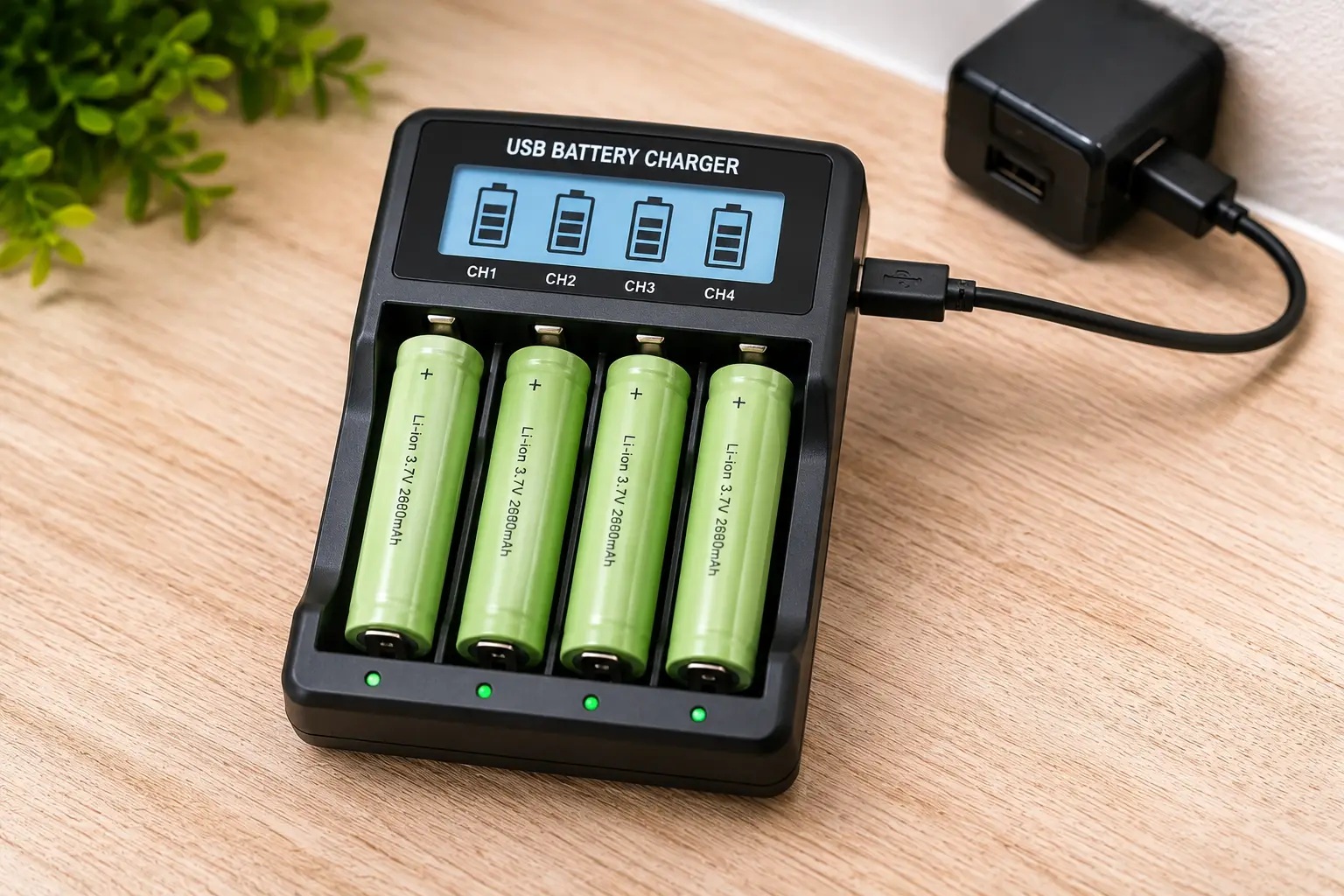
So, what is a usb battery charger, exactly? It’s a compact charging dock that uses a USB or USB-C cable — instead of a bulky wall plug — to safely recharge NiMH (nickel-metal hydride) or, in some advanced models, lithium-ion cells, using built-in circuitry that monitors voltage and cuts power once each cell is full.
That last part — automatic cutoff — is the whole ballgame. A cheap, uncontrolled charger can overcharge cells, shorten their lifespan, or in rare cases create a genuine fire risk, which is exactly why the U.S. Consumer Product Safety Commission tracks battery charger hazards as a distinct consumer safety category. This guide walks through seven real, currently available usb battery charger models — from $12 entry-level docks to advanced multi-chemistry units — with honest analysis of who each one is actually for, what the aggregated customer reviews say, and how to avoid the mistakes that waste money or damage batteries.
Quick Comparison: The 7 Best USB Battery Chargers at a Glance
Before diving into the full breakdown, here’s a snapshot of how these seven models stack up on price, charging style, and ideal use case.
| Charger | Slots | Charging Input | Price Range | Best For |
|---|---|---|---|---|
| Amazon Basics AA/AAA USB Charger | 4 | USB-A | Under $15 | First-time buyers on a tight budget |
| BEVIGOR 4-Bay Charger | 4 | USB-C | Around $15 | Travel and minimalist packing |
| POWEROWL 8 Bay Charger | 8 | USB-A | Around $20 | Families with lots of devices |
| EBL 906 LCD Charger | 8 | USB-C (adapter incl.) | Between $25 and $35 | Data-loving hobbyists |
| Panasonic Eneloop BQ-CC65 | 4 | USB-A output + AC | Between $25 and $35 | Eneloop loyalists wanting a dual-use dock |
| Nitecore UM4 | 4 | USB-C, QC 2.0 | Around $28 | Mixed battery-chemistry households |
| XTAR L8 Pro | 8 | USB-C | Between $30 and $40 | Power users mixing NiMH and Li-ion |
Looking at the table, the split is pretty clean: the Amazon Basics AA/AAA USB Charger and BEVIGOR 4-Bay Charger compete on price and portability, the POWEROWL 8 Bay Charger and EBL 906 LCD Charger target households that burn through a lot of batteries at once, and the Panasonic Eneloop BQ-CC65, Nitecore UM4, and XTAR L8 Pro step up into smarter, more precise charging territory. None of these prices are guaranteed to hold — always check the current price on the product page before buying, since Amazon listings fluctuate daily.
💬 Ready to stop buying disposable batteries every month? Scroll down to see which pick fits your charging habits best.
The 7 Best USB Battery Chargers: Expert Analysis
Below is a closer look at each model, based on published spec sheets, manufacturer documentation, and aggregated customer review sentiment. Coverage runs from true entry-level to advanced multi-chemistry chargers, so there’s a realistic option no matter your budget or how many batteries you’re juggling.
1. Amazon Basics AA/AAA USB Charger — cheapest reliable entry point
If you just want dead batteries to become working batteries again without spending much thought (or money) on the problem, this is where most people should start. The unit ships with a USB cable, skips the AC adapter entirely, and gets its power from any 5V USB source.
Key features that matter in practice: over-charge protection built into the circuitry means you can leave batteries in overnight without babysitting them, and the compact, travel-friendly shell is light enough to toss in a laptop bag. It charges four AA or AAA cells (or a mix of both) at once, though — like most budget chargers — it charges them as a group rather than fully independent per-slot, so mixing a nearly-full cell with a nearly-dead one isn’t ideal.
Who it’s for: casual users with a handful of rechargeables in remotes, mice, and flashlights who don’t want to think about charging strategy. It’s not the pick for photographers cycling through dozens of AAs a week — for that, look further down this list.
Reviews consistently report satisfaction with the low price and straightforward operation, with occasional notes that charging a full set of four AA cells from empty takes longer than premium fast-charge models — expected, given the modest current draw of a basic USB port.
Pros:
- ✅ Very low price for a first rechargeable setup
- ✅ No bulky AC adapter required
- ✅ Simple one-button-free operation
Cons:
- ❌ Slower charging than dedicated fast-charge models
- ❌ No individual per-slot charge control
Priced under $15, this is the lowest-friction way to get off disposable batteries, and the value-for-money case is hard to argue with for light, occasional use.
2. BEVIGOR 4-Bay AA/AAA Battery Charger — lightest for travel
The standout here is the USB-C input, which means you can plug this charger into the same cable and power bank you already carry for your phone — no separate USB-A brick needed. That single design choice is what makes it a genuinely different pick from the Amazon Basics model above, not just a rebrand.
In practice, that USB-C compatibility is a bigger deal than it sounds: it means campers, RV travelers, or anyone relying on a single power bank for every device can top off camera or flashlight batteries from the same source as their phone. The compact housing and lightweight plastic shell keep it well under the weight of most 4-bay competitors, which matters when every ounce counts in a carry-on.
Who it’s for: frequent travelers, campers, and minimalist packers who’ve already standardized on USB-C for everything else and don’t want to carry a second charging brick. It’s a poor fit if you need to charge more than four cells at once regularly.
Aggregated feedback highlights the compact form factor and USB-C convenience as the most-praised traits, with a smaller number of reviewers noting the charging LEDs are dim and can be hard to read in bright daylight.
Pros:
- ✅ USB-C input matches modern power banks and laptops
- ✅ Noticeably lighter than most 4-bay competitors
- ✅ Compact enough for a jacket pocket
Cons:
- ❌ Only 4 slots limits batch charging
- ❌ Status LEDs are dim in bright light
At around $15, this is the value pick for anyone who already lives in a USB-C ecosystem and wants one less cable type to pack.
3. POWEROWL 8 Bay AA/AAA Battery Charger — best for high-volume households
Doubling the slot count over the entry-level models above is the headline feature, and it’s the right call for any household running through batteries in multiple remotes, gaming controllers, and kids’ toys simultaneously. The high-speed USB input charges all eight bays without the painfully slow trickle some budget 4-bay units fall back to under load.
The independent-slot design is the feature worth understanding: each of the eight bays charges and terminates on its own schedule, so a battery that’s only half-depleted won’t sit there overcharging while its neighbors finish up. Built-in chip control also handles automatic shutoff, backed by LED indicators per slot so you can glance at the unit and know exactly which cells are ready.
Who it’s for: larger families, small offices, or anyone running eight or more rechargeable AA/AAA cells in daily rotation who’s tired of running two smaller chargers back to back.
Reviews consistently praise the speed of charging a full set of eight batteries — several sources note a full 8-battery cycle completing in under two hours under ideal conditions — while a recurring complaint centers on the plastic housing feeling less premium than the price might suggest.
Pros:
- ✅ Independent charging avoids overcharging half-full cells
- ✅ Charges a full set of 8 batteries quickly
- ✅ Per-slot LED indicators make status easy to read
Cons:
- ❌ Housing feels plasticky for the price
- ❌ No LCD screen for detailed charge data
In the $20 range, the value-for-money case is strong specifically for households charging in bulk — you’re paying a modest premium over entry-level 4-bay units for double the capacity and smarter per-slot control.
4. EBL 906 LCD 8-Bay Battery Charger — best data readout on a budget
What sets this one apart immediately is the LCD screen — a feature usually reserved for chargers costing twice as much. Each of the eight independent slots reports its own voltage and elapsed charging time, which turns a chore into something closer to a diagnostic tool for your battery collection.
The adjustable charge current (roughly 250mA up to 600mA per slot) means you can choose between a gentler, battery-friendlier charge or a faster one when you’re in a hurry — a level of control that budget chargers almost never offer. It also includes a refresh mode, which cycles a battery through discharge-and-recharge to help recover cells that have started developing reduced capacity from age or the classic “memory effect” some NiMH batteries develop.
Who it’s for: hobbyists and detail-oriented users who like knowing exactly how their batteries are performing over time, not just whether they’re “done.” It’s a great pick for anyone maintaining a larger stock of Eneloop-style cells across cameras, flashlights, and gaming peripherals.
Aggregated customer sentiment is largely positive on the LCD’s usefulness and the included USB-C input adapter, with a consistent trade-off noted: at the 600mA maximum, a fully depleted AA cell (like a 2000mAh Eneloop) still takes around four hours, since the unit prioritizes battery-safe charging speeds over raw quickness.
Pros:
- ✅ Per-slot LCD shows real voltage and time data
- ✅ Adjustable charge current for speed vs. battery health
- ✅ Refresh mode helps recover older cells
Cons:
- ❌ 600mA max charging is slower than premium fast chargers
- ❌ Plastic build doesn’t feel especially rugged
At between $25 and $35, this is priced right at the line between “budget” and “enthusiast,” and for anyone who wants transparency into their charging cycles, it earns that price back in peace of mind.
5. Panasonic Eneloop BQ-CC65 — best dual-use dock for Eneloop loyalists
This one does something none of the others on this list do: it doubles as a USB charging port for your phone or other small devices while also charging AA/AAA batteries — genuinely useful desk real estate if you’re tired of juggling two separate chargers.
The four-position individual charging system checks each inserted battery’s voltage and stops that specific slot the moment it’s full, rather than timing the whole batch together. Panasonic pairs this with an LCD indicator panel showing charge status at a glance, and the unit is explicitly tuned for eneloop and eneloop pro NiMH cells, though it also accepts standard NiMH batteries from other brands.
Who it’s for: existing eneloop battery owners who want a charger built specifically around that chemistry’s charge characteristics, plus anyone who values having a spare USB-A output port on their desk for phone charging between battery cycles.
Reviews of Panasonic’s CC-series chargers consistently describe the individual charging system as reliable and gentle on batteries over years of use, with the main critique being that four slots can feel limiting compared to 8-bay competitors when charging in bulk.
Pros:
- ✅ Individual per-slot charging protects battery lifespan
- ✅ Doubles as a USB charging port for phones
- ✅ LCD panel gives clear charge-status feedback
Cons:
- ❌ Only 4 slots vs. 8 on rival chargers
- ❌ Premium price for the slot count offered
Priced between $25 and $35, this is less about raw speed and more about protecting your investment in a set of eneloop batteries you plan to keep using for years — the return on that investment shows up in cycle life, not charge time.
6. Nitecore UM4 — best for mixed battery chemistries
Where the previous five chargers stick to NiMH/NiCd, the Nitecore UM4 opens the door to lithium-ion cells too — everything from small 10440s up to large 21700 and 26650 sizes, alongside standard AA, AAA, and even C and D NiMH cells. That range is the whole reason to consider stepping up to this tier.
Automatic battery-type detection is the feature that makes this practical rather than intimidating: insert a cell, and the UM4 identifies its chemistry and charge state, then selects the correct charging profile without you touching a setting. QC 2.0 fast-charge input support means that, paired with the right USB-C adapter, a single slot can pull up to 1,500mA — noticeably quicker than the 500-600mA range typical of dedicated NiMH-only chargers. The bright LCD cycles through voltage, current, charging mode, and elapsed time per slot.
Who it’s for: anyone whose household batteries aren’t just AA/AAA — flashlight and vape enthusiasts, photographers with lithium camera batteries, or households that want one charger to rule every battery type instead of three different ones.
Reviews of the UM4 consistently highlight build quality and the accuracy of its automatic chemistry detection as standout traits, though a subset of long-term users note that early production batches had a USB port prone to loosening — a flaw the manufacturer appears to have addressed in more recent units, per newer review commentary.
Pros:
- ✅ Handles both NiMH/NiCd and Li-ion chemistries
- ✅ QC 2.0 support enables genuinely fast charging
- ✅ Automatic detection removes guesswork
Cons:
- ❌ Higher price than NiMH-only competitors
- ❌ Overkill if you only ever use AA/AAA cells
At around $28, the value case depends entirely on your battery mix — if you’re only ever charging AA/AAA, you’re paying for chemistry support you won’t use; if you’ve got a drawer of odd-sized lithium cells too, this single charger genuinely replaces two or three specialized ones.
7. XTAR L8 Pro — most flexible 8-slot mixed charger
Combining the high slot count of the POWEROWL and EBL models with the multi-chemistry flexibility of the Nitecore UM4, the XTAR L8 Pro is built for people who’ve outgrown a single-purpose charger entirely.
Eight independent slots handle both standard NiMH AA/AAA cells and 1.5V lithium AA/AAA cells (a newer battery format gaining ground for its flatter discharge curve), all powered through a Type-C input. The LCD readout and refresh mode mirror what you’d find on the EBL 906, but spread across double the useful battery-format range. Independent slot control means you can mix battery ages and chemistries in the same charging session without one cell’s status affecting another’s.
Who it’s for: serious hobbyists managing a genuinely mixed battery drawer — some standard NiMH, some newer lithium AA cells, in varying states of charge — who want one dock instead of three.
Aggregated reviews single out the flexibility to charge both chemistries as the standout differentiator versus single-purpose 8-bay chargers, with occasional feedback noting the learning curve for interpreting the fuller LCD readout is steeper than simpler indicator-light models.
Pros:
- ✅ Handles NiMH and 1.5V lithium AA/AAA in one unit
- ✅ 8 independent slots with individual LCD data
- ✅ Refresh mode extends the life of older cells
Cons:
- ❌ Priciest option on this list
- ❌ More complex interface than basic chargers
Between $30 and $40, this sits at the top of the lineup — a reasonable ask given it functionally replaces both an 8-bay NiMH charger and a separate lithium AA charger, if that’s a combination your household actually needs.
How to Set Up and Care for Your USB Battery Charger
Getting a new usb battery charger right on day one saves you money in the long run — mishandled NiMH batteries can lose meaningful capacity within their first few months.
First charge matters more than you’d think. Brand-new NiMH batteries, including pre-charged ones, benefit from one full charge cycle before heavy use, since the cells settle into their rated capacity over the first few cycles rather than hitting it immediately out of the package.
Match your power source to the charger’s rated input. Plugging an 8-bay charger into a low-output USB port (like some older laptop ports) can cause slower-than-expected charging or, on cheaper units, inconsistent per-slot behavior. Check the charger’s spec sheet for its minimum recommended amperage.
Don’t mix battery ages within a single independent-slot bank if you can avoid it, even though the hardware allows it — pairing a two-year-old cell with a brand-new one in the same charging session is fine electrically, but the older cell’s declining capacity means it’ll need replacing sooner regardless of how well it charges.
Store partially-used batteries at room temperature, away from direct sunlight or car dashboards. Heat accelerates the natural self-discharge rate of NiMH chemistry, meaning a battery left in a hot glovebox for a summer month may need a top-off charge even if it wasn’t used at all.
Common first-30-days mistake: leaving batteries in the charger for days after they’ve finished, “just in case.” Most of the chargers on this list include over-charge protection that prevents damage, but unplugging promptly is still good practice — and it frees up slots for the next batch.
Real-World Scenarios: Matching a Charger to Your Life
Rather than picking based on price alone, it helps to see how these chargers map onto actual daily situations.
The budget-conscious apartment dweller: replacing AA batteries in a TV remote, a couple of flashlights, and a wireless mouse a few times a year. The Amazon Basics AA/AAA USB Charger covers this completely — low cost, minimal batteries in rotation, and no need for fast charging or advanced data.
The frequent business traveler: carries a USB-C laptop and power bank already, and wants camera or presentation-clicker batteries topped off in hotel rooms without an extra brick. The BEVIGOR 4-Bay Charger‘s USB-C input and light weight solve exactly this, sliding into the same laptop bag pocket as a phone charger.
The family with three kids and a house full of toys: burns through AA/AAA batteries constantly across remotes, game controllers, and battery-hungry toys. The POWEROWL 8 Bay Charger‘s independent-slot design and higher volume prevent the “why is the charger always full” problem that plagues smaller units in busy households.
The camera and flashlight hobbyist: cycles dozens of AA cells weekly and wants to track battery health over time. The EBL 906 LCD Charger‘s per-slot voltage readout and refresh mode turn routine charging into useful diagnostic data, catching weakening cells before they fail mid-shoot.
The mixed-chemistry household: owns both standard AA remotes and lithium-ion cells for flashlights or vape devices. Either the Nitecore UM4 or the XTAR L8 Pro eliminates the need to own two separate charger types, with the L8 Pro’s extra slots winning out for higher battery volume.
How to Choose a USB Battery Charger: 7 Criteria That Actually Matter
- Slot count vs. your actual battery volume. Buying an 8-bay charger for a household with four rechargeables in rotation just wastes counter space; buying a 4-bay unit for a battery-hungry household means constant charger-swapping.
- Independent vs. group charging. Independent-slot chargers stop each cell individually once full, which matters if you regularly mix partially-charged batteries — group chargers time the whole batch together and can slightly undercharge or overcharge individual cells in a mixed set.
- Charging speed vs. battery longevity. Faster charging (higher mA) is convenient, but consistently fast-charging NiMH cells at their maximum rated current can shave cycles off their total lifespan compared to a gentler charge rate.
- USB-A vs. USB-C input. If your other devices have already moved to USB-C, matching your charger’s input saves you from carrying a second cable type.
- Chemistry support. Confirm whether you need NiMH-only support or whether lithium-ion / 1.5V lithium AA compatibility is worth the price jump — most households genuinely only need NiMH.
- Safety certifications and protections. Look for explicit mention of overcharge, short-circuit, and reverse-polarity protection in the product listing — these aren’t marketing fluff, they’re the difference between a charger that fails safely and one that doesn’t.
- Display and feedback. A simple LED is fine for casual users; an LCD with per-slot voltage and time data earns its keep for anyone who wants to actually monitor battery health over months of use.
USB Battery Charger vs. Traditional Wall-Only Chargers
The comparison below breaks down where USB-powered chargers pull ahead of older, wall-plug-only designs — and where they don’t.
| Feature | USB Battery Charger | Traditional Wall-Only Charger |
|---|---|---|
| Power sources | Laptop, power bank, wall adapter, car | Wall outlet only |
| Portability | Compact, cable-based | Often bulky with integrated prongs |
| Typical speed | Varies by port output | Often fixed, sometimes faster |
| Travel-friendly | Yes — swap adapters by region | Requires a plug adapter abroad |
| Price range | Generally lower | Comparable to slightly higher |
The biggest practical advantage of a usb battery charger is power-source flexibility — you’re not tied to a single wall outlet, which matters enormously for travel, camping, or simply not wanting to hunt for a free outlet behind furniture. Traditional wall-only chargers can occasionally offer marginally higher fixed wattage since they draw directly from mains power, but for standard AA/AAA charging needs, that theoretical speed advantage rarely translates into a meaningfully faster real-world charge. For most US households, the flexibility of USB input outweighs the modest speed trade-off.
✨ Don’t miss these exclusive deals! Take your battery collection out of the disposable-battery cycle for good — click through to check current pricing on any of the models above.
Common Mistakes to Avoid When Buying a USB Battery Charger
Buying based on slot count alone. Eight slots sound better than four, but if you only ever charge a handful of batteries at once, you’re paying for capacity you won’t use — and larger chargers take up more desk or drawer space.
Ignoring chemistry compatibility. Not every usb battery charger handles lithium-ion cells safely; using a NiMH-only charger on the wrong chemistry (or vice versa without a smart-detection charger) risks battery damage. Always confirm compatibility with your specific battery type before buying.
Assuming faster is always better. As covered in the criteria section above, maximum charge current isn’t free — it’s a genuine trade-off against long-term battery lifespan. If you’re not in a hurry, a gentler charge rate is often the better long-term choice.
Overlooking the power source requirement. Some higher-capacity 8-bay chargers specify a minimum wattage or amperage from the USB source to hit their advertised charging speed. Plugging one into a low-output port won’t damage anything, but it will undercut the performance you paid for.
Skipping safety certifications entirely. Cheap, off-brand chargers with no listed safety protections have been the subject of real CPSC safety warnings involving overheating and fire risk. Spending a few extra dollars on a charger from an established brand with documented protections is not a wasted expense.
Features That Actually Matter (and Ones That Don’t)
Actually matters: independent per-slot charging, documented overcharge/short-circuit protection, and a charging current appropriate to your battery capacity (generally no higher than 1C, meaning 1 amp per amp-hour of battery capacity, for standard NiMH cells).
Actually matters: USB-C input if you’ve already standardized your other devices on it — a genuinely useful convenience, not a gimmick.
Doesn’t matter much: flashy RGB lighting or unnecessarily elaborate app connectivity for a simple AA/AAA charger — features that add cost without meaningfully improving how well your batteries charge.
Doesn’t matter much: marketing claims of “ultra-fast charging” without a specified mA rating attached. A number you can compare against other chargers is useful; a vague speed claim is not.
Sometimes matters: LCD displays with voltage/time data. For casual users, this is nice-to-have. For anyone maintaining a larger battery collection over years, it’s genuinely useful for spotting a cell that’s starting to fail before it leaves you stranded.
Safety, Regulations, and Standards for USB Battery Chargers
Battery chargers sold in the US fall under general consumer product safety oversight, and it’s worth understanding what that actually covers before you buy — especially given real recall history in this exact product category.
The CPSC maintains an active list of voluntary safety standards relevant to battery chargers, including UL 2054 (household and commercial batteries) and related electrical safety standards, and has issued documented recalls and stop-use warnings for battery chargers found to pose overheating or fire risks — a reminder that “it’s just a battery charger” doesn’t mean safety certifications are optional. Buying from established brands that reference recognized safety protections (over-charge, short-circuit, over-temperature, reverse-polarity) in their product documentation meaningfully reduces this risk versus unbranded, ultra-cheap alternatives.
On the disposal side, once a NiMH or lithium-ion battery has genuinely reached the end of its usable life, it shouldn’t go in household trash. The EPA’s guidance on used household batteries recommends taping terminals and using a dedicated rechargeable battery recycling program — Call2Recycle drop-off bins at major retailers like Home Depot and Lowe’s are free and widely available across the US. This matters more with rechargeable batteries specifically, since they’re designed for years of reuse rather than single-use disposal, and proper recycling recovers valuable nickel and other metals rather than sending them to a landfill.
Long-Term Cost and Maintenance: The Real ROI of Switching to Rechargeables
The math on rechargeable batteries plus a usb battery charger tends to favor rechargeables decisively for anyone using batteries regularly — but it’s worth seeing the actual comparison rather than taking that on faith.
| Scenario | Disposable Alkaline | Rechargeable NiMH + USB Charger |
|---|---|---|
| Upfront cost | Low per pack | Higher (batteries + charger) |
| Cost per 100 uses | Repeated repurchase | One-time cost, reused hundreds of times |
| Typical cycle life | Single use | 500–2,100+ charge cycles (varies by battery) |
| Environmental impact | Higher landfill volume | Lower, if recycled properly at end of life |
A single set of quality NiMH AA batteries, rated for hundreds to well over 2,000 charge cycles depending on the brand and chemistry, essentially amortizes the upfront cost of both the batteries and the charger over years of use — the breakeven point against constantly rebuying disposables typically arrives well within the first year for anyone using batteries at even a moderate pace. The main ongoing “maintenance” cost is simply replacing a NiMH cell after its capacity has meaningfully declined, generally after a few hundred cycles for budget cells or well over a thousand for premium ones like eneloop. For moderate-to-heavy battery users, that math makes a usb battery charger less of a gadget purchase and more of a long-term cost-saving decision.
Frequently Asked Questions
❓ What's the difference between a USB battery charger and a regular wall charger?
❓ Can I charge lithium-ion and NiMH batteries in the same USB battery charger?
❓ How long does it take to charge AA batteries with a USB charger?
❓ Is it safe to leave batteries in a USB charger overnight?
❓ Do USB battery chargers work with a phone charger or power bank?
Conclusion: Which USB Battery Charger Should You Buy?
There’s no single “best” usb battery charger — only the best one for how many batteries you actually cycle through and which chemistries you own. If you’re just getting started and only manage a handful of AA/AAA cells, the Amazon Basics AA/AAA USB Charger or the travel-friendly BEVIGOR 4-Bay Charger will do the job without overspending. Households running through batteries faster get real, measurable value from the higher slot counts and independent charging of the POWEROWL 8 Bay Charger or the data-rich EBL 906 LCD Charger. And if your battery drawer has grown to include lithium-ion cells alongside standard NiMH — or you simply want a charger built to last years of consistent use — the Panasonic Eneloop BQ-CC65, Nitecore UM4, or XTAR L8 Pro each earn their higher price tags in different ways.
Whichever you choose, remember that the charger is only half of the equation — pairing it with quality rechargeable batteries and following basic care practices (avoiding heat, not leaving cells depleted for long stretches, recycling responsibly at end of life) is what actually determines whether you get years of reliable use or a drawer of dead cells within a year. Check the current price and availability on Amazon before buying, since listings and promotions shift regularly.
✨ Ready to make the switch? Compare the full lineup above and pick the USB battery charger that matches how you actually use batteries — your wallet (and the planet) will thank you.
Recommended for You
- Brands of Generators: 7 Best Picks & Buying Guide for 2026
- Three Phase Generators: 7 Best Picks for 2026 (Ranked)
- Portable AC Solar Powered: 7 Best Picks for Off-Grid Cooling (2026)
Disclaimer: This post contains affiliate links. As an Amazon Associate, I earn from qualifying purchases made through these links, at no additional cost to you.
✨ Found this article helpful? Share it with someone who needs it! 💬🤗