
In This Article
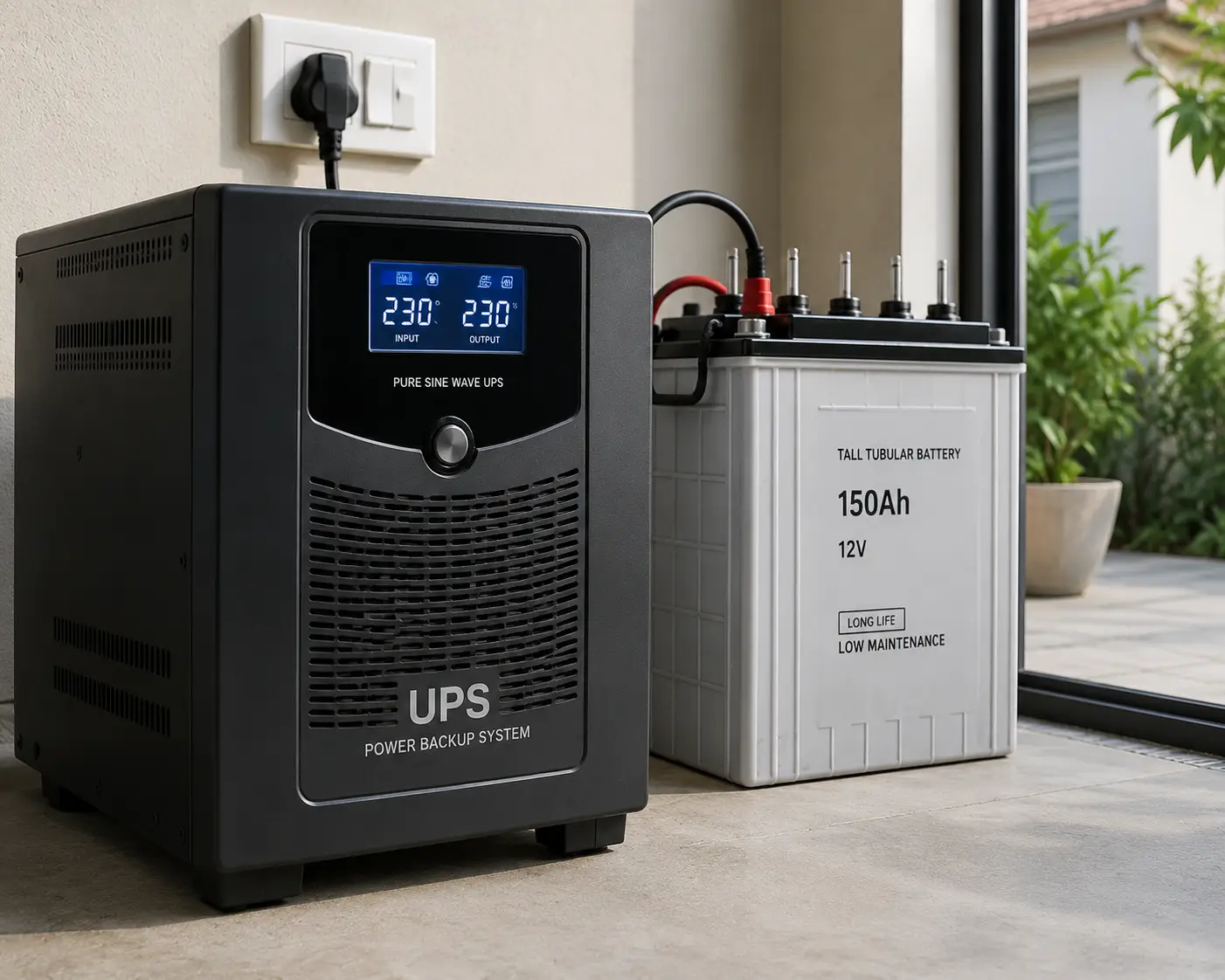
A bad storm rolls through, the lights flicker twice, and then your desktop, router, and half-finished spreadsheet go dark at the same time. That thirty-second gap between “power’s out” and “I lost my work” is exactly what a ups generator is built to close. Despite the name, most of what people search for under this term isn’t a fuel-burning generator at all — it’s an uninterruptible power supply (UPS), a battery-based unit that sits between your wall outlet and your electronics, ready to take over the instant utility power drops.
What Is a UPS Generator? A UPS generator — more precisely, an uninterruptible power supply — is a battery backup device that instantly switches your electronics to stored power during an outage, giving you anywhere from a few minutes to over an hour to save work, shut down safely, or ride out a brief blackout, unlike a traditional gas or propane generator, which takes seconds to minutes to start and can’t provide that instant, gapless switchover.
This guide breaks down seven real UPS units currently sold in the US, from budget-friendly desk units under $70 to serious home-network-grade systems in the $400+ range. Every pick here is grounded in actual manufacturer spec sheets and aggregated customer feedback — no invented reviews, no rounded-up marketing claims, just an honest look at what each unit does well and where it falls short. We’ll also cover how VA and wattage ratings actually translate to runtime, when a UPS makes more sense than a fuel generator, and the mistakes that send people back to Amazon for a return within a month.
Quick Comparison: Top UPS Generator Picks at a Glance
| Product | Capacity | Output Wave | Best For | Price Range |
|---|---|---|---|---|
| APC Back-UPS BE600M1 | 600VA / 330W | Simulated sine | Tightest budgets | ~$50–$65 |
| CyberPower CP685AVRG | 685VA / 390W | Simulated sine | Small desks/routers | ~$50–$70 |
| Tripp Lite SMART1500LCDT | 1500VA / 900W | Simulated sine | All-around reliability | ~$170–$210 |
| APC Back-UPS Pro BX1500M | 1500VA / 900W | Simulated sine | Home office LCD readout | ~$150–$190 |
| CyberPower CP1500PFCLCD | 1500VA / 1000W | Pure sine | Gaming PCs with PFC PSUs | ~$180–$220 |
| APC Smart-UPS SMC1500C | 1440VA / 900W | Pure sine | Home networks/NAS | ~$400–$500 |
| APC Back-UPS Pro Gaming BGM1500 | 1500VA / 900W | Pure sine | Premium gaming rigs | ~$200–$250 |
Looking at the table, the split comes down to output wave type and capacity headroom. The two budget picks are fine for a router, modem, or single small PC, but their simulated (stepped) sine wave output isn’t ideal for gaming PCs or Macs with active power-factor-correction (PFC) supplies. The three mid-range units bridge everyday reliability and price, while the APC Smart-UPS SMC1500C and APC Back-UPS Pro Gaming BGM1500 step up to pure sine wave output for gear that’s picky about power quality.
💬 One click helps you compare live pricing and lock in the right UPS generator before the next outage rolls in! 😊
Top 7 UPS Generator Picks: Expert Analysis
1. APC Back-UPS BE600M1 — most affordable safe shutdown
The APC Back-UPS BE600M1 is the entry point into UPS battery backup, and it does exactly one job well: give you enough runtime to save your work and shut down cleanly. Its 600VA/330W capacity and 7 total outlets (a mix of battery-backup and surge-only) mean it’s sized for a router, modem, and maybe a small desktop — not a full gaming rig. The single USB-A charging port and automatic voltage regulation (AVR) quietly correct brownouts and minor sags without switching to battery, which extends battery life by avoiding unnecessary discharge cycles.
Based on comparing the spec sheet against competitors in this price tier, the APC Back-UPS BE600M1 is best suited to renters, students, or anyone protecting a single workstation rather than a full home office. What most buyers overlook is that its output on battery power is a simulated (stepped) sine wave, not pure sine — fine for most electronics, but worth knowing if you’re running specialized medical or audio equipment. Reviews consistently report solid reliability for basic surge and outage protection, though a recurring theme in customer feedback is the audible alarm beep during outages, which some users find too loud for a bedroom setting, and a handful of long-term owners note the internal battery typically needs replacement after three to five years of regular use.
Pros:
- ✅ Budget-friendly entry point into battery backup
- ✅ Automatic voltage regulation smooths out brownouts
- ✅ Compact footprint fits tight desk setups
Cons:
- ❌ Simulated sine wave isn’t ideal for PFC-equipped PCs
- ❌ Limited runtime under any real load
Priced around $50 to $65, the APC Back-UPS BE600M1 is solid value if your goal is simply avoiding a hard shutdown, not powering through a long outage.
2. CyberPower CP685AVRG — smallest footprint for tight desks
The CyberPower CP685AVRG competes directly with the APC entry-level pick but trims down to a genuinely compact mini-tower shape that tucks behind a monitor stand or under a desk without hogging space. Rated at 685VA/390W across 8 outlets (typically split between battery-backup and surge-only), it has slightly more headroom than the APC BE600M1, which matters if you’re protecting a router plus a small NAS or a VoIP phone system. Automatic voltage regulation handles minor sags in-line, and CyberPower’s GreenPower UPS design is engineered to draw less standby power than older UPS generations.
What the spec sheet doesn’t say, but aggregated customer feedback reveals, is that this unit is a popular pick specifically for protecting networking gear during storms — homeowners in areas with frequent brief outages use it to keep a modem and Wi-Fi router alive so they don’t lose internet access every time the grid hiccups. Reviews are generally positive on reliability, though a common complaint is that the battery replacement process requires opening the case rather than a tool-free swap, which is more fiddly than some competing brands. Buyers should also know this is a simulated sine wave unit, so it isn’t the right pick for gaming PCs or Macs with PFC power supplies.
Pros:
- ✅ Compact mini-tower design saves desk space
- ✅ Slightly more capacity than comparable budget units
- ✅ GreenPower design reduces standby energy draw
Cons:
- ❌ Battery swap isn’t tool-free like some rivals
- ❌ Not compatible with active-PFC power supplies
At around $50 to $70, the CyberPower CP685AVRG is a strong lesser-known alternative to the APC entry-level unit, especially if desk space is tight.
3. Tripp Lite SMART1500LCDT — best all-around reliability
Stepping into the 1500VA class, the Tripp Lite SMART1500LCDT is built for buyers who want dependable, no-drama protection for a home office setup with a desktop, monitor, and networking gear all plugged in at once. Its 900W capacity across 8 outlets gives meaningful runtime for a mid-range PC, and the LCD display shows load percentage, battery charge, and estimated runtime at a glance rather than forcing you to guess. Automatic voltage regulation and coax/network-line surge protection round out the feature set, which matters if a lightning strike travels in through a cable line rather than the power line.
Based on comparing this unit against the APC BX1500M below, the practical difference comes down to brand ecosystem and support reputation rather than raw specs — reviews consistently point to Tripp Lite’s customer service and documentation as a differentiator for buyers who’ve had to file a warranty claim. What most buyers overlook is that, like most units in this price bracket, the SMART1500LCDT outputs a stepped approximation of sine wave on battery power rather than a pure sine wave, so it’s a better match for standard desktops than for gaming PCs with active-PFC power supplies. A recurring theme in customer feedback is that the unit runs slightly warm under sustained load, which is normal for line-interactive UPS designs but worth knowing if it’s tucked into an enclosed cabinet.
Pros:
- ✅ Clear LCD readout for load, charge, and runtime
- ✅ Coax and network-line surge protection included
- ✅ Strong reputation for customer support
Cons:
- ❌ Stepped sine wave, not ideal for PFC power supplies
- ❌ Runs warm under sustained heavy load
Expect to pay between $170 and $210, which is competitive for a 1500VA unit with this level of display detail and line protection.
4. APC Back-UPS Pro BX1500M — clearest LCD readout for home offices
The APC Back-UPS Pro BX1500M matches the Tripp Lite unit above on core specs — 1500VA/900W across 10 outlets — but distinguishes itself with a particularly readable LCD interface and APC’s broader third-party accessory ecosystem, including replacement battery cartridges that are widely stocked. The higher outlet count (10 versus 8) means more room to plug in a monitor, external drive, and networking gear without needing a separate surge strip, and multiple USB charging ports keep phones topped up during an extended outage.
Here’s what to weigh: the APC Back-UPS Pro BX1500M uses the same simulated sine wave output as its cheaper sibling, the BE600M1, which is a meaningful step down from the pure sine units later in this list if you’re running a gaming PC or Mac. Reviews consistently report that the LCD’s ability to show remaining runtime in minutes (rather than just a battery icon) is the single most-cited reason buyers choose this over competing 1500VA units, since it removes the guesswork during a long outage. A common complaint in customer feedback is that the internal fan can be audible under heavy load, and a handful of owners note the outlets are spaced closely enough that large power adapters can block adjacent ports.
Pros:
- ✅ 10 outlets accommodate a full desk setup
- ✅ LCD shows runtime in minutes, not just a battery icon
- ✅ Widely available replacement batteries
Cons:
- ❌ Simulated sine wave limits PFC-PSU compatibility
- ❌ Closely spaced outlets crowd large adapters
Priced around $150 to $190, the APC Back-UPS Pro BX1500M is one of the better value picks in the mid-range tier for a standard home office.
5. CyberPower CP1500PFCLCD PFC Sinewave — safest for gaming PCs and PFC power supplies
This is where output wave quality becomes the headline feature. The CyberPower CP1500PFCLCD is purpose-built for the growing number of PCs and Macs that use active power-factor-correction (PFC) power supplies, which can shut down unexpectedly, buzz loudly, or behave erratically on the stepped sine wave output that cheaper UPS units provide. Rated 1500VA/1000W across 10 outlets with 2 USB charging ports, it delivers a genuine pure sine wave on battery power — electrically indistinguishable from utility power as far as your PC’s power supply is concerned.
Based on comparing specs across this list, the practical takeaway is simple: if you own a modern gaming desktop, a high-end workstation, or most Apple desktops released in the last several years, this is the category you should be shopping in rather than the cheaper simulated-sine models above. Reviews consistently praise the multifunction LCD panel, which cycles through load wattage, input/output voltage, and estimated runtime, and reviewers who previously owned a simulated-sine UPS often specifically note the difference in PC stability during outages after switching. On the downside, a recurring complaint is that the cooling fan is more noticeable than on APC’s comparable units, and a few owners report the LCD backlight is dim in bright rooms.
Pros:
- ✅ True pure sine wave, safe for active-PFC power supplies
- ✅ Informative LCD with rotating stats display
- ✅ 10 outlets plus dual USB charging
Cons:
- ❌ Fan noise more noticeable than competing units
- ❌ LCD backlight is dim in well-lit rooms
At roughly $180 to $220, the CyberPower CP1500PFCLCD earns its slight premium over simulated-sine competitors if your hardware actually needs pure sine wave power.
6. APC Smart-UPS SMC1500C — smartest remote monitoring for home networks
The APC Smart-UPS SMC1500C moves up into genuinely business-grade territory, and it shows: 1440VA/900W of pure sine wave output, a graphic LCD, 8 outlets, and — when paired with APC’s SmartConnect service — remote monitoring of battery health, runtime, and outage events from a phone or browser. For anyone running a home server, a NAS holding family photos and backups, or a small business network closet, that remote visibility is genuinely useful rather than a gimmick; you can check whether the unit is running on battery power without walking over to look.
What the spec sheet doesn’t fully convey is how this unit’s design targets predictability over raw runtime numbers — its self-test diagnostics and clear end-of-life battery alerts are aimed at buyers who can’t afford a surprise failure, like anyone running a home lab or a small e-commerce operation from a spare bedroom. Reviews consistently describe the build quality as noticeably heavier-duty than consumer-tier APC and CyberPower units, and IT-adjacent reviewers frequently cite the expandable battery pack compatibility as a reason to choose this over a standard desktop UPS. The tradeoff is price and, per some more recent owner feedback, SmartConnect’s cloud features have shifted over time and are worth confirming are still active and free before you buy, since connected-service terms on smart devices can change.
Pros:
- ✅ True pure sine wave with business-grade build quality
- ✅ Remote monitoring for battery health and outage history
- ✅ Expandable battery pack compatibility for longer runtime
Cons:
- ❌ Significant price jump over consumer-tier units
- ❌ Smart features depend on an evolving cloud service
Expect to pay in the $400 to $500 range, which is a real investment but one that fits buyers protecting business-critical equipment rather than a single desktop.
7. APC Back-UPS Pro Gaming BGM1500 — flashiest premium pick for gaming rigs
Rounding out the list, the APC Back-UPS Pro Gaming BGM1500 takes the pure-sine-wave formula and repackages it specifically for gaming setups, with RGB lighting, a “Reactor Circle” ring light that visually indicates battery health and load at a glance, and 10 outlets plus a mix of USB-A and USB-C charging ports for modern peripherals and controllers. At 1500VA/900W, it’s sized to protect a gaming PC, monitor, and peripherals through a brief outage without a mid-game hard shutdown.
Here’s what most buyers overlook: past the RGB styling, this is functionally a pure-sine-wave UPS with the same PFC-safe output as the CyberPower pick above, which is the actual reason it belongs on a shortlist rather than just its looks. Based on comparing customer sentiment, gamers who bought it specifically for mid-session outage protection report it performs as expected, and the visual battery indicator is frequently cited as more useful in practice than a small LCD screen when you’re focused on a game rather than checking a display panel. A recurring critique in reviews is that the RGB lighting can’t be fully disabled on some firmware versions without a workaround, which is a minor but real annoyance for buyers who wanted the pure-sine benefits without the light show, and the price sits noticeably above the non-gaming CyberPower equivalent for similar core specs.
Pros:
- ✅ Pure sine wave output safe for gaming PC power supplies
- ✅ Reactor Circle gives an at-a-glance battery/load status
- ✅ USB-C and USB-A charging ports included
Cons:
- ❌ RGB lighting isn’t fully disable-able on all firmware
- ❌ Premium price for specs similar to non-gaming alternatives
Priced around $200 to $250, the APC Back-UPS Pro Gaming BGM1500 makes sense if you want pure sine wave protection and don’t mind paying a bit extra for the gamer-focused design.
Full Feature Comparison: All 7 Picks Side by Side
| Product | Outlets | Output Wave | USB Charging | Display | Price Range |
|---|---|---|---|---|---|
| APC Back-UPS BE600M1 | 7 | Simulated | 1x USB-A | LED indicators | ~$50–$65 |
| CyberPower CP685AVRG | 8 | Simulated | None | LED indicators | ~$50–$70 |
| Tripp Lite SMART1500LCDT | 8 | Simulated | 1x USB-A | LCD | ~$170–$210 |
| APC Back-UPS Pro BX1500M | 10 | Simulated | 2x USB-A | LCD | ~$150–$190 |
| CyberPower CP1500PFCLCD | 10 | Pure sine | 2x USB-A | LCD | ~$180–$220 |
| APC Smart-UPS SMC1500C | 8 | Pure sine | None (network port) | Graphic LCD | ~$400–$500 |
| APC Back-UPS Pro Gaming BGM1500 | 10 | Pure sine | USB-A + USB-C | LCD + RGB ring | ~$200–$250 |
Reading across this table, the clearest dividing line is output wave type: the four simulated-sine units are perfectly capable for routers, modems, and standard desktops, but the three pure-sine units are the only safe choices for gaming PCs, most Macs, and any equipment sensitive to power quality. If you’re not sure which category your hardware falls into, check your power supply’s label or spec sheet for “active PFC” — that single phrase determines which half of this table you should be shopping in.
✨ Don’t wait for the next storm to find out which UPS generator you actually need! 🔍 Compare the picks above side by side, click through to check current pricing, and get your setup protected before the forecast turns.
Getting Started: Setup, Placement, and Maintenance
Unboxing a UPS generator is straightforward, but a few early decisions affect how well it performs over its lifespan. First, charge the unit fully before first use — most manufacturers recommend an initial charge of 8 to 16 hours, and skipping this step is one of the most common reasons a new UPS shows a shorter-than-expected runtime in its first weeks. Second, plug only your critical, sensitive gear (computer, monitor, router, modem, external drive) into the battery-backup outlets; printers, lamps, and space heaters belong on the surge-only outlets or a separate strip entirely, since they draw unnecessary power from the battery bank during an outage without needing the instant switchover.
Placement matters more than people expect. A UPS generates a small amount of heat and needs airflow around its vents, so avoid tucking it into a fully enclosed cabinet or stacking items directly on top. Most units also beep during a power event, so if the UPS is protecting a bedroom office, factor the alarm volume into where you place it. On the maintenance side, run the built-in self-test (usually a button press or automatic monthly cycle) every few months to catch a failing battery before an actual outage does, and mark your calendar for battery replacement around the three-to-five-year mark noted across most manufacturer guidance and aggregated owner reviews — batteries are the one component in a UPS generator that degrades regardless of how well you treat the unit.
Which UPS Generator Fits Your Situation?
The remote worker with a single monitor setup: If you’re protecting one desktop, a monitor, and a router so you can save a document and shut down cleanly during a storm, a 600–700VA unit like the APC Back-UPS BE600M1 or CyberPower CP685AVRG covers the basics without overspending on capacity you won’t use.
The gamer or creator with a high-wattage PC: Modern gaming and workstation builds often ship with active-PFC power supplies, which makes pure sine wave output a requirement, not a nice-to-have. Here, the CyberPower CP1500PFCLCD or APC Back-UPS Pro Gaming BGM1500 are the safer picks — a simulated-sine unit can cause an active-PFC PSU to shut down abruptly on battery power, which defeats the entire purpose of owning a UPS.
The household running a home server or small business from home: If a NAS, a home lab, or a business-critical workstation depends on staying online, the runtime, remote monitoring, and expandable battery options on the APC Smart-UPS SMC1500C justify the higher price — the cost of a few hours of downtime for a working household usually exceeds the price difference between this and a consumer-tier unit.
How to Choose a UPS Generator
- Calculate your actual load first. Add up the wattage of everything you plan to plug into the battery-backup outlets (check each device’s label or power brick) — this single number determines whether a 600VA or 1500VA unit is appropriate, and buying based on outlet count alone is a common mistake.
- Check for active PFC compatibility. If any connected device has an active-PFC power supply (most modern gaming PCs and many Macs), you need a pure sine wave unit, not a simulated-sine model — this is the single most consequential spec decision on this list.
- Prioritize runtime over sticker price for critical gear. A cheaper unit that gives you 90 seconds isn’t enough time to save work and shut down safely; look at the manufacturer’s runtime chart at your actual expected load, not the maximum-capacity number on the box.
- Count your outlets realistically. Include everything you’ll plug in today plus one or two future additions — running out of battery-backup outlets means either a second UPS or leaving something unprotected.
- Decide if remote monitoring matters. For a home office or server closet you don’t check daily, a UPS with app or browser-based monitoring (like the SmartConnect-enabled Smart-UPS line) can flag a failing battery before it becomes a 2 a.m. surprise.
- Factor in battery replacement cost and availability. Look up the specific replacement battery cartridge for a model before buying — some are user-swappable in seconds, others require more disassembly, and cost varies meaningfully by brand.
- Match the physical footprint to your space. A tower unit under a desk needs different clearance than a compact unit tucked into a media cabinet — check dimensions, not just specs, especially in a small home office.
Reliable surge protection research from NIST backs up why voltage regulation and clean output matter beyond just outage protection — sustained low-level power quality issues can shorten the lifespan of sensitive electronics even when the lights never fully go out.
Common Mistakes to Avoid When Buying a UPS Generator
Buyers most often go wrong by sizing a unit to their budget instead of their load, then discovering the runtime is too short to be useful during an actual outage. A second common mistake is ignoring the sine wave type entirely — plugging a modern gaming PC or Mac into a simulated-sine UPS can cause the power supply to shut down or emit an audible buzzing noise under battery power, which some buyers mistake for a defective unit when it’s actually a compatibility mismatch. A third mistake is treating the UPS as a one-time purchase with no ongoing cost; batteries degrade on a predictable schedule regardless of use, and skipping replacement eventually leaves you with a unit that provides surge protection but zero real runtime. Finally, plugging non-critical, high-draw devices like laser printers or space heaters into the battery-backup outlets drains capacity fast and shortens the life of the internal battery through unnecessary deep-discharge cycles.
UPS Generator vs. Traditional Gas Generator
A UPS generator and a traditional gas or propane generator solve overlapping but genuinely different problems, and confusing the two is one of the most common shopping mistakes in this category. A UPS switches to battery power instantly — with zero interruption — which is essential for a computer, network equipment, or anything that would crash or lose data during even a half-second gap. A gas generator, by contrast, typically takes anywhere from several seconds to a couple of minutes to start and stabilize, which is a dealbreaker for electronics but a non-issue for a refrigerator, sump pump, or furnace blower that can tolerate a brief interruption.
The tradeoff runs the other direction on runtime and capacity: a UPS generator’s battery bank is measured in minutes, while a properly sized gas or propane whole-home generator can run for as long as fuel is available, powering an entire house rather than a single desk setup. Cost follows a similar split — a capable UPS generator runs from roughly $50 to $500, while a whole-home standby generator installation typically runs into the thousands of dollars including professional installation. For most households, the practical answer isn’t choosing one over the other; it’s using a UPS generator to protect data-sensitive electronics for the instant-switchover window, and, if outages are frequent or extended in your area, pairing that with either a portable or standby gas generator for longer-duration whole-home coverage. The federal guidance on power outage preparedness from Ready.gov recommends exactly this layered approach — critical electronics on instant battery backup, larger appliances on generator power when outages extend beyond a few minutes.
UPS Generator for Home Offices, Gamers, and Small Businesses
Different users get real value out of different features on this list, and matching your profile to the right spec avoids both overspending and under-protecting. Home office workers generally get the most value from outlet count and LCD runtime readouts — knowing you have “22 minutes remaining” rather than a vague battery icon lets you finish and save a document with confidence rather than guessing. Gamers and content creators should treat pure sine wave output as close to non-negotiable given how common active-PFC power supplies are in modern builds; the money saved on a simulated-sine unit isn’t worth risking a mid-session shutdown or PSU compatibility issue. Small business owners running a home-based operation — an e-commerce store, a client-facing server, a point-of-sale system — should weigh remote monitoring and expandable battery capacity heavily, since the cost of an undetected battery failure is measured in lost business hours, not just inconvenience.
Long-Term Cost and Maintenance
The sticker price of a UPS generator is only part of the real cost of ownership. Budget for a replacement battery every three to five years — a cost that ranges from roughly $20 to $30 for the smallest units up to $100 or more for the business-grade models like the APC Smart-UPS SMC1500C, which can also use larger optional external battery packs at additional cost. Standby power draw is a smaller but real ongoing cost; most modern units, particularly those meeting ENERGY STAR’s uninterruptible power supply program requirements, are engineered to minimize the electricity a UPS consumes just sitting idle between outages, which adds up over years of continuous operation.
Weighed against the alternative — a hard shutdown that corrupts a file, damages a hard drive, or forces a router reboot every time the power blinks — most buyers find the total cost of ownership over a UPS generator’s five-to-eight-year practical lifespan compares favorably to even one serious data-loss incident. For business-critical setups, the math tips further in favor of the higher-end units: a few hundred dollars for a Smart-UPS-class unit with remote monitoring is a rounding error next to the cost of unplanned downtime for a home-based business.
Features That Actually Matter (and Ones That Don’t)
Cutting through the spec sheet, three features consistently make a real difference in day-to-day use: sine wave type (simulated versus pure), actual runtime at your real load (not the maximum-capacity number on the box), and outlet count relative to what you actually plan to plug in. Automatic voltage regulation is also genuinely useful, since it quietly handles brownouts without draining the battery, extending both runtime availability and battery lifespan.
On the other hand, a few marketed features matter less than the box copy suggests. RGB lighting, as seen on the APC Back-UPS Pro Gaming BGM1500, is purely cosmetic and has zero bearing on protection quality — buy it because you like the look, not because it performs better. Maximum outlet count past what you’ll realistically use is also oversold; ten outlets sound impressive, but if you’re only protecting three devices, the extra outlets are marketing, not value. Similarly, headline VA ratings without a corresponding wattage figure can be misleading, since VA and watts aren’t interchangeable — always check the wattage rating against your actual equipment’s power draw.
Safety, Regulations, and Standards
Every UPS generator sold in the US should carry UL or ETL listing, which verifies the unit has passed independent electrical safety testing for fire and shock hazards — check for this mark on the unit or its packaging before buying from a lesser-known brand. FCC compliance is also standard for units with digital displays or network ports, ensuring the device doesn’t interfere with other electronics. Buyers researching this category for the first time should also treat general home electrical safety guidance as relevant context, since it underscores why relying on a properly certified device — rather than a bargain unlisted import — matters for anything staying plugged in continuously.
Beyond certification, a few safety practices apply specifically to UPS units: never operate one in an enclosed, poorly ventilated space, since sealed lead-acid batteries can generate a small amount of heat and gas during charging cycles; dispose of a depleted UPS battery through a proper battery recycling program rather than household trash, since lead-acid batteries are subject to state-level recycling regulations in most of the US; and never exceed the rated load, since consistently running a UPS near or above its wattage limit shortens both battery and inverter lifespan and can trip internal overload protection at the worst possible moment.
Frequently Asked Questions
❓ What is a UPS generator and how does it work?
❓ How long can a UPS generator power a computer during an outage?
❓ Is a UPS generator better than a gas generator for home use?
❓ How much does a good UPS generator cost?
❓ Can a UPS generator power a refrigerator or whole house?
Conclusion
Choosing the right UPS generator comes down to two questions: how much runtime and capacity does your actual setup need, and does any of your equipment require pure sine wave output? Budget picks like the APC Back-UPS BE600M1 and CyberPower CP685AVRG handle basic router-and-desktop protection affordably, while the Tripp Lite SMART1500LCDT and APC Back-UPS Pro BX1500M offer a comfortable middle ground for a full home office running standard hardware. If your PC has an active-PFC power supply — increasingly common in gaming and Apple hardware — the CyberPower CP1500PFCLCD and APC Back-UPS Pro Gaming BGM1500 are the safer, compatibility-checked choices, and the APC Smart-UPS SMC1500C earns its higher price for households and small businesses that can’t afford an undetected battery failure.
Whichever tier fits your setup, the underlying math doesn’t change: a UPS generator is inexpensive insurance against the moment the power blinks and your unsaved work, your router’s connection, or your home server’s uptime is on the line. Match the wave type to your hardware, size the capacity to your real load, and budget for a battery swap a few years down the road, and any of the seven picks above will do exactly the job it’s designed for.
✨ Ready to stop losing work every time the power blinks? 🔍 Take your home office or gaming setup to the next level with a UPS generator sized for exactly what you’re protecting. Click a highlighted pick above to check current pricing and availability, and get the peace of mind of a setup that stays online when the grid doesn’t!
Recommended for You
- Brands of Generators: 7 Best Picks & Buying Guide for 2026
- Three Phase Generators: 7 Best Picks for 2026 (Ranked)
- Portable AC Solar Powered: 7 Best Picks for Off-Grid Cooling (2026)
Disclaimer: This post contains affiliate links. As an Amazon Associate, I earn from qualifying purchases made through these links, at no additional cost to you.
✨ Found this article helpful? Share it with someone who needs it! 💬🤗