
In This Article
Introduction: You Don’t Need a Single Solar Panel to Keep the Lights On
Here’s a myth worth retiring: that whole house battery backup without solar is some half-measure for people who “haven’t gotten around to” panels yet. It isn’t. A battery doesn’t care where its electrons come from. Plug it into the grid (or a generator), let it fill up while the power is on, and it will carry your home through the next outage — silently, with zero fumes, and with a switchover so fast your Wi-Fi router may not even notice.
So why do so many shoppers assume they need a roof full of panels first? Mostly because the industry sold batteries as “solar storage” for a decade. But plenty of homeowners can’t go solar: shaded lots, HOA restrictions, a roof that needs replacing, or simply a lease. For them, whole house battery backup without solar is the whole point, not a compromise.
The 2026 landscape also shifted in a way that matters. The federal Residential Clean Energy Credit (Section 25D) — which used to knock 30% off a home battery — no longer applies to systems placed in service after December 31, 2025. That makes the upfront price tag more important than ever, and it’s one big reason the plug-in, expandable “power station” class (EcoFlow, Anker SOLIX, Jackery, BLUETTI) has become the go-to option on amazon.com.
In this guide, you’ll get an honest, spec-driven breakdown of seven real systems, a sizing method you can do with your utility bill, a head-to-head against gas generators, and the installation and safety details that most product listings skip. No invented test results, no made-up reviews — just the analysis you need to buy once and buy right.
What Is Whole House Battery Backup Without Solar?
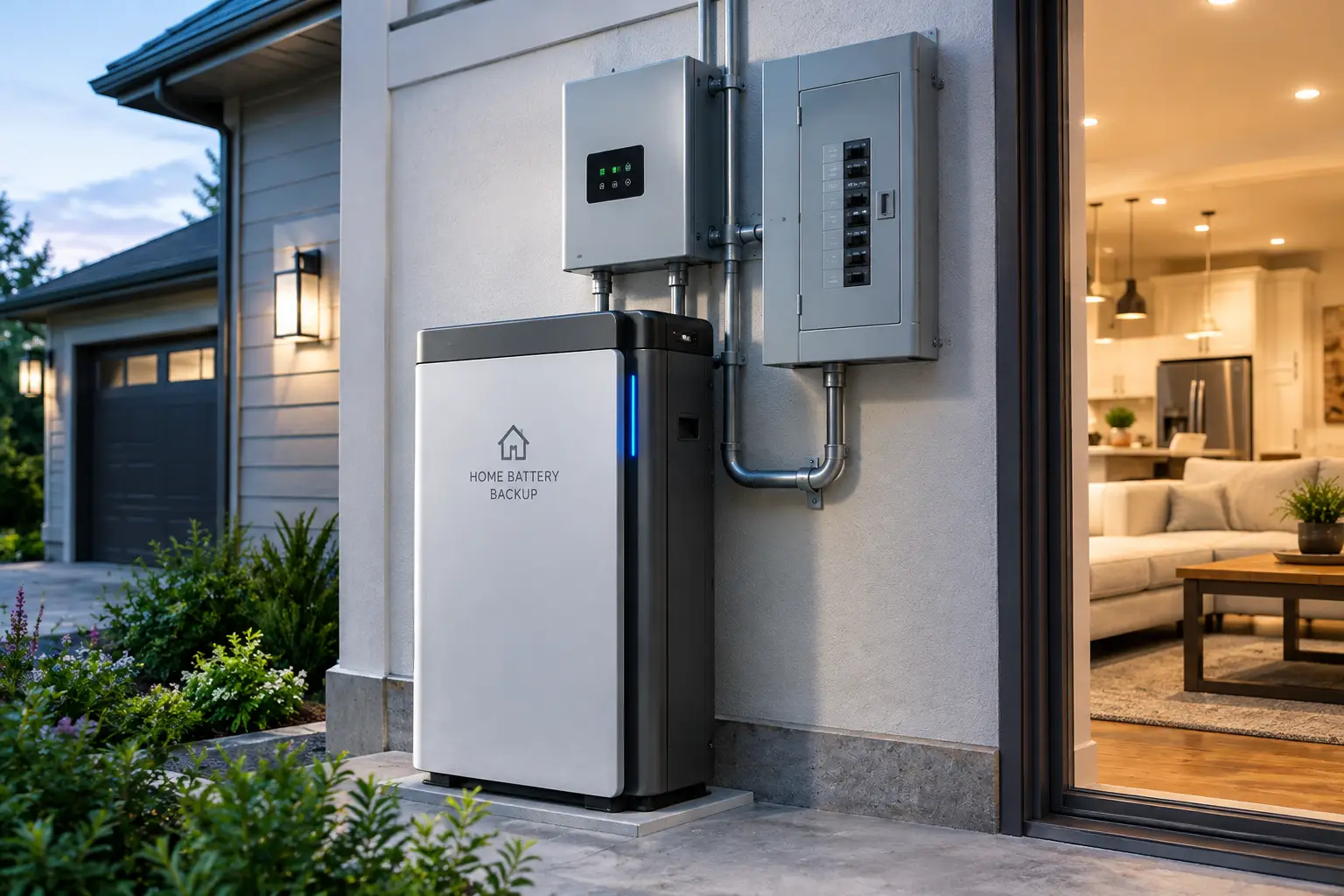
Whole house battery backup without solar is a home energy storage system that charges from the utility grid (or a generator) instead of solar panels, then automatically powers your home’s circuits during an outage. Most use LiFePO4 batteries and connect through a transfer switch or smart panel.
In practice, “whole house” covers a spectrum. At one end, a single 3–5 kWh unit wired to a handful of critical circuits keeps the fridge, lights, internet, and furnace blower alive. At the other, stacked systems of 20–90 kWh with 240V output can run central air, a well pump, and an electric dryer. For context, the average U.S. household uses roughly 10,500 kWh of electricity a year — about 29 kWh per day — so truly backing up everything for a full day takes a lot of storage.
That gap between “critical circuits” and “every circuit” is the single most important thing to understand before you buy. Most families don’t need the whole house running during an outage; they need the right parts of the house running for the right length of time. The good news is that every system below is expandable, so you can start with essentials and add capacity later instead of paying for 30 kWh on day one.
Quick Comparison: The 7 Best Grid-Charged Home Backup Batteries
| Product | Base Capacity | Continuous Output | Voltage | Max Expansion | Best For |
|---|---|---|---|---|---|
| EcoFlow DELTA Pro Ultra | 6,144Wh | 7,200W | 120/240V | 90kWh | EcoFlow DELTA Pro Ultra: largest homes, central AC |
| Anker SOLIX F3800 Plus | 3,840Wh | 6,000W | 120/240V | 53.8kWh (two units) | Anker SOLIX F3800 Plus: generator-assisted long outages |
| Jackery Explorer 5000 Plus | 5,040Wh | 7,200W | 120/240V | 60kWh | Jackery Explorer 5000 Plus: 0ms switchover, big loads |
| EcoFlow DELTA Pro 3 | 4,096Wh | 4,000W | 120/240V | 48kWh (system) | EcoFlow DELTA Pro 3: mid-size homes, quiet operation |
| BLUETTI Apex 300 | 2,764.8Wh | 3,840W | 120/240V | 58kWh | BLUETTI Apex 300: flexible, grow-as-you-go builds |
| BLUETTI AC500 + B300K | 2,764.8Wh | 5,000W | 120V (240V paired) | 16.6kWh per unit | BLUETTI AC500 + B300K: modular 120V-heavy homes |
| Jackery HomePower 3600 Plus | 3,584Wh | 3,600W | 120V (240V paired) | 21kWh per unit | Jackery HomePower 3600 Plus: essentials on a budget |
Reading the table as a whole, the market splits cleanly into two tiers. The EcoFlow DELTA Pro Ultra and Jackery Explorer 5000 Plus are the only single units here pushing 7,200W at 240V, which is what separates “runs central air” from “runs central air with a soft starter and some luck.” Below them, the EcoFlow DELTA Pro 3, BLUETTI Apex 300, and Jackery HomePower 3600 Plus trade raw output for lower entry prices — a smart trade if your priority is fridge-internet-furnace coverage rather than full-home comfort.
💬 One click helps other shoppers make an informed choice too! 😊
Top 7 Whole House Battery Backup Systems: Expert Analysis
Every pick below is a real, currently listed product on amazon.com at the time of writing. Price ranges are approximate and shift constantly with bundles and promotions, so always check the current price before you buy.
1. EcoFlow DELTA Pro Ultra — the closest thing to a whole-home install
The EcoFlow DELTA Pro Ultra is the heavyweight of this list, built for households that genuinely want most of the house running, not just the kitchen. A single inverter delivers 7,200W at 120V or 240V from a 6,144Wh LiFePO4 battery pack. In plain terms, that’s enough to start and run a 3-ton central air conditioner, which EcoFlow specifically advertises — something only two products on this list can realistically claim. Stack up to 15 battery packs and you reach 90kWh; pair three inverters with the Smart Home Panel 2 and output climbs to 21.6kW.
Based on comparing the specs, this is the pick for larger homes with electric-heavy loads (heat pumps, well pumps, electric ranges) or anyone who wants a system that can scale for years. The Smart Home Panel 2 integration matters more than it sounds: it handles automatic switchover (around 20ms) and lets you prioritize up to 12 circuits from the app, stretching runtime without you flipping breakers in the dark.
Customer feedback we found across retailer reviews is broadly positive about output and build, particularly from owners upgrading from older DELTA Pro units. The recurring complaints are weight and shipping — the inverter and battery sometimes arrive separately.
Pros:
- ✅ True 240V, 7,200W output from one inverter
- ✅ Scales to 90kWh for multi-day whole-home coverage
- ✅ Smart panel circuit control extends runtime
Cons:
- ❌ Very heavy; “portable” is generous
- ❌ Generator charging needs a separate adapter
Price range: roughly $4,500–$6,500 for the base inverter plus one battery (the panel adds more) — expensive, but the best value per watt if you truly need 240V heavy loads.
2. Anker SOLIX F3800 Plus — best partner for a gas generator
The Anker SOLIX F3800 Plus shines in a scenario most listings underplay: pairing a battery with a small generator for outages that last days. Its core specs are 3,840Wh of LiFePO4 storage and 6,000W continuous output (9,000W peak) at 120V/240V from a single unit — no need to link two stations just to get 240V. Its standout trick is a dedicated smart generator port that can refill the battery in about 1.5 hours, which means you run a generator briefly, then enjoy hours of silence.
Here’s what to weigh: the fastest 6,000W generator charging, according to independent review coverage from The Solar Lab, requires two expansion batteries attached. And Anker notes that 240V output isn’t available while the unit is charging via 120V AC. Neither is a dealbreaker, but both matter if you’re planning around a well pump.
Reviews consistently describe it as one of the more user-friendly large stations, with clearly separated input and output ports and industrial caster wheels. The flip side is weight: roughly 136 lb for the base unit.
Pros:
- ✅ Native 120V/240V output from one unit
- ✅ Very fast generator recharging with the adapter
- ✅ Home Power Panel supports clean circuit integration
Cons:
- ❌ Around 136 lb, hard to move solo
- ❌ 240V output pauses during 120V AC charging
Price range: typically in the $3,000–$4,000 range for the base unit — strong value for hybrid battery-plus-generator households.
3. Jackery Explorer 5000 Plus — true zero-millisecond switchover
The Jackery Explorer 5000 Plus is Jackery’s first unit aimed squarely at whole-home installs, and it shows. It packs 5,040Wh of LiFePO4 capacity and 7,200W of continuous 120V/240V output with a 14,400W surge rating. That surge figure is the practical headline: big motors (AC compressors, well pumps) draw several times their running wattage for a split second at startup, and a high surge ceiling is what keeps the inverter from tripping.
On paper, the 0ms UPS switchover is its quiet superpower. A desktop computer, a CPAP machine, or a networked security system won’t reboot when the grid drops. Pair it with Jackery’s 60A Smart Transfer Switch and you can back up 12 circuits at 120V or 6 at 240V; add battery packs and one or two units scale up to 60kWh.
Independent reviewers, including The Solar Lab, said the unit surprised them positively in testing and rank it alongside the EcoFlow DELTA Pro Ultra and Anker SOLIX F3800 Plus as one of the few credible 5kWh+ consumer systems. The main caution in coverage is cost at scale: going toward 60kWh becomes a five-figure proposition.
Pros:
- ✅ 0ms UPS protects sensitive electronics
- ✅ 14,400W surge handles hard-starting motors
- ✅ 5-year warranty, extendable by two years
Cons:
- ❌ Expansion to full capacity gets expensive fast
- ❌ Heavy, best treated as semi-permanent
Price range: generally $3,500–$5,000 for the base unit — excellent value if uninterrupted power for electronics matters.
4. EcoFlow DELTA Pro 3 — the quiet, mid-size sweet spot
The EcoFlow DELTA Pro 3 is the pick for mid-size homes that want 240V capability without paying for the Ultra’s full firepower. It delivers 4,000W continuous (6,000W with EcoFlow’s X-Boost for resistive loads, 8,000W surge) from a 4,096Wh LFP battery. What that means in practice: it can handle a 1 HP well pump, a fridge, and lighting simultaneously, and EcoFlow rates it for a 3-ton central AC under lab conditions with a soft starter installed.
Two details stand out. First, the battery pack carries an IP65 rating — unusual in this category — giving extra resistance to dust and water in a garage or basement. Second, EcoFlow’s X-Quiet mode keeps noise near 30 dB under 2,000W, so it can live indoors without droning. A single unit takes two extra batteries (up to about 12kWh); up to three units link through the Smart Home Panel 2.
Customer feedback we found is mixed in an instructive way: owners generally like performance, but some say a second battery is almost essential for real backup, and a few complain the solar cable isn’t included and about EcoFlow support responsiveness.
Pros:
- ✅ 240V support in a mid-priced package
- ✅ IP65-rated battery pack for tougher locations
- ✅ Very quiet at moderate loads
Cons:
- ❌ Base capacity feels thin without an extra battery
- ❌ Mixed reviews on customer support
Price range: roughly $2,400–$3,700 depending on bundle — good value for 2,000–3,000 sq ft homes backing up essentials plus one big load.
5. BLUETTI Apex 300 — simultaneous 120V and 240V, built to grow
The BLUETTI Apex 300 is the most “modular” thinking on this list. The base unit holds 2,764.8Wh and puts out 3,840W continuous, and it can deliver 120V and 240V at the same time — a real advantage when a 240V well pump and a 120V fridge need power together. Its Power Lifting mode runs resistive loads (space heaters, kettles) up to 7,680W by reducing voltage rather than shutting off, which is useful for heating appliances but not for motors.
The growth path is where it earns its spot. Link up to three units and 18 B300K batteries through BLUETTI’s hub and you reach 58kWh and 11.52kW. That makes it a good fit for buyers who want to start around $2,000 and build toward whole-home coverage over a few years. Other practical notes: a 0ms UPS switchover, an LFP battery rated for 6,000+ cycles, and a weight of about 84 lb, lighter than most rivals here.
We found fewer detailed long-term reviews for this newer model than for the Jackery and EcoFlow flagships, so treat longevity claims as manufacturer data for now. Available retailer feedback tends to praise build quality.
Pros:
- ✅ True simultaneous 120V and 240V output
- ✅ Scales to 58kWh across three units
- ✅ Lighter than most competitors at 84 lb
Cons:
- ❌ Smaller base capacity than flagships
- ❌ No DC ports on the main unit
Price range: typically $1,700–$2,500 for the base unit — very strong value as a starting point.
6. BLUETTI AC500 + B300K — modular power for 120V-heavy homes
The BLUETTI AC500 + B300K takes a different approach: the AC500 is an inverter “brain” with no internal battery, and the B300K modules (2,764.8Wh each) supply the energy. The payoff is a 5,000W continuous output (10,000W surge) at 120V, which covers the vast majority of household appliances, and capacity that scales from about 2.8kWh to 16.6kWh with six batteries. Pair two AC500 units and you unlock 240V and roughly 33kWh.
Based on the spec sheet, the practical catch is that you need at least two B300K batteries to reach the full 5,000W AC charging speed; with one battery, charging tops out at 3,000W. You also need a specific P090D-to-P150D cable to connect them, which buyers should confirm is included in their bundle. The split design is a benefit for moving it around, since the AC500 is about 66 lb and each B300K about 65 lb rather than one 130+ lb block.
Reviews and buyer guides commonly highlight its fast recharge and flexible outputs, while the most frequent complaint theme concerns the cabling and setup being less plug-and-play than all-in-one units.
Pros:
- ✅ 5,000W output covers most 120V appliances
- ✅ Split modules are easier to carry
- ✅ Up to 8,000W combined AC plus solar input
Cons:
- ❌ 240V needs a second AC500
- ❌ Setup and cabling less intuitive
Price range: roughly $2,500–$4,000 depending on battery count — good value for homes without 240V essentials.
7. Jackery HomePower 3600 Plus — essential-circuit backup on a budget
The Jackery HomePower 3600 Plus is the right entry point for households that want to protect essentials rather than the whole house. It offers 3,584Wh and 3,600W of 120V output from four 20A outlets and a 30A RV-style outlet. What this means in practice: a refrigerator, chest freezer, router, lights, and gas-furnace blower can run together comfortably, and a manual transfer switch can feed up to six key circuits.
Two units in parallel unlock 240V and 7,200W, and each unit expands to 21kWh with extra batteries (43kWh paired). Jackery rates the LFP cells for 6,000 cycles and quotes about 30 dB operation, making it one of the quietest options for a bedroom-adjacent closet. The telescoping handle and wheels make it the most movable machine in this guide.
Review coverage is positive about quietness, fast hybrid AC+DC recharging (about two hours), and portability. The honest caveat raised by reviewers such as The Solar Lab: for full-house backup, the DELTA Pro 3, DELTA Pro Ultra, or F3800 Plus offer more flexibility and higher solar input.
Pros:
- ✅ Quiet enough for indoor living spaces
- ✅ Wheels and handle make it genuinely movable
- ✅ 6,000-cycle LFP rating promises long service
Cons:
- ❌ Single unit is 120V only
- ❌ Expansion batteries add significant cost
Price range: about $2,000–$3,000 depending on bundle — excellent value for essentials-first backup.
Top 7 Head-to-Head: Specs That Change Your Decision
| Product | Surge / Peak | Switchover | Battery Cycles (to 80%) | Warranty | Best For |
|---|---|---|---|---|---|
| EcoFlow DELTA Pro Ultra | 7,200W sustained even while charging | ~20ms with SHP2 | LFP (manufacturer-rated) | 5 years | EcoFlow DELTA Pro Ultra: 240V-heavy homes |
| Anker SOLIX F3800 Plus | 9,000W | UPS on select outlets | LFP (manufacturer-rated) | 5 years | Anker SOLIX F3800 Plus: battery + generator combo |
| Jackery Explorer 5000 Plus | 14,400W | 0ms | LFP, ~11-year claim | 5 + 2 years | Jackery Explorer 5000 Plus: sensitive electronics |
| EcoFlow DELTA Pro 3 | 8,000W | 10ms | 4,000 | 5 years | EcoFlow DELTA Pro 3: quiet mid-size homes |
| BLUETTI Apex 300 | 7,680W (resistive) | 0ms | 6,000+ | 5 years | BLUETTI Apex 300: phased expansion |
| BLUETTI AC500 + B300K | 10,000W | Seamless UPS | 3,000+ | 4 years | BLUETTI AC500 + B300K: 120V households |
| Jackery HomePower 3600 Plus | Not published per unit | UPS | 6,000 | 5 years | Jackery HomePower 3600 Plus: budget essentials |
The surge column is where most buying mistakes happen. If you plan to run a central AC or well pump, the Jackery Explorer 5000 Plus (14,400W surge) and BLUETTI AC500 + B300K (10,000W) give you the most startup headroom, while the BLUETTI Apex 300‘s 7,680W figure applies only to resistive loads, not motors. For households with desktops or medical devices, the 0ms switchover on the Jackery Explorer 5000 Plus and BLUETTI Apex 300 is worth more than any capacity figure.
✨ Don’t miss the right fit for your home!
🔍 Take your home backup to the next level with this carefully curated lineup. Click a highlighted product to check current pricing and availability. These picks will help you get quiet, reliable power the whole family will appreciate!
Getting Started: Your First 30 Days With a Grid-Charged Home Battery
Buying the battery is the easy part. How you set it up in the first month determines whether it saves you in the next storm or sits at 40% when the lights go out.
Week 1: Map your critical loads
Walk your breaker panel with a notepad. Label the circuits you absolutely need: refrigerator, freezer, furnace blower or boiler, sump pump, well pump, internet, a few lights, and medical devices. The Ready.gov power outage checklist recommends inventorying everything that relies on electricity — a good discipline here, because it forces you to separate “need” from “nice.”
Week 2: Get the connection right
A plug-in station feeding extension cords works for a fridge. For circuits, you need a transfer switch or the brand’s smart panel (EcoFlow Smart Home Panel 2, Anker Home Power Panel, Jackery Smart Transfer Switch), installed by a licensed electrician. Never “backfeed” a dryer outlet.
Week 3: Tune the settings
- ✅ Set a backup reserve (many owners keep 80–100% if outages are the main goal).
- ✅ Enable storm-watch or weather alerts where available, so the unit tops off before severe weather.
- ✅ If your utility has time-of-use rates, schedule charging in off-peak hours.
Week 4: Run a real drill
Flip your main breaker on a mild afternoon and live on the battery for two hours. Watch the app: what’s your actual draw? Most people discover a surprise load (an old garage fridge, a dehumidifier) eating 15–20% of their capacity.
Common first-month mistakes: leaving the unit in a hot garage (heat shortens battery life), forgetting firmware updates, and never testing the switchover until an actual emergency.
Real-World Scenarios: Matching Households to the Right System
Specs only make sense against a real home. Here are three common profiles, with honest reasoning for each match.
🏡 Profile 1: Suburban family, gas heat, 2,200 sq ft, 2–4 outages a year
Budget: around $2,500–$4,000. Priority: fridge, freezer, furnace blower, internet, lights, and a sump pump for 24–48 hours. Best match: EcoFlow DELTA Pro 3 with one extra battery, or the Jackery HomePower 3600 Plus with a manual transfer switch. Critical loads in a gas-heated home usually average 300–600W, so 4–8kWh stretches across a full day. The EcoFlow DELTA Pro 3 adds 240V if you later want a well pump or dryer covered.
🌾 Profile 2: Rural home on a well, all-electric, frequent multi-day outages
Budget: $5,000–$9,000. Priority: 240V well pump, heat pump, fridge, and water heater for several days. Best match: Anker SOLIX F3800 Plus paired with an existing gas or dual-fuel generator. The battery handles the nights silently; the generator runs a couple of hours a day to refill it. This hybrid approach buys multi-day resilience for far less than 30kWh of batteries.
🏙️ Profile 3: Remote worker in a townhouse, HOA bans solar, medical CPAP
Budget: $2,000–$5,000. Priority: zero-interruption power for a workstation and CPAP. Best match: Jackery Explorer 5000 Plus or BLUETTI Apex 300, both with 0ms UPS switching. A computer or CPAP shouldn’t reboot mid-outage, and these two are built to prevent exactly that.
The common thread: define the hours you need and the loads you need, then buy the smallest system that covers both — with a clear expansion path.
Problem → Solution: Fixing the 5 Most Common Home Battery Headaches
Problem 1: The inverter trips when the AC or well pump starts. Solution: Check the surge rating against your motor’s locked-rotor amps. A soft starter on the AC compressor can cut startup current dramatically. If that isn’t enough, step up to a higher-surge unit such as the Jackery Explorer 5000 Plus.
Problem 2: The battery drains faster than expected. Solution: Idle inverter draw and “phantom” loads add up. Use the app to find constant draws, turn off non-essential circuits via the smart panel, and avoid running electric resistance heat from the battery.
Problem 3: Recharging takes forever during a long outage. Solution: Wall charging is useless when the grid is down. Plan a second source — a generator with the correct adapter (the Anker SOLIX F3800 Plus and EcoFlow DELTA Pro Ultra support this), or temporary portable panels if you ever add them.
Problem 4: 240V appliances won’t run. Solution: Confirm your unit outputs 240V on its own. The Jackery HomePower 3600 Plus and BLUETTI AC500 + B300K need two units paired for 240V.
Problem 5: The battery sits at a partial charge when a storm hits. Solution: Set a high backup reserve and turn on storm-alert pre-charging; most flagship apps now offer it.
How to Choose Whole House Battery Backup Without Solar
Use these seven steps, in order. Each one narrows the field so you don’t pay for capacity or output you won’t use.
- Decide what “whole house” means to you. Essentials-only (fridge, lights, internet, furnace) needs a fraction of full-home coverage. Write your list first.
- Calculate daily energy (kWh). Add up running watts × hours for each essential. Critical loads often land between 5 and 15kWh per day; full homes average near 29kWh.
- Find your peak running load (watts). Add the loads that run at the same time. That number must stay below the unit’s continuous output rating.
- Check surge for motors. Compressors and pumps spike at startup. Compare surge ratings, not just continuous output.
- Confirm 240V needs. Well pumps, central AC, dryers, and ranges usually need 240V. Choose a unit with native 240V or a pairing plan.
- Plan the connection. Budget for a transfer switch or smart panel and professional installation, which can add hundreds to a few thousand dollars.
- Pick an expansion path. Buy the base unit that fits today, but make sure the brand’s add-on batteries can cover your worst-case outage later.
A useful rule of thumb from the math: divide your usable battery capacity by your average running load to estimate hours of backup. A 4kWh battery feeding a steady 400W load lasts roughly 9–10 hours after inverter losses.
Battery Backup vs Gas Generator: An Honest Comparison
The biggest question isn’t which battery to buy — it’s whether a battery is the right tool at all. A standby generator runs as long as fuel lasts; a battery runs as long as its stored energy lasts. That’s the core tradeoff.
| Factor | Grid-Charged Battery | Portable/Standby Generator | Best For |
|---|---|---|---|
| Runtime | Limited by kWh stored | Unlimited with fuel | Generator: week-long outages |
| Noise | Near silent (~30 dB possible) | Loud, often 60–75+ dB | Battery: neighborhoods, night |
| Emissions / CO risk | None indoors | Serious CO hazard | Battery: safety-first homes |
| Switchover | 0–20ms typical | Seconds (standby) or manual | Battery: electronics, medical |
| Maintenance | Minimal | Oil, fuel, exercise cycles | Battery: hands-off owners |
The table makes the decision surprisingly simple. If your outages are typically under a day, a battery wins on almost every quality-of-life measure. If your area loses power for a week after hurricanes or ice storms, a battery alone rarely covers it affordably — which is exactly why hybrid setups pairing a battery like the Anker SOLIX F3800 Plus with a small generator have become so popular.
Safety deserves special emphasis. The U.S. Consumer Product Safety Commission warns that one portable generator can produce as much carbon monoxide as hundreds of cars, and it attributes dozens of deaths a year to generator misuse. A battery removes that risk from your home entirely — and if you do pair one with a generator, the generator’s runtime (and exposure) drops to a couple of hours a day.
Features That Actually Matter (and Ones That Don’t)
Marketing pages bury the useful numbers under flashy ones. Here’s how to cut through them.
Features that matter:
- ✅ Continuous output at 240V. This decides whether heavy appliances run at all.
- ✅ Surge rating for motors. More relevant than “peak” figures quoted for resistive loads.
- ✅ Switchover time. 0–20ms keeps electronics alive; anything longer may cause reboots.
- ✅ Expansion ceiling and cost per added kWh. Your second and third battery often define total value.
- ✅ LiFePO4 (LFP) chemistry. Longer cycle life and better thermal stability than older NMC chemistry.
- ✅ Smart panel ecosystem. Circuit-level control extends runtime more than extra capacity does.
Features that matter less than you think:
- ❌ Huge solar input numbers. If you’re buying whole house battery backup without solar, a 5,600W solar input spec is essentially irrelevant (unless you plan to add panels later).
- ❌ “Power lifting” or “X-Boost” wattage. These only help resistive loads like kettles and heaters, not compressors.
- ❌ Dozens of USB ports. Nice for camping; nearly useless when the unit is wired into your panel.
- ❌ Advertised “days of backup” claims. These are based on the manufacturer’s chosen load profile, not yours.
The practical takeaway: judge each system on output, surge, switchover, and expansion economics. Everything else is a tiebreaker.
Long-Term Cost and Maintenance: What You’ll Really Spend
The sticker price is only the first line. A realistic total cost of ownership includes the connection hardware, installation, and future expansion. Just as important for 2026: the IRS confirms on its home energy tax credits page that the 30% residential clean energy credit covered 2022 through 2025 — and under the 2025 tax law changes, homeowner-owned batteries placed in service after December 31, 2025 no longer qualify. Some state and utility programs still offer rebates, so check locally.
| Cost Item | Plug-In Station System | Installed Whole-Home Battery (e.g., Powerwall-class) | Best For |
|---|---|---|---|
| Base hardware | ~$2,000–$6,500 | Often $10,000–$20,000 installed | BLUETTI Apex 300: lowest entry |
| Transfer switch / smart panel | ~$500–$2,000 + electrician | Usually included | EcoFlow DELTA Pro Ultra: best panel integration |
| Expansion per ~3–6kWh | ~$1,500–$3,500 | Often another full unit | Jackery Explorer 5000 Plus: big-pack expansion |
| Maintenance | Firmware, occasional cycling | Minimal | Both |
The math favors plug-in systems for essentials-first households: you can often get meaningful backup for a fraction of an installed wall battery’s cost. Installed systems pull ahead when you want permanent, code-integrated, full-home coverage with fewer boxes in the garage.
Can a battery save money without solar? Only if your utility uses time-of-use rates with a big gap between off-peak and peak prices. Charge cheap at night, discharge during expensive evening hours, and the spread slowly offsets the purchase. On flat-rate plans, think of the battery as outage insurance rather than an investment.
Maintenance is light: keep the unit between roughly 32°F and 95°F, update firmware, and run a monthly partial discharge test so you know the system works.
Safety, Regulations, and Standards to Know
A whole-home battery is an electrical system first and a gadget second. A few standards and rules are worth knowing before an electrician touches your panel.
- UL 9540 and UL 9540A. UL 9540 is the safety standard for energy storage systems, and UL 9540A covers thermal-runaway fire testing. Many local inspectors expect permanently connected systems to carry these listings. Check the product’s certification documentation rather than assuming.
- NFPA 855 and NEC Article 706. These codes govern where and how residential energy storage can be installed — including size limits in certain rooms and clearance requirements. Your local jurisdiction decides which edition applies.
- Transfer equipment. Any connection to home circuits needs a listed transfer switch, interlock, or manufacturer smart panel. Backfeeding through an outlet with a double-male cord is dangerous for you and deadly for utility line workers.
- Permits. Most municipalities require a permit for panel work. It protects your homeowner’s insurance, too.
Placement tips that reduce risk:
- ✅ Install indoors or in an attached garage away from direct sun and freezing temps.
- ✅ Keep clear airflow around vents; these units have active cooling.
- ✅ Keep smoke and CO detectors working — the battery doesn’t create CO, but any backup generator you pair with it will.
One more reason LFP chemistry dominates this list: lithium iron phosphate cells are far more thermally stable than the NMC cells used in earlier home batteries, which lowers fire risk in a living space.
Common Mistakes to Avoid When Buying a Home Backup Battery
Most regret stories share the same handful of errors. Avoid these and you’re ahead of most buyers.
Mistake 1: Buying on capacity alone. A huge battery with a small inverter can’t run your AC; a big inverter with a tiny battery runs it for 40 minutes. Match both.
Mistake 2: Ignoring 240V. Many buyers discover after delivery that their well pump is 240V. Check the nameplate on your pump, dryer, and AC condenser before ordering.
Mistake 3: Forgetting installation costs. Transfer switches, smart panels, and electrician labor can add a meaningful chunk to the budget. Price them upfront.
Mistake 4: Trusting marketing runtimes. “Up to 13 days of backup” assumes a specific, modest load profile. Run your own numbers.
Mistake 5: No recharge plan for long outages. Without solar, a drained battery stays drained until the grid returns. A small generator or a larger bank closes that gap.
Mistake 6: Mixing ecosystems. Expansion batteries and panels are brand-specific. Once you buy an EcoFlow DELTA Pro 3, your expansion path is EcoFlow’s; the same goes for Anker, Jackery, and BLUETTI.
Home Battery Backup Without Solar for Renters and Condo Owners
For renters and condo owners, home battery backup without solar is often the only option — you can’t mount panels, and you probably can’t rewire the panel either. That shifts the priorities.
What works best: a plug-and-play unit that powers appliances directly via extension cords, with no permanent installation. The Jackery HomePower 3600 Plus is a natural fit: it’s quiet, rolls easily, and powers a fridge, router, lights, and a window AC from its 120V outlets. The BLUETTI Apex 300 is a close second for renters who expect to move to a house later and want a system that can grow into 240V backup.
What to skip: smart panels and transfer switches, unless your landlord agrees in writing and a licensed electrician installs them. Also skip the heaviest units — moving a 130 lb system up stairs every lease cycle gets old fast.
Practical tips for small spaces:
- ✅ Choose a unit rated around 30 dB so it can sit in a living area.
- ✅ Keep a heavy-gauge extension cord rated for your fridge’s load.
- ✅ Check your lease and building rules on battery storage — some condos limit large lithium systems in units.
A battery bought for an apartment isn’t wasted when you move: every system here expands into a larger home setup later.
FAQ: Whole House Battery Backup Without Solar
❓ How much does whole house battery backup without solar cost in 2026?
❓ Can a home battery charge from a generator instead of solar?
❓ How long will a 5kWh battery run a refrigerator?
❓ Is a battery backup worth it without solar on flat-rate electricity?
❓ Do I need an electrician to install a whole-home battery?
Conclusion: Buy for Your Outages, Not for the Brochure
Whole house battery backup without solar is no longer a workaround — it’s a mature, practical way to protect a home, especially for households that can’t or won’t install panels. The key is buying for your outages: how long they last, which loads truly matter, and whether you need 240V.
If you want the most complete, scalable coverage and need central air, the EcoFlow DELTA Pro Ultra is the benchmark. If uninterrupted electronics and huge surge headroom top your list, the Jackery Explorer 5000 Plus stands out. For multi-day outages on a sensible budget, the Anker SOLIX F3800 Plus paired with a generator is the smartest hybrid. Mid-size homes will find the EcoFlow DELTA Pro 3 hard to beat, growth-minded buyers should look at the BLUETTI Apex 300, 120V-heavy homes suit the BLUETTI AC500 + B300K, and essentials-first households get the best value from the Jackery HomePower 3600 Plus.
Whichever you pick, start with a load list, budget for a proper transfer switch, run a test drill in the first month, and plan a recharge source for long outages. Do that, and the next blackout becomes an inconvenience instead of an emergency.
⚡ Ready to keep your lights on through the next storm?
🔋 Take your home backup to the next level with the system that fits your outages. Click a highlighted product above to check current pricing and availability — and give your family quiet, reliable power when the grid goes dark!
Recommended for You
- Backpacking Solar Power: 7 Best Lightweight Picks That Work in 2026
- Solar Panel Hiking Backpack: 7 Best Picks That Really Charge (2026)
- 48v solar battery Guide 2026: 7 Best Picks & 5 Costly Mistakes
Disclaimer: This post contains affiliate links. As an Amazon Associate, I earn from qualifying purchases made through these links, at no additional cost to you.
✨ Found this article helpful? Share it with someone who needs it! 💬🤗