
In This Article
DIY Home Battery Backup: Why 2026 Is the Year to Build Your Own ⚡
The lights flicker, the fridge goes quiet, and your phone sits at 14%. Sound familiar? A DIY home battery backup is the quiet, fume-free answer to that moment — and in 2026, it’s more accessible than ever. Lithium iron phosphate (LiFePO4) cells have become the default chemistry, plug-in power stations now speak both 120V and 240V, and a weekend builder can wire a component system that rivals what installers charged five figures for not long ago.
There’s one money twist worth knowing up front. The 30% federal Residential Clean Energy Credit (Section 25D), which used to cover home battery storage, ended for property placed in service after December 31, 2025. That means every dollar now has to justify itself on its own merits — which is exactly why this guide focuses on value, sizing, and real-world performance rather than hype.
We compared seven real products available to US shoppers on amazon.com, from a compact 1kWh starter unit to an expandable 240V flagship, plus a true component build (battery + inverter charger) for hands-on DIYers. Every pick is analyzed using manufacturer spec sheets and aggregated review sentiment — no invented test stories, just honest reasoning about what each spec means in your house.
What Is a DIY Home Battery Backup?
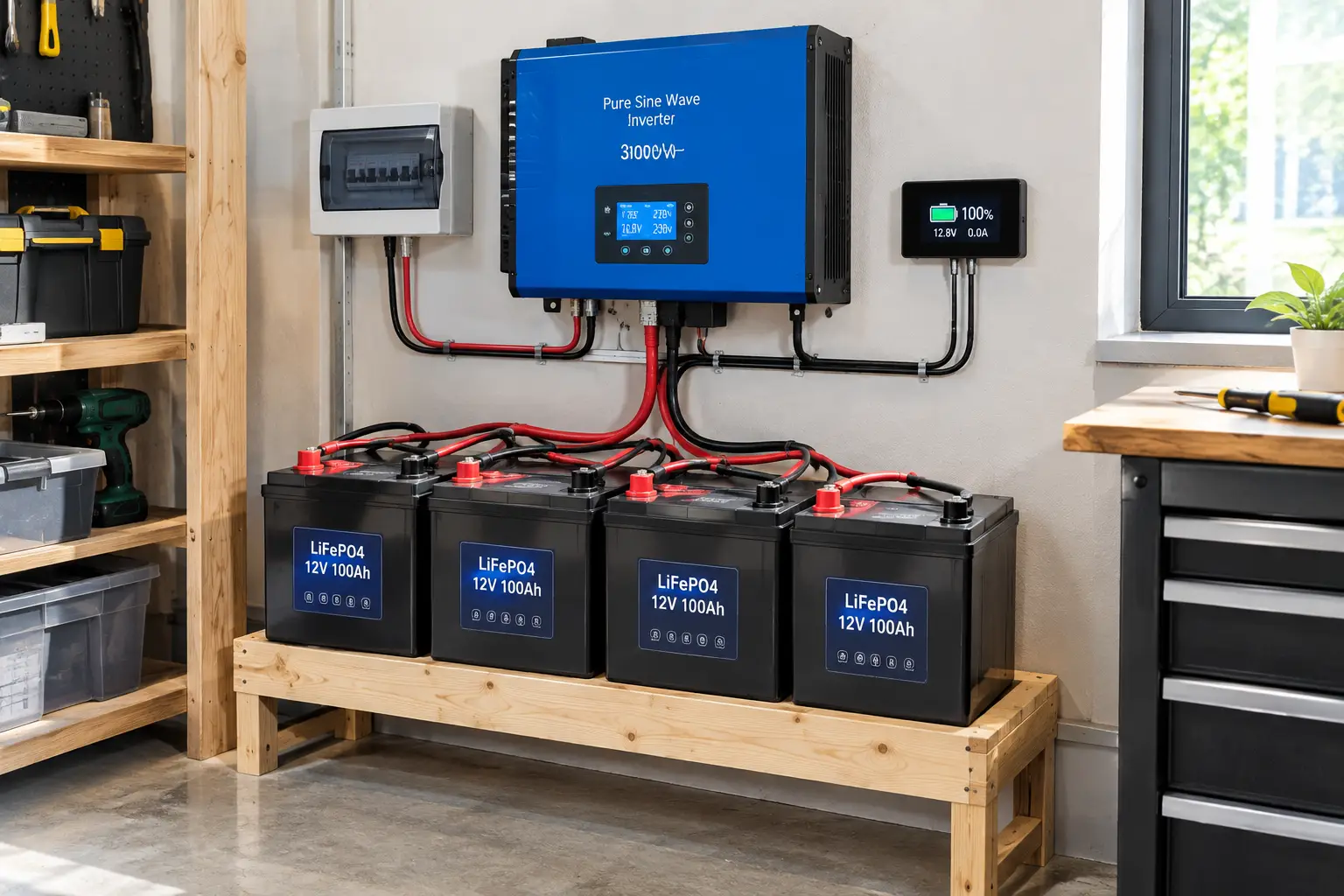
A DIY home battery backup is a battery system you size, buy, and set up yourself to power essential loads during an outage. It’s either an all-in-one portable power station (battery, inverter, and charger in one box) or a component build that pairs LiFePO4 batteries with an inverter charger and transfer switch.
The U.S. Department of Energy’s overview of solar and resilience explains why stored energy matters: unlike a diesel or gas generator, a battery needs no fuel deliveries and can keep delivering power through the night when paired with solar.
Quick Comparison: 7 DIY Home Battery Backup Picks at a Glance
| Product | Capacity | Continuous Output | Voltage | Expandable? | Approx. Price Range | Best for |
|---|---|---|---|---|---|---|
| EcoFlow DELTA Pro 3 | 4,096Wh | 4,000W (8,000W surge) | 120/240V | Yes, to 12kWh per unit | $2,000–$3,000 | EcoFlow DELTA Pro 3: whole-home critical circuits |
| Anker SOLIX F3800 Plus | 3,840Wh | 6,000W | 120/240V | Yes, up to 53.8kWh system | $2,300–$2,800 | Anker SOLIX F3800 Plus: well pumps, big 240V loads |
| Jackery Explorer 2000 v2 | 2,042Wh | 2,200W (4,400W surge) | 120V | No | $800–$1,100 | Jackery Explorer 2000 v2: fridge + Wi-Fi + lights |
| EcoFlow DELTA 3 Plus | 1,024Wh | 1,800W (3,600W surge) | 120V | Yes, to 5kWh | $500–$800 | EcoFlow DELTA 3 Plus: home office UPS |
| BLUETTI AC180 | 1,152Wh | 1,800W (2,700W lifting) | 120V | Limited (B80 via power bank mode) | $450–$600 | BLUETTI AC180: tight budgets, apartments |
| LiTime 12V 100Ah LiFePO4 | 1,280Wh per battery | 1,280W per battery | 12.8V DC | Yes, up to 4S4P (20.48kWh) | $180–$300 each | LiTime 12V 100Ah LiFePO4: component builds |
| Renogy REGO 12V 3000W Inverter Charger | N/A (inverter) | 3,000W (9,000W surge) | 120V | Pairs with any 12V bank | $700–$1,100 | Renogy REGO 12V 3000W Inverter Charger: hands-on DIY systems |
Looking at the table, the dividing line is voltage, not just capacity. If you need to run a 240V well pump or central AC, only the EcoFlow DELTA Pro 3 and Anker SOLIX F3800 Plus make sense; everything else is a 120V “essentials” solution. The LiTime 12V 100Ah LiFePO4 plus Renogy REGO 12V 3000W Inverter Charger combo is the outlier — more work to install, but it costs less per kWh and every part can be replaced individually.
💬 One click helps other shoppers make an informed choice too! 😊
Top 7 DIY Home Battery Backup Systems: Expert Analysis 🔋
The seven picks below run from entry-level to whole-home. For each one, you’ll get what the specs actually mean in a blackout, who should buy it, and where it falls short.
1. EcoFlow DELTA Pro 3 — strongest single-box whole-home option
If you want one unit that can realistically carry a house’s critical circuits, this is the benchmark. The EcoFlow DELTA Pro 3 pairs a 4,096Wh LFP battery with 4,000W of continuous output (8,000W surge) at both 120V and 240V, and EcoFlow rates the cells for 4,000 cycles to 80% capacity.
In practice, that 240V output is the headline. It means you can feed a NEMA L14-30 inlet box and run a well pump or a modest central AC without a second unit — something the original DELTA Pro needed two boxes to do. Each unit expands to roughly 12kWh with two extra batteries, and EcoFlow advertises system scaling to 48kWh with multiple units.
Based on comparing the specs, this is the pick for homeowners who want generator-class capability without the fumes, and who are willing to add a manual transfer switch or EcoFlow’s Smart Home Panel. Reviewer coverage consistently highlights the dual-voltage output and wheeled chassis, while the most common caution is simply cost: it’s an investment, not an impulse buy. Note that it does not work with the older DELTA Pro extra batteries.
Pros:
- ✅ True 120/240V output from a single unit
- ✅ Expands to about 12kWh per unit
- ✅ 4,000-cycle LFP rating supports a long service life
Cons:
- ❌ Heavy enough that “portable” means wheeling, not carrying
- ❌ Not compatible with first-gen DELTA Pro batteries
💵 Expect roughly $2,000–$3,000 depending on bundle and promotions (check the current price); strong value if 240V loads are your priority.
2. Anker SOLIX F3800 Plus — most raw output for 240V appliances
Where the EcoFlow leads on capacity, Anker leads on muscle. The Anker SOLIX F3800 Plus delivers 6,000W continuous from a 3,840Wh LiFePO4 pack, with a built-in NEMA L14-30 port at 120/240V and up to 3,200W of solar input through two 165V MPPT controllers.
That 6,000W ceiling matters when several heavy loads start together — a well pump kicking on while the microwave runs, for example. The high-voltage solar input also means you can string more panels in series and use thinner wire. One detail the spec sheet buries: the 240V generator-charging feature tops out at 3,300W on a single unit, and the full 6,000W bypass requires at least one expansion battery.
On paper, this is the strongest choice for rural homes with well pumps or for anyone planning a large solar array. Review sentiment tends to praise its output headroom and expandability (Anker cites up to 53.8kWh with paired units), while weight — around 135 pounds per Best Buy’s listing — is the recurring complaint.
Pros:
- ✅ 6,000W continuous handles stacked startup loads
- ✅ 3,200W high-voltage solar input
- ✅ Large expansion path with BP3800 batteries
Cons:
- ❌ About 135 lbs, so placement is semi-permanent
- ❌ Full 6,000W generator bypass needs an expansion battery
💵 Typically in the $2,300–$2,800 range at the time of writing; excellent value per watt of output.
3. Jackery Explorer 2000 v2 — lightest 2kWh LiFePO4 for essentials
This is the “just keep the kitchen and Wi-Fi alive” sweet spot. The Jackery Explorer 2000 v2 stores 2,042Wh and outputs 2,200W (4,400W surge), with a sub-20ms UPS switchover that Jackery says complies with UL 1778.
Two kilowatt-hours is the size where a full-size fridge, router, phone charging, and LED lights can comfortably ride out an evening outage. At just under 40 pounds, it’s also light enough to carry upstairs, which matters more than most buyers realize when a storm hits at 2 a.m.
The honest trade-off: capacity is fixed at 2,042Wh and solar input is limited to around 400W, as The Solar Lab’s review noted. That makes it ideal for renters and short-outage regions, less so for multi-day events. Reviewers broadly praise its compact size and fast wall charging, while the non-expandable battery is the most cited drawback.
Pros:
- ✅ Under 40 lbs for a 2kWh LFP unit
- ✅ Fast UPS switchover protects electronics
- ✅ Quick wall recharge with emergency charge mode
Cons:
- ❌ No expansion battery option
- ❌ Low solar input slows off-grid recharging
💵 Usually around $800–$1,100 (prices may vary); among the best capacity-per-dollar deals in the 2kWh class.
4. EcoFlow DELTA 3 Plus — fastest UPS switchover for home offices
If your outage worry is a desktop rebooting mid-project, the switchover time matters more than raw capacity. The EcoFlow DELTA 3 Plus offers a sub-10ms UPS, 1,800W continuous output (3,600W surge), and a 1,024Wh LFP battery that expands to 5kWh with compatible EcoFlow extra batteries.
That 10ms figure was confirmed by StorageReview’s transfer-time testing, which puts it in the range where most computers and networking gear won’t notice the grid dropped. The 1,500W AC input (full charge in under an hour) also helps when power returns briefly between outages.
This is a smart fit for remote workers, gamers, or anyone protecting a NAS or medical-adjacent device like a CPAP. Customer feedback on EcoFlow’s own store praises the seamless switchover, while a common note is that 1kWh feels tight for heavy appliances — which is why the expansion path matters.
Pros:
- ✅ Sub-10ms UPS keeps PCs from rebooting
- ✅ Expands from 1kWh to 5kWh
- ✅ Very quiet under moderate loads
Cons:
- ❌ 1kWh base capacity drains fast with a fridge
- ❌ Expansion batteries add significant cost
💵 Generally $500–$800 (check the current price); great value as a UPS-first backup.
5. BLUETTI AC180 — best entry-level LiFePO4 for tight budgets
The BLUETTI AC180 proves you don’t need four figures to get a real LiFePO4 backup. It packs 1,152Wh, 1,800W continuous output with a 2,700W “power lifting” mode for resistive loads, and BLUETTI rates the battery for 3,500+ cycles to 80%.
Power lifting is worth understanding: it lowers voltage to run things like kettles or hair dryers that exceed 1,800W, but it won’t help motor-driven appliances. BLUETTI’s manual also lists about 15W of self-consumption — small, but it trims overnight runtime. The current Amazon listing advertises a ≤10ms UPS, though older reviews cite around 20ms, so check the version you’re buying.
For apartment dwellers or first-time buyers, this is a low-risk starting point. Reviewer sentiment highlights fast charging (0–80% in about 45 minutes) and value; the most consistent criticisms are its roughly 35–37 pound weight and limited expansion.
Pros:
- ✅ LiFePO4 longevity at an entry-level price
- ✅ Very fast AC recharging
- ✅ Power lifting runs high-wattage resistive devices
Cons:
- ❌ Heavier than its capacity suggests
- ❌ Expansion limited to B80 power bank mode
💵 Commonly $450–$600 at the time of writing; the budget value champion.
6. LiTime 12V 100Ah LiFePO4 — cheapest kWh for component builders
This is where true DIY begins. The LiTime 12V 100Ah LiFePO4 stores 1,280Wh with a built-in 100A BMS, and LiTime rates it for 4,000 cycles at 100% depth of discharge (6,000 at 80%, 15,000 at 60%).
That cycle curve is a hidden lever: if you only discharge to 60–80% routinely, the battery’s practical lifespan stretches dramatically. The 100A BMS also sets a hard ceiling — each battery supplies about 1,280W continuously — so a 3,000W inverter needs at least three batteries in parallel. LiTime supports up to 4S4P configurations for 20.48kWh.
Based on comparing the specs, this is the right choice for builders who want modular, replaceable storage and are comfortable with fuses, busbars, and 4/0 cable. Reviewer coverage tends to praise its weight (about 24 pounds versus far heavier lead-acid) and value, while the main caution is that it’s a component, not a plug-and-play product.
Pros:
- ✅ Lowest cost per kWh in this lineup
- ✅ Excellent cycle life at partial discharge
- ✅ Scales to 20.48kWh in series/parallel
Cons:
- ❌ Requires separate inverter, fusing, and cabling
- ❌ 100A BMS limits output per battery
💵 Roughly $180–$300 per battery (prices may vary); unmatched value if you can build safely.
7. Renogy REGO 12V 3000W Inverter Charger — the brain of a component system
A battery bank is useless without a way to turn DC into clean household AC. The Renogy REGO 12V 3000W Inverter Charger combines a 3,000W pure sine wave inverter (9,000W surge), a multi-stage lithium-compatible charger, and an automatic transfer switch with a roughly 10ms transfer time.
That built-in transfer relay is what makes it a backup system rather than just an inverter: when grid power is present, it passes it through and charges your batteries; when the grid drops, it switches to battery automatically. Renogy’s split-phase HF version lists a 50A bypass rating at 120V, while the older PCL models use a 30A relay — confirm which model you’re buying.
This is for confident DIYers or anyone working with an electrician. One owner review on Renogy’s UK site notes the unit must be powered on even to pass shore power through, a quirk worth planning around. Paired with three or four LiTime 12V 100Ah LiFePO4 batteries, it forms a capable 3.8–5.1kWh system.
Pros:
- ✅ Inverter, charger, and transfer switch in one unit
- ✅ 9,000W surge handles motor startup
- ✅ Works with lithium and lead-acid banks
Cons:
- ❌ 12V at 3,000W demands very heavy cabling
- ❌ Must stay on for pass-through operation
💵 Around $700–$1,100 depending on version; strong value as a system’s centerpiece.
✨ Don’t miss these power-packed picks!
🔍 Take your outage prep to the next level with this carefully curated lineup. Click a highlighted product to check current pricing and availability — these picks will help you keep the lights, the fridge, and the Wi-Fi running the whole family depends on! 🏠⚡
How to Set Up Your DIY Home Battery Backup in a Weekend 🛠️
Buying the battery is the easy part. Getting real protection out of it takes a little planning, and most of it can happen before the first storm warning.
Day 1: Plan and test
- List your critical loads. Write down the fridge, router, lights, phone chargers, CPAP, sump pump, or well pump you can’t live without. Check each label for running watts.
- Do a dry run. Charge your unit to 100%, unplug the fridge from the wall, and plug it into the battery for a full evening. Watch the app’s real-time draw. This tells you more than any calculator.
- Set the charge ceiling. For a unit that sits waiting for outages, keep it on the wall in UPS mode. If you’d rather extend LFP life, many apps let you cap charging at 90% — just remember to top it up before a forecast storm.
Day 2: Connect it to the house (safely)
- Extension-cord method: Zero wiring. Run heavy-gauge cords from the battery to each appliance. Fine for one or two loads.
- Inlet box + manual transfer switch: An electrician installs an inlet on the exterior wall and a transfer switch at your panel. You plug the battery in, flip the switch, and pick circuits. This is the standard path for the EcoFlow DELTA Pro 3 and Anker SOLIX F3800 Plus.
- Component build: Mount the Renogy REGO 12V 3000W Inverter Charger close to the LiTime 12V 100Ah LiFePO4 bank, keep battery cables short, and fuse the positive line near the battery.
💡 First-30-days tip: run one scheduled “blackout drill” a month. It catches dead extension cords, forgotten app logins, and a fridge that pulls more than you thought.
Real-World Scenarios: Matching a Home Battery Backup System to Your Life 🏡
Specs only make sense when you attach them to a household. Here are three common profiles and the reasoning behind each match.
🏢 The suburban remote worker (short outages, 1–4 hours)
Picture a two-bedroom townhouse where outages are brief but frequent. The priority is keeping a desktop, monitor, and router online without a reboot. The EcoFlow DELTA 3 Plus fits: its sub-10ms switchover covers the computer, and 1,024Wh can run a 150W workstation plus router for around five hours after inverter losses. Budget: roughly $500–$800. If the fridge also matters, step up to the Jackery Explorer 2000 v2.
🌲 The rural family on well water (multi-day storms)
No water pressure without power is a hard way to learn about 240V. A typical 1 HP well pump needs 240V and a hefty startup surge. The Anker SOLIX F3800 Plus or EcoFlow DELTA Pro 3, connected through an inlet box and transfer switch, can carry the pump, fridge, and furnace blower. Add solar panels and an expansion battery for multi-day resilience. Budget: $3,000–$6,000 with installation and panels.
🔧 The hands-on homeowner (wants modular, repairable storage)
This buyer enjoys wiring and wants to swap parts instead of replacing a sealed box. Three LiTime 12V 100Ah LiFePO4 batteries (3,840Wh) plus the Renogy REGO 12V 3000W Inverter Charger feed a critical-loads subpanel. It costs less per kWh than all-in-one units, but plan for an electrician’s sign-off where your local code requires one. Budget: roughly $1,600–$2,500 in components.
Battery Backup for Power Outage: 5 Common Problems and Fixes 🧯
Even a great battery backup for power outage situations can let you down if a few details slip. These are the issues owners run into most, with fixes that actually work.
1. “My fridge tripped the inverter.” ✅ Compressors can draw 3–6 times their running watts at startup. Choose a unit with surge headroom (the Renogy REGO 12V 3000W Inverter Charger lists 9,000W surge) and avoid starting the fridge and microwave at the same moment.
2. “The battery died faster than the calculator said.” ✅ Inverters lose 10–15% as heat, and units draw idle power (BLUETTI lists about 15W for the BLUETTI AC180). Multiply rated capacity by about 0.85 for a realistic estimate.
3. “It won’t recharge in the cold.” ✅ LiFePO4 cells typically shouldn’t charge below freezing. Keep the battery in a conditioned space, or choose self-heating batteries for garages.
4. “My PC still rebooted.” ✅ Switchover speed varies. Check the spec — the EcoFlow DELTA 3 Plus is rated under 10ms, while others are around 20ms.
5. “The battery was at 30% when the storm hit.” ✅ Leave the unit on wall power in UPS or backup-reserve mode, and set a calendar reminder to check charge levels during storm season.
How to Choose a DIY Home Battery Backup: 6 Steps 🧭
Choosing a DIY home battery backup comes down to matching energy, power, and voltage to the loads you actually need. Follow these steps in order:
- Add up running watts. Total the appliances you’ll run at the same time. That number sets your minimum continuous output.
- Find the biggest surge. Motors (fridges, pumps, AC) need 2–6 times their running watts for a second at startup. Your unit’s surge rating must cover the largest one.
- Estimate daily kWh. Multiply each load’s watts by hours of use, add them, then divide by about 0.85 for inverter losses. A fridge alone often needs 1–2kWh per day.
- Check voltage. Any 240V appliance (well pump, central AC, dryer) rules out 120V-only units.
- Decide how you’ll connect. Extension cords work for a few devices; an inlet box and transfer switch are needed to feed household circuits.
- Plan your recharge. For outages longer than a day, budget for solar panels or a generator input — capacity alone won’t carry you through a week.
The most overlooked step is number 2. Plenty of buyers size for running watts, then watch their inverter shut down the first time the well pump kicks on.
Portable Power Station for Home Backup vs. a Component Build ⚖️
This is the biggest fork in the road for any DIYer, and both paths are legitimate.
A portable power station for home backup — the EcoFlow DELTA Pro 3, Jackery Explorer 2000 v2, or BLUETTI AC180 — is a sealed, factory-tested box. The battery management, inverter, charger, and safety listings arrive already integrated, and the warranty covers the whole system (typically five years for these brands). You trade flexibility for simplicity: if the inverter fails out of warranty, the whole unit usually goes back to the manufacturer.
A component build — the LiTime 12V 100Ah LiFePO4 bank plus the Renogy REGO 12V 3000W Inverter Charger — is the opposite. Each part is replaceable, capacity grows a battery at a time, and the cost per kWh is often lower. But you own the integration: cable sizing, fusing, ventilation, grounding, and code compliance are your responsibility.
Here’s a useful rule of thumb. If you’ve never sized a fuse or crimped a 4/0 lug, start with a power station. If you already wire RVs or off-grid sheds, a component system will reward you with lower long-term costs and repairability. And remember: 12V is fine up to about 3,000W, but larger home systems usually move to 48V to keep currents (and cable sizes) manageable.
LiFePO4 Battery Backup: Why Chemistry Matters More Than Brand 🧪
Every product in this guide uses LiFePO4, and that’s not a coincidence. A LiFePO4 battery backup has become the default for home use because of what the lithium iron phosphate chemistry offers: strong thermal stability, long cycle life, and no cobalt.
What that means in practice:
- 🔥 Safer indoors. LFP cells are far more resistant to thermal runaway than the NMC chemistry used in many older power stations. That matters when the battery lives in your hallway closet.
- 🔁 Thousands of cycles. Ratings in this lineup range from 3,000 cycles (Anker SOLIX F3800 Plus) to 4,000 cycles (EcoFlow DELTA Pro 3, LiTime 12V 100Ah LiFePO4). Even daily cycling works out to roughly a decade of use.
- 📉 Flat voltage curve. LFP holds steady voltage through most of its discharge, so your inverter delivers consistent power until near-empty.
The trade-offs are real, though. LFP is heavier per kWh than NMC, which is why a 2kWh Jackery Explorer 2000 v2 still weighs about 40 pounds. And most LFP cells shouldn’t be charged below 32°F (0°C) — a key consideration if your backup lives in an unheated garage.
What the spec sheets don’t always say: cycle ratings assume moderate temperatures and specific depth-of-discharge levels. LiTime’s own figures show 4,000 cycles at 100% DoD rising to 15,000 at 60%, so how you use the battery shapes its lifespan as much as the brand does.
Whole Home Battery Backup: What It Really Takes 🏠
“Whole home” is the most stretched phrase in this category. A true whole home battery backup must cover everything at once — HVAC, water heater, range, dryer — and that usually means 10–30kWh of storage and 10kW or more of output.
Most DIY systems are better described as critical-loads backup. As PNNL’s Building America guide on battery storage for power outages explains, backup systems need an automatic transfer switch to isolate the house from the grid, and many homes add a critical loads subpanel because the system isn’t sized for the whole house.
That’s not a weakness — it’s smart design. Here’s how to approach it:
- Start with critical loads: fridge, freezer, furnace blower, well or sump pump, lights, internet, medical devices.
- Scale up deliberately: the EcoFlow DELTA Pro 3 expands to about 12kWh per unit, and the Anker SOLIX F3800 Plus system scales much further with paired units and expansion batteries.
- Cut heavy resistive loads: an electric water heater or range can drain a 4kWh battery in an hour or two. Switch those to gas or simply leave them off during outages.
A practical target for most families is 4–12kWh with 240V capability, recharged by solar. That covers the essentials for one to three days without pretending to replace the grid.
DIY Home Battery Backup vs. Gas Generator 🔌⛽
| Factor | DIY home battery backup | Portable gas generator | Best for |
|---|---|---|---|
| Indoor use | Yes (LFP units) | Never — outdoors only | Battery: apartments, cold climates |
| Noise | Near silent to fan hum | Loud engine noise | Battery: neighborhoods, nighttime |
| Runtime | Limited by kWh unless recharged | As long as fuel lasts | Generator: week-long outages |
| Maintenance | Minimal | Oil, fuel stabilizer, monthly runs | Battery: low-effort owners |
| Upfront cost | Higher per usable kWh | Lower per watt | Generator: tight budgets |
| Instant switchover | Yes, 10–20ms UPS on many units | No — manual start | Battery: computers, CPAP |
The table shows why many households now pair the two rather than choose. A battery handles the first hours silently and protects electronics, while a generator — run outdoors, far from windows — recharges the battery during multi-day events. Units like the Anker SOLIX F3800 Plus and EcoFlow DELTA Pro 3 are explicitly designed to accept generator charging.
Safety is the strongest argument for batteries. The CPSC estimates about 85 people die each year in the US from portable generator carbon monoxide poisoning, and the agency warns never to run one in a home, garage, basement, crawlspace, shed, or on a porch. A battery removes that risk entirely from the indoor part of your plan.
Safety, Regulations, and Standards for Home Battery Backup ✅
A DIY home battery backup is electrical equipment, and US standards exist for good reasons. Here’s what to look for and respect:
- UL 9540 / UL 9540A: The main safety standard for energy storage systems. EcoFlow markets the EcoFlow DELTA Pro 3 as UL 9540 certified, which can matter for permitting and some insurers.
- UL 1778: Covers UPS equipment. Jackery states the Jackery Explorer 2000 v2 UPS function complies with it.
- NFPA 855 and local fire code: Limit how much stored energy can sit in certain rooms and require spacing for larger systems. Check with your local building department before installing banks above roughly 20kWh.
- National Electrical Code (NEC): Any connection to your home wiring must prevent backfeeding the grid. That means a listed transfer switch or interlock — never a “suicide cord” plugged into a wall outlet, which can energize utility lines and endanger line workers.
For component builds, add these essentials: a properly rated fuse (often Class T) within inches of the battery positive, correctly sized cable for the current, a battery disconnect switch, and ventilation around the inverter. Many jurisdictions require a permit and inspection for panel work, so budget for a licensed electrician on the final hookup.
Long-Term Cost and Value: What You Really Pay per kWh 💰
| Product | Approx. midpoint price | Capacity | Upfront $/kWh | Rated cycles | Lifetime $/kWh delivered* | Best for |
|---|---|---|---|---|---|---|
| LiTime 12V 100Ah LiFePO4 ×3 + Renogy REGO 12V 3000W Inverter Charger + wiring | ~$1,870 | 3,840Wh | ~$490 | 4,000 | ~$0.12 | DIY builders |
| BLUETTI AC180 | ~$525 | 1,152Wh | ~$455 | 3,500 | ~$0.13 | Budget starters |
| EcoFlow DELTA Pro 3 | ~$2,500 | 4,096Wh | ~$610 | 4,000 | ~$0.15 | 240V homes |
| Jackery Explorer 2000 v2 | ~$950 | 2,042Wh | ~$465 | 3,000 (to 80%) | ~$0.16 | Essentials |
| EcoFlow DELTA 3 Plus | ~$650 | 1,024Wh | ~$635 | 4,000 | ~$0.16 | Home offices |
| Anker SOLIX F3800 Plus | ~$2,550 | 3,840Wh | ~$665 | 3,000 | ~$0.22 | High-output loads |
*Rough estimate: midpoint price ÷ (rated cycles × capacity). Real-world figures will be lower due to inverter losses and degradation, and prices change often.
The math tells a clear story. Upfront, the BLUETTI AC180 and Jackery Explorer 2000 v2 are the cheapest ways to buy a kWh; over a lifetime of cycling, the component build edges ahead thanks to high cycle ratings and replaceable parts. The Anker SOLIX F3800 Plus looks expensive per kWh, but you’re paying for 6,000W of output — a different value metric if you run big 240V loads.
For backup-only owners who cycle a few dozen times a year, cycle life barely matters; warranty length and standby reliability matter more. With the federal 25D credit gone for 2026 installs, it’s also worth checking state and utility programs, which sometimes still offer storage rebates.
FAQ: DIY Home Battery Backup Questions Buyers Ask Most ❓
❓ How much does a DIY home battery backup cost in 2026?
❓ Can a DIY home battery backup run a refrigerator overnight?
❓ Is it cheaper to build a home battery backup or buy a power station?
❓ Do I need an electrician to connect a battery to my house?
❓ Which DIY home battery backup is best for a well pump?
Conclusion: Build the Backup That Fits Your Home, Not the Hype 🏁
The right DIY home battery backup isn’t the biggest one — it’s the one that matches your loads, your voltage, and how long your outages actually last. If you’re protecting a home office through short blips, the EcoFlow DELTA 3 Plus and its sub-10ms switchover make the most sense. If the goal is keeping the fridge, router, and lights alive overnight, the Jackery Explorer 2000 v2 delivers 2kWh in a carryable package, while the BLUETTI AC180 is the friendliest entry point for tight budgets.
For homes with well pumps or central AC, 240V capability is non-negotiable. The EcoFlow DELTA Pro 3 leads on single-unit capacity and expansion, and the Anker SOLIX F3800 Plus wins on raw output for stacked heavy loads. And if you enjoy hands-on work, a bank of LiTime 12V 100Ah LiFePO4 batteries paired with the Renogy REGO 12V 3000W Inverter Charger delivers the lowest lifetime cost per kWh — as long as you respect fusing, cabling, and code.
Whatever you choose, three habits make the difference: size for surge, not just running watts; connect through a proper transfer switch, never a backfeed cord; and run a blackout drill before the storm arrives. With the federal tax credit gone for 2026, careful sizing is the best savings you’ll get.
🚀 Ready to stop worrying about the next outage?
🔋 Pick the backup that fits your home today — click a highlighted product above to check current pricing and availability, and give your family quiet, fume-free power when the grid goes dark! ⚡🏠
Recommended for You
- Best Battery for Camper Trailer: 7 Proven Picks for 2026
- Best Battery for Solar Panels: 7 Proven Picks for 2026
- Best Inverter Generator for Home Backup: 7 Proven Picks (2026)
Disclaimer: This post contains affiliate links. As an Amazon Associate, I earn from qualifying purchases made through these links, at no additional cost to you.
✨ Found this article helpful? Share it with someone who needs it! 💬🤗